
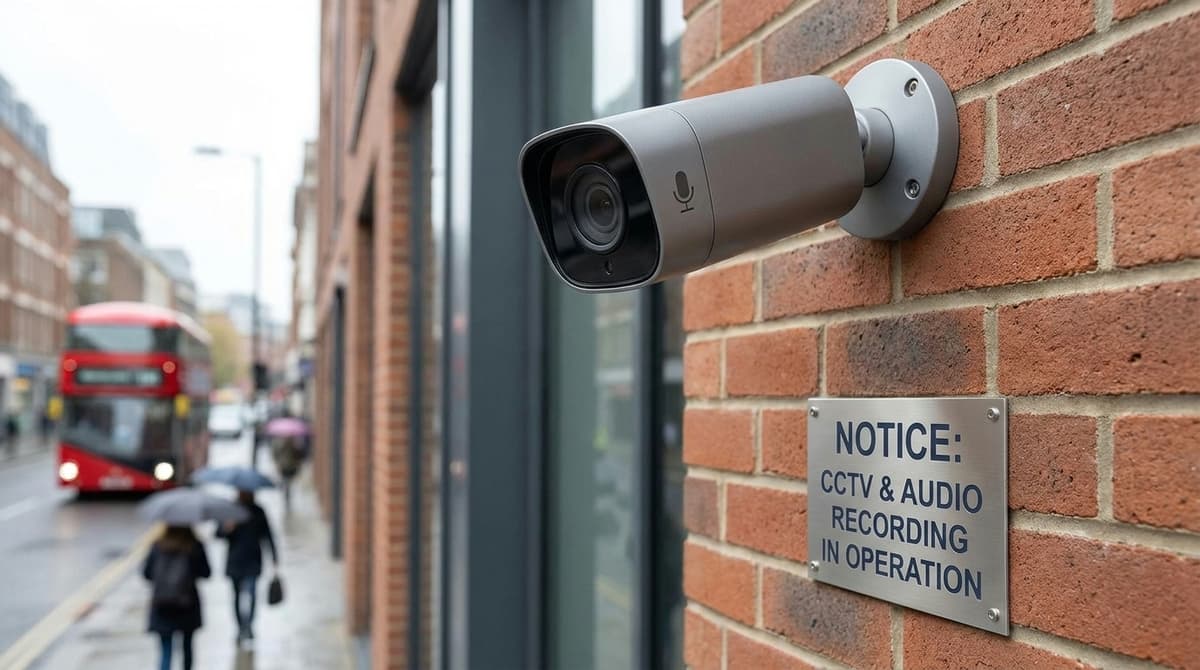
Yes, CCTV can record sound, and in the UK that raises the bar: audio is generally treated as more intrusive than video alone, so you need a separate, documented reason for capturing it and signs that clearly say sound is being recorded.
Many cameras have no microphone at all, and where a camera has one or accepts an add-on audio module, you can usually switch recording off and keep the system video-only. Before you enable it, check the ICO's current CCTV guidance, because a purely domestic setup is treated differently from one that picks up a neighbour's garden or a public footpath.
Does recording sound change your UK GDPR obligations?
Yes. A system that records sound is held to a higher standard than video-only CCTV, and the audio needs its own clear, written justification. The ICO's CCTV guidance covers sound recordings as well as images, so turning on a camera's microphone is a separate decision you have to be able to defend.
Audio is harder to justify because a microphone does not stop at the edge of the picture. It can pick up conversations from people who are outside the frame and who would not expect to be recorded. Before you buy CCTV with audio recording, write down the specific problem sound solves. If you cannot, leave the microphone disabled in the camera or recorder settings.
Home systems and the domestic position
This is general guidance, not legal advice. A system that only covers your own property is usually treated differently from a business system. If the cameras capture a neighbour's property, a shared path or the street, UK GDPR and the Data Protection Act 2018 can apply to you as the operator. Check the ICO's current guidance for your situation.
Who can see the footage matters too. Put a live-view screen where only the people who need it can see it. Our guide to choosing the right CCTV monitor screen helps you pick a display for that spot.
Can a neighbour's CCTV point at my garden?
A camera that catches part of your garden is not automatically illegal. It does mean your neighbour may have data protection duties toward you, such as having a reason for that coverage and responding if you ask for footage of yourself. An active microphone makes their position much weaker, because it can record what you say in your own garden even when the lens is angled away.
New laws regarding CCTV
The ICO last reworked its video surveillance guidance in 2022 and says audio should be switched off by default; check the current page before you rely on this summary. Before enabling audio, read the ICO's current CCTV page rather than relying on a summary, this one included.
What is camera audio, and does CCTV have it?
Some CCTV cameras can record audio, but not every model includes a microphone. Camera audio means sound picked up by a microphone, either built into the camera or wired into it, and stored alongside the video. You only get it when three things line up: a microphone, an audio path into the system and a recorder set to save that audio.
Sirix Monitoring makes the same point: many IP and dome cameras include a microphone, but not all models do. So a "cctv camera with audio" is a specific feature to check on the datasheet, not something to assume.
The three hardware cases
- Built-in microphone. The mic sits in the camera housing. It is the tidiest option, but it can only pick up sound where the camera is mounted.
- Line-in for an external mic. The camera or recorder has an audio-in connector, so you can place a separate microphone where the sound is. CCTVCameraWorld offers PoE cameras with optional line-in audio inputs for this reason.
- Analogue versus IP. On analogue systems, audio usually runs on its own lead, typically RCA, to a DVR audio input. IP cameras normally send audio digitally in the same network stream as the video.
Whichever case applies, check that the DVR or NVR datasheet lists audio support for the channels you need. Audio recording also has to be enabled on each channel in the recorder settings.
Adding a mic to an existing setup
If your camera or recorder has an audio-in but no microphone, our CCTV High-Gain Microphone (SKU MIC-IN-LINE-Microphone) is an add-on suited to indoor positions or sheltered outdoor installations. Its RCA jack carries the audio, and its 2.1mm jack is for power. The product page shows the current price and whether it is in stock or on back order.
On larger sites, sound is usually worth recording only in a few spots, such as a goods-in hatch or a reception counter. Our zone-by-zone guide to warehouse camera planning helps you decide where those spots are.
Live listening, recording or two-way talk: which do you need?
Choose live listening to hear a scene now, recording to keep sound with the footage, or two-way talk to speak back through the camera.
- Live listen-in streams the camera's microphone to your app or desktop client in real time. Nothing is kept unless recording is also switched on.
- Recording saves an audio track to the NVR or DVR alongside the video, so you can play it back with the clip later.
- Two-way talk adds a speaker (built in, or wired to an audio-out port). You press to talk in the app and the person at the camera hears you. Their reply comes back through the microphone.
How to listen to audio on a CCTV camera
- Confirm in the product datasheet that the model has a built-in microphone or an audio input. Many cameras have neither.
- Enable audio in the camera's stream settings. This is often a stream-type option that switches from video only to video and audio.
- Turn on audio for that channel on the recorder, or it won't be saved.
- Unmute the stream in your viewing app or client.
If you're adding an external line-in microphone on a long run, our guide on whether shielded CCTV cable is worth it will help with the cabling decision.
Where two-way talk is useful
Two-way talk is most useful at a front door or gate. You can give a courier instructions or ask a visitor who they are without opening up.
In a shop or warehouse, staff can speak to someone at a rear entrance or loading bay from the office.
Trade-offs to check first
How loud the speaker is and how well the microphone picks up sound depend on the model. Surroundings matter too: wind, traffic and machinery noise can all affect what you hear. The datasheet is the only reliable reference for a specific camera.
Listening live and recording are both processing of personal data, but recording is harder to justify because the sound is kept. Before enabling either, and especially recording, check the ICO's current CCTV guidance.
When should you switch audio off?
Switch audio off wherever a microphone would pick up people who aren't the reason you installed the camera: neighbours, passers-by in shared spaces, or staff talking privately.
Where sound should stay off
- Facing a neighbour's home or garden. A camera can be angled or privacy-masked, but a microphone has no mask. It will record conversations over the fence.
- Shared spaces such as stairwells, car parks and communal hallways in flats, where residents and visitors have done nothing to warrant being recorded.
- Staff areas, including break rooms, kitchens and anywhere employees reasonably expect a private conversation.
UK data protection guidance treats recorded sound as more intrusive than images. In these areas, audio is very hard to defend even when video is justified.
Practical steps
- Disable the audio channel on the recorder or the camera itself, then check a playback clip to confirm it is silent. Muting the app's live view does not stop recording.
- Shortlist cameras on whether audio can be switched off independently. A built-in mic that can't be disabled is a liability on a boundary-facing camera.
- Place any external microphone for the smallest pickup area you need. On the high-gain microphone we stock, audio travels over the RCA connection and the 2.1mm jack is for power. Mount it close to the point you need to hear, such as a till or a door intercom, rather than high on a wall covering a whole yard.
The justification test
Before you leave a mic live, work through these questions in order:
- What problem does sound solve that video alone doesn't?
- Is there a less intrusive way to solve it, such as a visible camera, a sign or one-way talk-down only?
- Have you written the reason down?
If you can't answer the first question, or the answer to the second is yes, turn audio off. Keep the written reason with your other CCTV records so you can show it to anyone who asks.
What must your signs and paperwork say about audio?
Your signs must state that audio, not just video, is being recorded, name who operates the system and give a way to contact them. A generic "CCTV in operation" sticker doesn't tell anyone their conversations may be captured.
The sign itself
People searching for a "cctv with audio sign" often expect an official template. We're not aware of any mandated form of words. What matters is that the sign is clear, visible before someone enters the recorded area, and explicit about sound recording.
A workable sign covers:
- that the camera records audio as well as images
- the operator's name, whether a business or a householder
- a phone number, email or postal contact for questions
The ICO expects CCTV signage to be clear and prominent. Its guidance is updated from time to time, so check the current version on the ICO website before you print anything.
The paperwork behind it
Write down why you need sound, and why video alone doesn't meet that purpose. For example, a staffed counter where verbal threats have been reported may justify audio. A driveway usually won't. Record who can access the audio, and keep that list short.
Anyone recorded can generally ask for a copy of footage and audio that includes them. Check the ICO's guidance on subject access for the conditions that apply. How long you keep recordings is covered in our separate guide to CCTV retention.
Fitting the kit
Your own electrician or an independent NSI- or SSAIB-accredited installer should fit the system. Give them the camera's datasheet or installation guide so they can confirm its audio input and recorder settings. CCTV Master sells the equipment only and doesn't install it.
For temporary sites, our guide to site CCTV hire versus buying can help you decide whether owning the kit makes sense. When you're ready, you can shop at cctvmaster.co.uk or ask about trade pricing.
Related products
Related products from our own range:
- Hikvision 4K Two Way Audio CCTV Camera Turret — Hikvision turret camera with built-in two-way audio (talk and listen via a compatible DVR), 4K 3840×2160 image, 40m night vision and IP67 weatherproofing.
- Hikvision 5MP Turret Camera with Built-in Audio — 5MP Hikvision turret camera with integrated audio over coaxial cable. 2560×1944 resolution, 40m IR, IP67 rated. Compatible with analogue DVR systems.
- Hikvision 3K Turret Camera with Two-Way Audio — Hikvision 3K turret camera with integrated two-way audio, 40m night vision, and IP67 weatherproofing. Real-time communication over coaxial cable for home and business CCTV.
- Hikvision 3K Two-Way Audio Turret Camera — 3K turret camera with built-in two-way audio over coaxial cable. ColorVu full-colour night vision, 20m white light, IP67 weatherproof.