
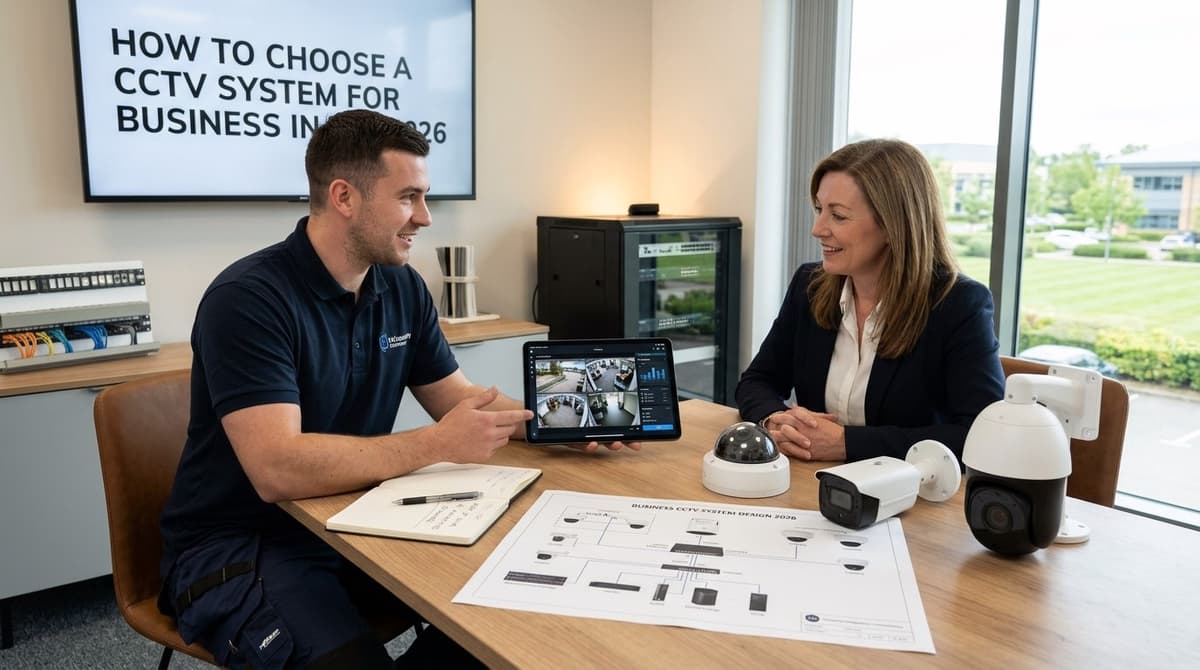
Choose a CCTV system in this order, because each decision limits the next: purpose and legal basis, coverage for each camera position, recording, network and power, remote access, and finally total cost. Start with the job each camera must do, such as identifying a person, deterring, or monitoring a process, because that decides the camera type, the recording needs and the compliance duties that come with it.
The one qualification is that a business site, school, building site or ANPR lane changes the answer at the first two checks, so settle purpose and coverage before you compare any kit or quote.
Check 1: What is the system for, and what do UK rules require?
Give each camera one primary purpose: identifying people, deterring, monitoring a process or staff, or covering vehicles. Write it next to the camera position on your plan before you look at a single spec sheet.
The Queensland Police guidance notes that one camera position rarely does both identification and staff-theft monitoring well. A view that watches a till or packing bench and a view that captures faces at the door are better planned as separate cameras.
The legal basics
For most business systems, the UK GDPR and the ICO's video surveillance guidance apply. This is general guidance, not legal advice. In practice it means:
- a documented purpose for each camera
- signage at the points people enter the monitored area
- privacy masking for neighbouring property or private areas
- a named person responsible for the footage
Whether a data protection fee, registration or a DPIA applies depends on your setup, so check each one rather than assuming.
Site-type modifiers
- Office or warehouse: staff will be on camera, so keep the stated purpose specific. Goods-in doors and yard gates are usually where the evidence matters most.
- School: pupils' images need extra care. Involve the school's data protection lead early and keep cameras out of washrooms and changing areas.
- Building site: the perimeter and vehicle entrance matter most. If you need plates read, that is a dedicated ANPR CCTV system rather than a general-purpose camera.
Once the purposes are fixed, our Hikvision CCTV System UK Guide for 2026 shows how to turn them into a camera and recorder list if you are shortlisting that brand.
Check 2: What coverage and resolution does each target need?
Pick each camera by the job its image must do (detect, recognise or identify), not by the megapixel figure on the box.
- Detect: show that a person or vehicle is present and moving. A wide view is fine, which suits a car park or perimeter.
- Recognise: tell whether it is someone you know or a familiar vehicle. This needs a tighter view, as on a yard gate or a corridor.
- Identify: capture enough detail to name a person or read a plate. It means a narrow field of view and a short distance, as at an entrance, a cash point or a plate-capture lane.
How many pixels land on the target depends on resolution, lens and distance together. A wider lens spreads the same sensor across more ground, so a lower-resolution camera with a tighter lens can out-resolve a higher-resolution one set wide.
That is also why "2K vs 5MP" has no universal winner. "2K" is a marketing label that brands apply to different sensors, so compare the pixel dimensions and focal length on the datasheet. Low-light performance (minimum illumination in lux, sensor size) and IR range in metres are datasheet checks too.
Put identify-grade cameras at entrances, cash points and yard gates. Plate capture needs its own camera aimed down a single lane, not a wide overview doing two jobs. A turret is often easier to aim and less prone to IR glare off the dome bubble, while a dome is usually the more vandal-resistant choice. For office and site layouts, see business CCTV systems.
PTZ cameras suit large open areas. They are not a substitute for fixed cameras on key targets, because a PTZ can be looking elsewhere when the incident happens. Higher resolution also adds to cost, which our cost-per-camera pricing guide breaks down.
Go/no-go: For every camera, have you written down the distance to target and the task (detect, recognise or identify), and checked that the datasheet's resolution and lens give enough detail at that distance? If any camera fails that test, change the lens or the position before you order.
Check 3: How will it record, and for how long?
Set your retention period first, then size recorder channels and drive capacity to match, because the three are one decision. Retention should follow your purpose and legal basis: under UK GDPR, footage is kept no longer than that purpose needs, and the ICO CCTV code expects you to be able to justify the period.
Recorder type
A new IP build suits an NVR, which records network streams from PoE cameras. If coax is already in the walls, a DVR (or a hybrid recorder that takes both) lets you reuse that cabling, though you are then working within analogue-over-coax limits.
Whichever you pick, the channel count must cover every camera you plan to run, with spare channels if you expect to add more. A 4 camera CCTV system is a common starting size, but check the recorder's channel count against your growth plans.
Storage formula
Drive capacity comes from four inputs multiplied together:
storage needed = number of cameras × bitrate per stream × recording hours per day × days kept
Convert bits to bytes at the end. Recording mode changes the third input: continuous recording uses every hour, while motion-triggered recording uses only the active ones. Bitrate depends on resolution, frame rate and compression, so read it from your camera's settings or datasheet rather than guessing.
Drives sold with a recorder are supplied pre-fitted before dispatch, so you only choose the capacity. Your own electrician or an independent installer handles the on-site wiring and mounting.
Go/no-go: Have you set a retention period you can justify and confirmed the drive capacity covers it at your chosen bitrate? If not, don't order the recorder yet.
Check 4: Can the network and power budget carry it?
Yes, provided the switch's per-port and total PoE budgets both exceed your cameras' draw and every cable run stays within its rated length. Work through it in this order:
- Add up the draw. Take each camera's maximum power figure from its datasheet, not a typical one, and total them. Models with heaters, infrared or motorised lenses sit at the top of that range.
- Check the ports. The most power-hungry camera must fit within what a single switch port can deliver.
- Check the total. The sum of all cameras must fit within the switch's overall PoE budget, which can be lower than the ports' combined capacity. Our PoE CCTV system guide to cameras, switches and NVRs covers how to size the switch, so use that rather than a rule of thumb.
- Leave headroom. A switch running at its limit has nowhere to go when you add a camera later.
Cable and non-PoE cameras
Cable type and length are the other half. Each run has to stay within the rated length for the cable you choose, so read the camera datasheet and installation guide for the limit rather than assuming one.
Ask your electrician or independent installer (preferably NSI or SSAIB accredited) about exterior routing: outdoor-rated cable, protection from weather and impact, and separation from mains wiring. Whether shielded cable is warranted on a given route is also a question for them.
Cameras that aren't PoE need their own power supply matched to the camera's rating, and long low-voltage runs add voltage drop.
Go/no-go: Does the PoE budget, per port and in total, exceed the combined camera draw with headroom, and is every run within the cable's rated length?
Check 5: How will you view it remotely, and who can get in?
Remote viewing is an attack surface, so decide who needs access, and by what route, before you buy the recorder. Every login you add is another way in, so the list should be short and deliberate.
Day-one habits matter more than any feature:
- Change the default credentials as soon as the recorder is powered up, and check your brand's guidance on default passwords and account lockout.
- Keep recorder and camera firmware current.
- Give every person their own account, so you can remove one without locking everyone else out and can tell who did what.
I'd avoid exposing the recorder directly to the internet, for instance by forwarding a port on the router. This is a caution rather than something we've tested: a recorder reachable from anywhere can be found and probed by anyone, whereas a VPN into the site network or the manufacturer's own app service keeps that door narrower.
Cloud versus local is a trade-off. Local recording to the NVR avoids a subscription, while cloud storage adds off-site resilience if the recorder is stolen or damaged. Some businesses use local as the main store and cloud for a small set of critical cameras.
Go/no-go: is there a named admin, are all default passwords gone, and is there a documented way for staff to view footage?