
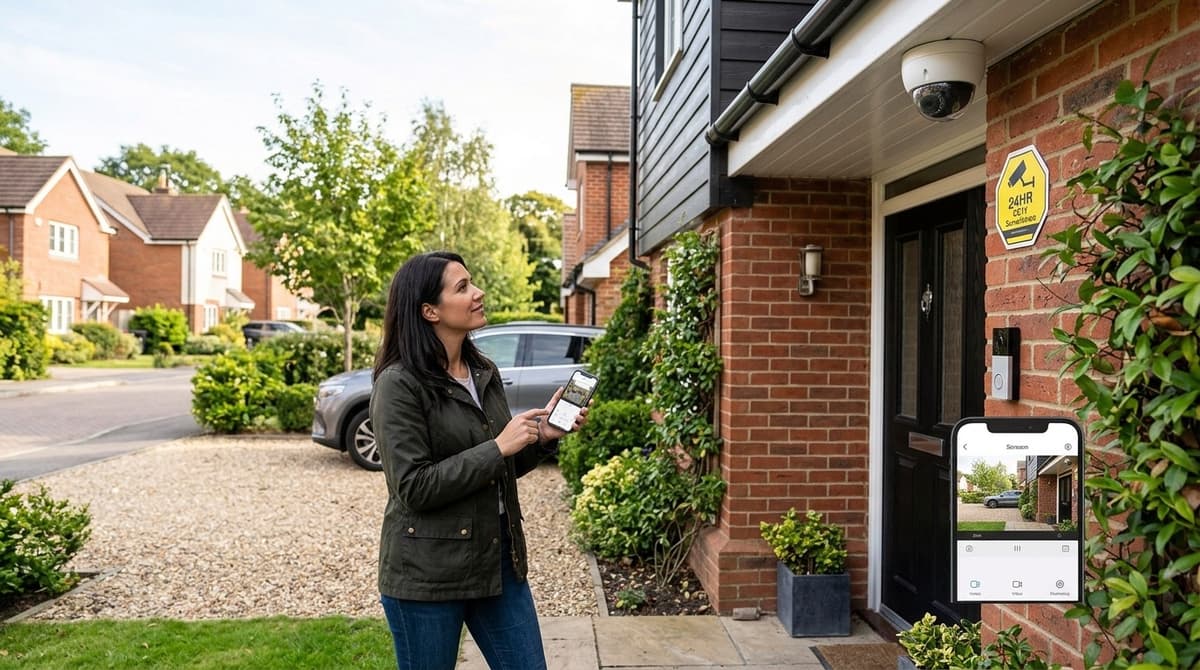
Most UK homes need only two to four cameras, and where they go should come from a walk around your entry points (front door, rear access, driveway, side gate and garage), not from a kit list. Choose wired or wireless after that survey, because the right answer depends on cable routes, Wi-Fi reach and power at each position. Whatever you install, your legal duties depend on what each camera can see beyond your boundary, so check the field of view before you fix anything to the wall.
Which entry points should CCTV for home security cover first?
Start with the front door, then rear access, the driveway, the side gate, and finally the garage or loft access. This order is installer guidance, not measured data. Forced entries tend to begin at doors and rear access, so those spots get the first cameras. We've left burglary figures out here on purpose.
- Front door: the most predictable approach, and the best place for a clear face-height view of anyone who comes to the porch.
- Rear access: back doors and patio doors are often hidden from the street, so a camera is worth more here than on a visible frontage.
- Driveway: shows vehicles arriving and leaving, and the route to the garage.
- Side gate: the usual path from the street to the back garden.
- Garage or loft access: a secondary layer once the outer approaches are covered.
WIRED (Sep 2026 extract) makes a similar point, advising coverage of entrances, driveways, garages, sheds and main hallways.
Typical camera counts by house type
These counts are installer judgement, not data:
- Terrace: two cameras, front and rear.
- Semi-detached: three, adding the side access or driveway.
- Detached: around five, adding the garage and a second side.
A corner plot, or a property with an open or unusually long boundary, usually needs more than these counts because more of the house is exposed. Price the full camera count before you buy, since every extra camera uses a recorder channel and a cable run. Our CCTV for Home Cost in 2026: Full UK Price Guide covers that side of the planning.
How do you map a house room by room and camera by camera?
Sketch the plan, mark every way in, then give each camera one job, one sight line and one mounting position. Working in that order stops you buying cameras before you know what they must see.
- Sketch the plan. Draw the house footprint, the plot boundary, gates and any side passage, roughly to scale.
- Mark every entry point. Add each door, every ground-floor window and each route someone could take to reach them, including the drive and the back garden.
- Draw the sight line. For each entry point, sketch the cone the camera must cover and note anything that blocks it, such as a porch, a wall or a parked car.
- Assign a purpose. Decide whether the camera must identify a face at the front door or simply detect a presence on the drive. Identification needs a tighter view; detection can be wider.
- Mark the mounting position. Pick a spot that delivers the sight line from step 3 and the purpose from step 4.
Mounting principles
Mount cameras beyond casual reach, and keep the door itself in frame rather than just the path to it. Avoid pointing at open sky or a low sun, which washes out the picture, and stay clear of trees and hedges whose movement can trigger false alerts.
Lens angles differ by model, so take the field of view from the datasheet and check it against your sketch before ordering.
Inside the house
Limit interior cameras to the hallway or landing, where someone entering will pass, and keep them out of bedrooms. A lightweight indoor camera can sit on a no-drill adhesive bracket, which suits rented homes or walls you would rather not drill.
What belongs on a 2026 home CCTV site-survey checklist?
A good survey records four things at every camera position: the light after dark, the Wi-Fi signal, a workable cable route, and a power source. Do it with a phone and a notepad before you buy anything.
- Lighting. Walk the house at dusk and note street lighting, porch lights, any PIR floodlights and the dark spots, usually the side return and the back corner. Can security cameras see in the dark? It depends on the model: some rely on infrared, others offer colour night vision, so check the datasheet for the one you're considering. Even then, a light on a motion sensor helps the camera.
- Wi-Fi. Stand where each camera will sit and check the signal on your phone, not next to the router. Brick walls, foil-backed insulation and plain distance all weaken it, and a weak spot is a reason to run a cable instead.
- Cable runs. Check loft access, soffits, cavity routes or external clips, and whether the rear wall can be drilled. Trace a path from every camera to the recorder location, and note where the cable would have to be exposed. Cat6 specification and PoE switch sizing have their own guides, so you only need rough lengths and routes at this stage.
- Power. Find the nearest socket to the recorder, then decide whether each camera will take power through its network cable (PoE) or need its own supply. A Wi-Fi camera still needs a power point or battery at its position, so note any spot where neither exists. Any new mains work is a job for your own electrician.
- Recorder location. Choose somewhere hidden, ventilated and close to both the router and a socket, so a thief can't simply walk off with the footage.
With camera positions, cable lengths and power points noted, you can compare kits properly. Our guide to the best home CCTV systems in the UK shows which setups suit different layouts.
Wired or wireless CCTV for a UK home: which suits which house?
Choose wired wherever a cable can physically reach the camera position, and use wireless or solar/battery only where it can't, such as a listed façade or a detached garage across a path. The site survey makes the call, not the product category.
Wired: steadier, but the labour is yours
A recorder-based system records continuously to local storage and doesn't lean on your home Wi-Fi, so a router reboot doesn't leave a gap in the footage. The trade-off is installation effort. Cable has to be run and terminated by your own electrician or an independent installer, because we sell the equipment and don't fit it. Each camera's datasheet or installation guide tells them what they need. Settle recorder type and power budget first, using our NVR vs DVR and PoE sizing guides.
Wireless: no cable, more upkeep
Wireless suits the spots cable can't serve, but it brings battery top-ups (unless you have mains or solar), dependence on Wi-Fi signal at that spot, and sometimes a cloud subscription. Expert Reviews frames the battery-versus-mains and cloud-versus-local questions as the ones to settle before buying. Read what a subscription actually covers, and what happens to your footage if you stop paying.
If the need is short-term, such as cover during building work, our site CCTV hire vs buy guide is worth a look before you commit to either.
Many houses end up with both: wired cameras on the main elevations and one wireless unit for the outlier the cable can't reach.
What are the rules for CCTV at home, and do you need a sign?
You can generally put cameras on your own home, and the rules only tighten once a camera records public space or a neighbour's property. This is general guidance rather than legal advice, so check the ICO's current guidance for your situation.
When data protection law applies
Cameras that cover only your own property, such as your driveway, garden and front door, are generally treated as domestic use and fall outside UK GDPR. Once a camera captures people beyond your boundary, such as a pavement, a road or a neighbour's garden, you should expect data protection duties to apply. In that case the sensible approach is to follow the ICO's CCTV guidance for organisations: have a clear reason for recording, don't keep footage longer than you need, and be ready to deal with requests from people who appear in it.
Do you need a CCTV sign at home in the UK?
If UK GDPR applies to your system, a sign is expected as part of telling people they're being recorded. Where it doesn't apply, I'd still put one up. A visible sign is good practice and works as a deterrent, but I wouldn't describe it as a flat legal requirement for every home.
Practical steps that keep you on the right side
- Angle each camera at your own property and check the live view before fixing anything.
- Use privacy masking in the camera or recorder settings to black out a neighbour's window or the public footpath.
- Be cautious about recording audio, which is more intrusive than video.
- Tell neighbours what the cameras cover. It heads off most disputes before they start.