
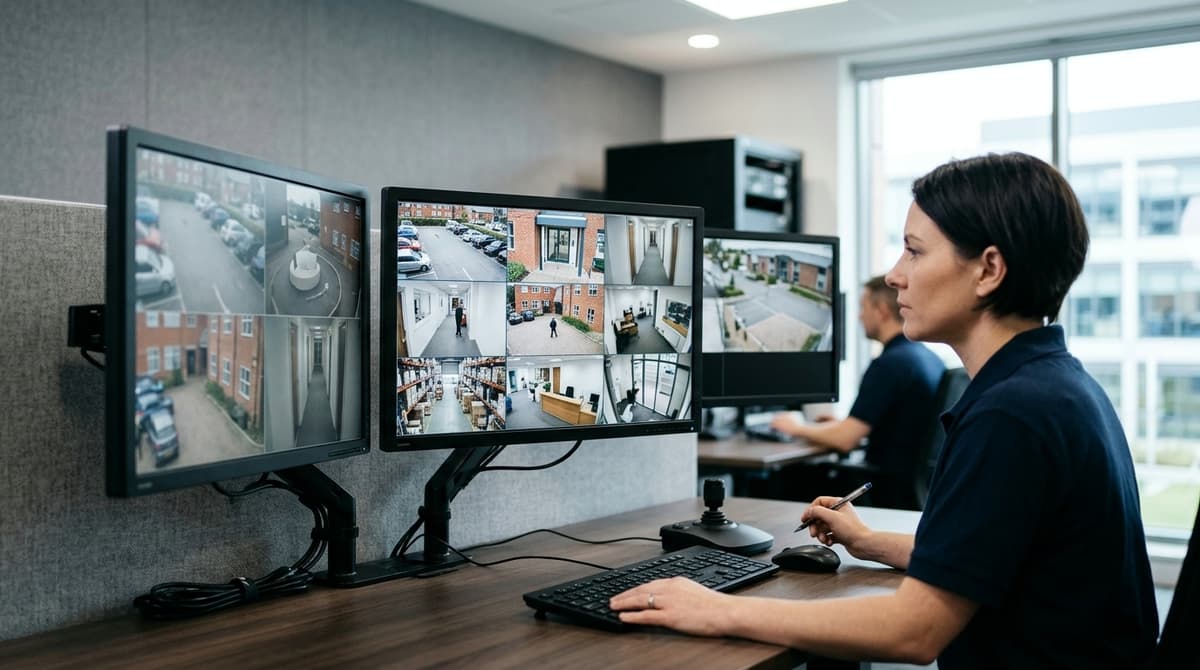
Choose a CCTV monitor by working backwards from your recorder: first match its output (HDMI or VGA, with BNC only if your setup needs it), then count how many camera tiles you want on screen at once, then measure how far you'll sit from the display. If you only check cameras occasionally, a phone app may replace the monitor entirely, and a spare TV is fine for casual home use. For constant viewing, a monitor rated for continuous running is the safer choice.
Do you need a CCTV monitor, or will an app or TV do?
Buy a CCTV monitor for constant local viewing. An app covers occasional and remote checks, and a spare TV is fine for casual home use.
A CCTV monitor is a display rated for long running hours, with the video inputs a recorder expects, typically HDMI and VGA. That rating is what separates a true CCTV monitor screen from an ordinary panel.
- Dedicated monitor: suits a screen that stays on all day, and working in the recorder's menus, where a full-size display and mouse beat a phone.
- App: suits the odd check and remote viewing, which is the usual answer to "how to monitor CCTV remotely". Our Hikvision CCTV System UK Guide for 2026 covers setups that rely on the app alone.
- Spare TV: fine for casual home use, since it will show the recorder's HDMI output.
On TV versus CCTV monitor, the evidence is narrower than the usual advice suggests. Hikvision's DS-D5043UC 43" 4K monitor is specified for 24/7 operation, and G-Vision lists an "Anti Pixel Burn" feature on its security monitor range. Both matter when a fixed camera grid sits on screen all day.
If the screen will be on constantly, choose a monitor. The Dahua DHL22-F600 22-inch refurbished monitor is Full HD with HDMI and VGA, and is listed at £34.49.
Which inputs does your recorder need? HDMI, VGA and BNC explained
Match the monitor to the recorder's rear panel: HDMI for modern IP and HD recorders, VGA for older units, BNC for analogue spot monitors.
Check the recorder's video outputs first, then buy a screen with the same socket. The Dahua DHL22-F600 is a refurbished 22-inch Full HD monitor with HDMI and VGA, priced at £34.49. Among larger cctv monitors, the Hikvision 43" adds USB to HDMI and VGA. Its 4K panel suits a wall-mounted display rather than a desk.
BNC loop-through on analogue monitors
With loop-through, the camera cable goes into the monitor's BNC input and a second BNC carries the signal on to the recorder. That suits a spot monitor near a door: the screen shows that one camera while the recorder still receives it. IP cameras use network cabling, so BNC is irrelevant to them.
Models differ. Listings such as G-Vision's "BNC CVBS Looping" and "BNC AHD / TVI / CVI" looping show that the looping spec is named by signal type, so read the exact inputs from the specific monitor's datasheet before ordering.
Audio and control (general guidance)
- The mouse plugs into the recorder, not the monitor. Even if a monitor has a USB port, don't assume it passes mouse control through.
- Speakers are optional. They only matter if your cameras supply audio, and the recorder, not the screen, decides that.
Why is my monitor not working?
These are general first checks, not a model-specific fault guide:
- Confirm the monitor's input source matches the cable you used (HDMI, VGA or BNC).
- Reseat the cable at both ends, and try a different cable if you have one.
- Check you've used the recorder's video output, not a different port.
- If the picture is blank or says "no signal" after a resolution change, the recorder may be outputting something the monitor can't display. Try another input or a known-good screen to find out.
- Check the monitor has power and is switched on.
What size and resolution suit 1, 4, 9 or 16 camera views?
More tiles on one screen need a bigger or higher-resolution panel: roughly 22-24" Full HD for 1-4 views, and 32" or 4K beyond that.
The arithmetic is simple: screen resolution ÷ grid columns (across) and rows (down) = pixels per tile. Every extra camera shrinks each tile's share of the panel. Before you buy, check the recorder's maximum output resolution on its datasheet, because the monitor can only display what the recorder sends it.
General guidance
- Reception desk or small office, 1-4 views: a 22-24" Full HD monitor.
- Larger split views or a control-room wall: 32" or more, or a 4K panel. Sites with many cameras, such as those in our 24/7 CCTV for Construction Sites: UK Guide 2026, are where this larger end earns its space.
- Home: a single 22" is usually plenty. The Dahua DHL22-F600 22-inch LCD CCTV monitor is a refurbished Full HD example with HDMI and VGA inputs.
Where 4K fits
For anyone searching "cctv monitor 4k", Hikvision's DS-D5043UC is a 43" class panel (42.5" LED) with 4K resolution, which is four times the pixels of 1080p. It has a 178° horizontal and 178° vertical viewing angle, so tiles stay readable from the side. Its narrow bezel suits multi-screen walls.
A 4K screen only helps if the recorder outputs 4K. On a 1080p output, a 4K CCTV monitor simply upscales the same image, so confirm the recorder first.
Where should you put the monitor? Sightline, glare, mounting and cabling
Place the monitor where authorised staff can view it head-on, with no window behind or opposite it, and where passers-by cannot read it. Mounting and cabling then follow from that spot.
Sightline and glare
A window behind the viewer reflects in the glass, and a window opposite the screen washes out the picture. A wall at right angles to the glazing is usually the best position, or fit blinds. For shared viewing, look for wide viewing angles: the 43" 4K Hikvision DS-D5043UC is listed with 178° both horizontally and vertically.
For shift operators, the usual guidance is to set the top of the screen around eye level, build in regular breaks away from the display, and keep one primary screen for live view. Secondary screens are for playback or less critical cameras.
Privacy and compliance
Position the screen so only people with a reason to see it can. The ICO CCTV code and UK GDPR expect that, though how strictly they apply depends on the site. A shop, office or other workplace is normally a data controller, while a purely household system covering your own property is treated differently, particularly if cameras capture neighbours or public space. If that applies to you, check the ICO guidance before choosing a location.
Wall or desk
Check the VESA hole pattern on the monitor's datasheet before buying a bracket. Then confirm that the wall fixing is rated for the monitor's weight, using the weight on the datasheet. A compact 22" unit such as the Dahua DHL22-F600 (refurbished Full HD, HDMI and VGA, £34.49 including VAT) suits a desk or small bracket. Larger screens need a properly rated wall fixing.
For 24/7 running, leave clear space around the casing and keep the monitor out of closed cabinets. Heat from a recorder underneath it adds to the load.
Power and signal cabling
Keep mains and low-voltage runs separate, and avoid trailing leads across floors or behind desks where they get kicked out. Wireless cameras reduce cable at the camera end, as our guide to wireless CCTV systems in the UK explains, but the monitor still needs mains power and a video lead from the recorder.
Any new mains work should be done by your own electrician or an independent installer, and it's worth checking they hold NSI or SSAIB accreditation. We sell the equipment but don't fit it, so use the installation guide or datasheet for each product.
Which CCTV monitor should you buy, and what does it cost?
For a low-cost entry point, buy the refurbished Dahua DHL22-F600, a 22-inch Full HD CCTV monitor at £34.49 including VAT. It is the cheapest CCTV monitor we list, so start there if you only need a screen beside your recorder.
The Dahua DHL22-F600 22" LCD has HDMI and VGA inputs, so confirm which of those your recorder outputs before ordering. Our CCTV Buyers Guide UK (2026): What to Check Before You Buy covers that kind of compatibility check. Stock and back-order status show live on the product page.
The trade-offs
Refurbished is what keeps the CCTV monitor price down. The unit has been inspected and tested for functional performance, but read the product page for condition and warranty details before you commit.
At 22 inches and Full HD, it suits a desk, office shelf or a CCTV monitor for home use. It is not the right screen for a large wall layout. For that, look at the 43-inch 4K class, where a 4K CCTV monitor gives you far more picture area to split between cameras.
Ordering terms
- In-stock orders placed before 4pm, Monday to Friday, are dispatched the same working day. Later or weekend orders go the next working day.
- UK delivery is £5.99 per order, or free from £100. It is one charge for the whole basket.
- You have 14 days to change your mind and 30 days to reject faulty goods.
Related products
Related products from our own range:
- DHI-LM22-A200D 22" Full HD Monitor for CCTV, HDMI & VGA — 22-inch Full HD (1920 × 1080) VA monitor for CCTV, with HDMI and VGA inputs. Check your DVR or NVR recorder has a matching port; VESA 100 × 100mm.
- Hikvision 8 Port Gigabit PoE Switch for CCTV, DS-3E0510P-E — 8-port Gigabit PoE switch that powers and connects IP cameras over one network cable each. 110 W total, 30 W per port, plug and play with no setup.
- DS-3E0326P-E/M(B) 24-Port PoE Switch for CCTV — Hikvision 24-port PoE switch with 230 W power budget, 300 m extend mode and Gigabit uplinks. Unmanaged, plug-and-play design for IP camera systems.
- Hikvision DS-3E0518P-E 16-Port PoE Switch for CCTV — A 16-port PoE switch that powers and connects up to 16 IP cameras over one cable each. 230 W total budget, 30 W per port, 6 kV surge protection, plug-and-play.