
Video Door Entry Systems
Hikvision video intercom kits, plus indoor monitors and door stations — for a front door, a villa, or a block with several flats. UK stock, sold as complete kits or as separate parts.
All products
20 products



Choosing door entry for your home or building
First, pick 2-wire or IP. With 2-wire, just one pair of wires carries both the power and the signal between the door station and the indoor monitor. Because it can normally reuse the cable your old handset was on, it’s the usual pick for replacing an old intercom: no rewiring, and no network needed. IP uses Cat5e/Cat6 network cable with PoE, which puts the door on your network like everything else. Choose IP for a new build, or wherever there’s already a network cable at the door.
Next, decide how many call buttons the door panel needs, because you can’t change that later without replacing the panel. It’s one button per home: a house needs a one-button station, a house split into two flats needs two buttons, and a small block needs four. For more than that, go for a modular station, where the call buttons, the keypad and the card reader are separate modules that sit together in one frame.
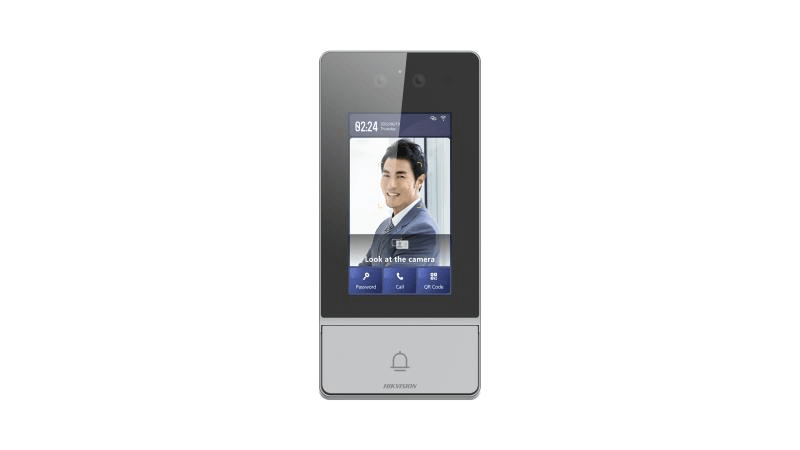
A modular panel is also how you add access control to the same door. In the KD8 series you can combine an exit-button module, a numeric keypad module for PIN codes, a Pro keypad module that reads cards too, and a touch display with a card reader. They all share one frame, flush or surface, so visitors call a flat and residents let themselves in with a fob, all on the same panel. Order the frame and its flush or surface box with the modules: the frame decides how many modules (gangs) fit, not the modules themselves.
Last of all, think about mounting. A flush frame looks neater but needs a back box set into the wall, so most replacement jobs use the surface box instead. If the panel faces the weather, add a rain shield. And check the indoor monitor’s screen size suits where it’ll go: a 7-inch screen is right for a hallway, while a 10-inch is more of a feature on the wall.
Frequently asked questions
Should I choose a 2-wire or an IP intercom?
2-wire is usually the answer when you’re replacing an old intercom. Power and signal for the door station and the monitor share one pair of wires, so the cable from your old handset can usually be reused, and you don’t need any network cabling. IP kits use Cat5e/Cat6 with PoE and join your home or office network. They suit new installs, and anywhere there’s a network cable at the door already.