
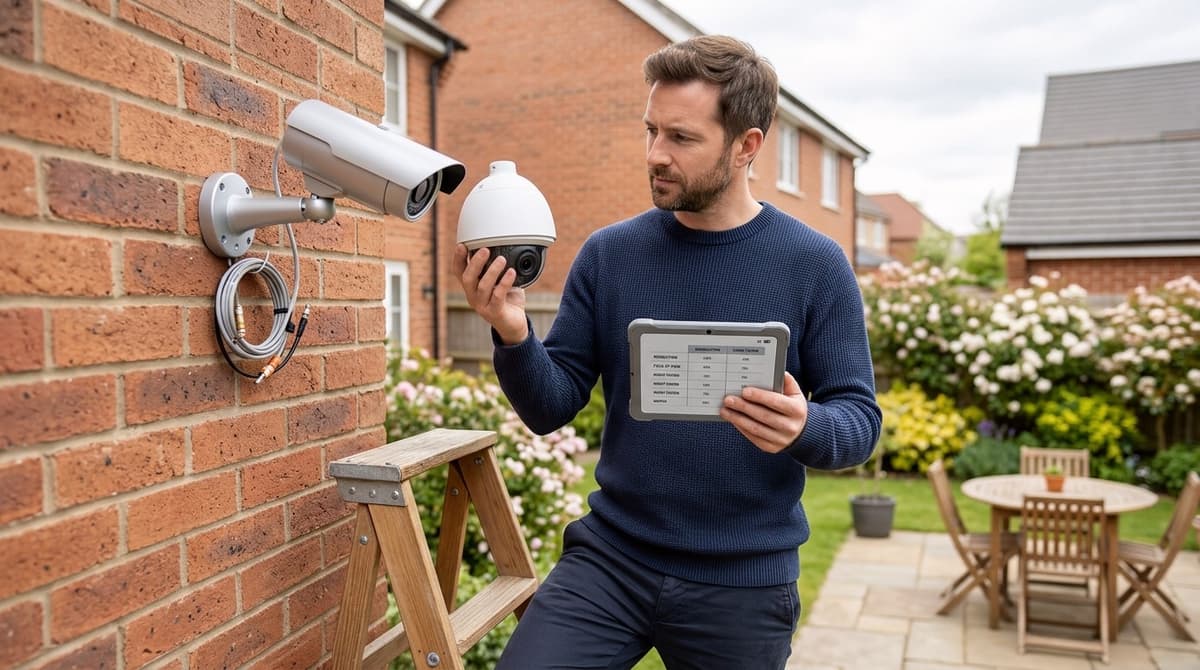
Choose home CCTV cameras by starting at your property's entry points (front door, driveway, rear garden and side access), giving each a job of identifying, recognising or observing, then matching resolution and night performance to that job. A camera that must identify a face at the front door needs far more pixels on target than one that simply watches a lawn, so the spec sheet comes last, not first. Keep every field of view on your own boundary, because footage that captures neighbours' property or public space brings extra UK data protection obligations.
How do I choose a CCTV camera for my home, starting from the threat points?
Start with the entry points, give each one a single job, and only then pick cameras to do those jobs. On a typical UK semi that means four places to assess:
- Front door: identification. You want a clear view of the face of anyone who comes to the door or approaches it.
- Driveway: vehicles and people moving between the road and the house. Wide coverage and night performance matter more than fine detail, and a higher-resolution camera helps if you need to read plates. Our guide to 4K CCTV cameras for UK homes covers when that is worth it.
- Rear garden: the back door, patio doors and any ground-floor windows. This side is often the least overlooked, so a night vision CCTV camera with infrared range suited to the length of the garden is the priority.
- Side access: a gate or passage that people must walk through. A narrow, tightly aimed view that catches everyone passing is enough.
How many cameras do you need for home security?
In our installer experience (not a statistic), you need one camera for every entry point where you want to identify someone. Add more only where a real gap shows up, such as a blind corner or a shed. Many semis start with front and rear and add the driveway or side only if those are genuine routes in.
Property differences
- Terrace: there is usually no side access, but the front door opens onto a public pavement. Aim carefully so you are not filming more of the street than you need to.
- Detached: more perimeter and often both sides to cover. Longer cable runs make the wired or PoE question more pressing.
- Flat with shared access: you may only control your own door. Check with the landlord or freeholder before mounting anything in a communal area.
For product picks and the wired, wireless or hybrid decision, see our roundup of the best home CCTV systems in the UK.
What resolution do I need to identify a face or read a number plate?
You need enough pixels across the face or plate at the distance you care about, so the answer depends on where the camera points, not on the megapixel figure alone. Identification is a different job from general observation. A camera that gives a clear face at the front door can return a vague shape at the end of a long drive.
The logic is a ratio. Pixel density is the number of pixels across the subject divided by the subject's real width, usually expressed per metre. The same sensor spreads its pixels over a wider scene as distance grows, so density falls.
BS EN 62676-4 frames its design guidance around pixel density per metre, with identification at the demanding end. Treat any specific threshold as general guidance and confirm it against the standard itself. Night footage, movement and compression all reduce what you actually get.
More megapixels do not fix a poor setup. A 1080p camera can be enough for a doorway or small entrance, while higher resolutions only pay off across wider areas if the lens, sensor, lighting and mounting are right. After dark, check that the infrared range matches the real distance, since a night vision CCTV camera is only as good as its illumination at your subject.
Number plates need separate treatment. An ordinary home camera is not an ANPR CCTV camera, and a usable number plate camera view normally means a dedicated unit, aimed and lit for that one job. If you are weighing a general camera against something purpose-built, our CCTV vs security camera buyer's guide explains where the line falls.
Which night vision and camera features matter on a UK home?
Match infrared range to the real distance to your subject, then check weather protection, where smart detection runs, and PoE and recording storage with a 6TB hard disk drive for CCTV.
Night vision
A night vision CCTV camera's quoted IR range is a best-case figure. Measure from the mounting point to where a person will actually stand, such as the gate, the driveway or the back door, and treat the headline range as a ceiling. The best night vision CCTV camera for your house is the one whose IR range comfortably exceeds that measured distance. If the spec sheet gives no test conditions, assume the figure is optimistic.
Four things commonly spoil a CCTV infrared camera's image:
- Ambient light: street lamps and security lighting change what the camera sees, so check how it behaves in the light you actually have.
- Glare: headlights, white walls, glass and wet surfaces bounce light back at the lens.
- Close surfaces: a camera fixed tight under an eave or beside a wall can wash out its own IR.
- Spiders and insects: webs and bugs near the lens glow under IR and can trigger recordings, so mount the camera clear of the fabric of the building.
Weather, detection and power
An IP rating states protection against solids and water under defined test conditions. It says nothing about every hazard, such as sustained cold, UV or salt air, so read the datasheet's operating range and materials notes.
Human and vehicle detection cuts false alerts from trees, shadows and passing cars. Check whether it runs on the camera or needs a recorder that supports it, because that decides which recorders you can pair it with.
PoE carries power and video down one cable, which suits a fixed home install. For specific cameras that combine these features, our best CCTV for home security guide for the UK is the place to compare them.
What should a 3-bed semi with four cameras cost, and how do I split the budget?
Budget three lines: cameras, cabling and accessories, and the PoE switch or NVR with storage, each taken live from its product page.
I haven't put totals or percentages here, because any figure would be out of date by the time you read it. Prices on cctvmaster.co.uk are shown including VAT, so the number on the page is the number you budget with.
Give each camera a job first
- Front door: the identification point, where you need a face at close range.
- Drive: vehicles arriving and leaving, plus anyone approaching the house.
- Rear garden: a wide overview of the usual way in, where night vision matters most.
- Side access: a narrow run beside the house, often unseen from the street.
A visible bullet body suits the drive and side wall, and our bullet camera guide for UK buyers covers when to choose one.
The three-line split
- Hardware: four cameras at their live prices.
- Cabling and accessories: the cable run for each camera, multiplied by the live price of the cable, plus brackets and connectors.
- PoE switch or NVR, with storage: enough PoE ports for four cameras, with spare capacity, and a drive sized for the retention you want.
Put the better spec on the front door camera. Under-budgeting storage and the NVR is the usual mistake, so check the datasheets for bitrate and how many days of footage you need.
Delivery is one charge per order, so buying everything together keeps that line down.
Fitting costs
For "home CCTV installation cost" or "how much to install CCTV at home", we sell equipment and don't fit it. Ask your own electrician or an independent installer accredited by NSI or SSAIB for an itemised quote, and send them the kit list and each product's installation guide.
Can I point cameras at the street, and do I need a CCTV sign at home?
Generally, cameras covering only your own property are treated as domestic use, while capturing a pavement, road or neighbour's land can bring UK GDPR duties. Where that happens, the ICO's guidance on CCTV applies, and the outcome depends on what is actually captured.
Do you need a CCTV sign at home in the UK?
Whether you need one depends on whether any camera sees beyond your boundary. If every view stays inside it, a sign is generally not expected. Once the view reaches public space, a sign is part of being open with the people you record.
Many owners display one either way as good practice. A useful sign typically says that CCTV is in operation, who runs it, why, and how to contact them. Audio recording raises separate issues, so treat any microphone as its own decision and leave it off until you have checked the rules.
Keeping the view inside your boundary
- Privacy masking: most IP cameras let you black out zones in the live view and the recording. Use it on pavements, roads and neighbours' windows.
- Angle: tilt the lens down and in towards your own property.
- Field of view: narrow it, using a tighter lens or less zoom where the camera allows.
- Live view check: open every camera's live view after fitting, and again after any bracket adjustment.
A driveway camera usually needs masking at the pavement edge, because the widest part of the picture is often the public footpath.