
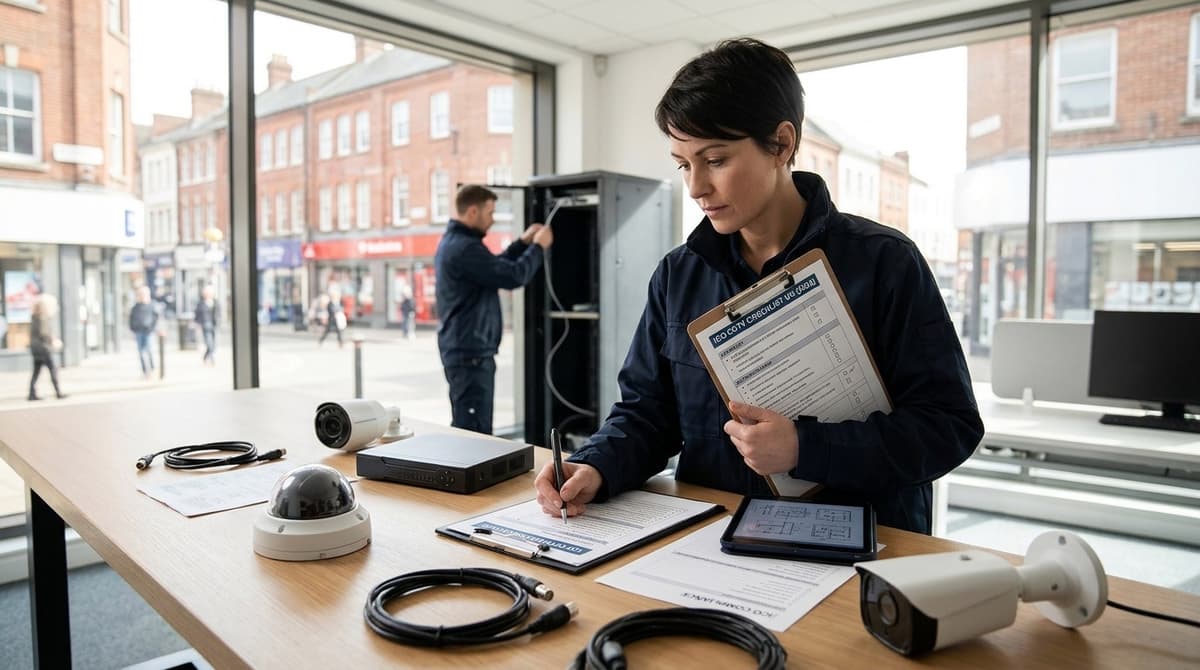
The ICO CCTV checklist applies if your cameras capture anything beyond your own property; if they cover only your home and garden, the domestic exemption may apply instead. Once cameras reach a public street, a neighbour's land or business premises, you are treated as a data controller. You then need to work through the fee, signage, camera placement, access requests and complaints steps in order. The ICO notes that its CCTV guidance is under review following the Data (Use and Access) Act, so check the live ICO pages before you install.
Does the domestic CCTV exemption cover your cameras?
Only if your cameras see nothing beyond your own home and garden; anything wider moves you onto the ICO's business obligations.
Work through it in this order:
- Cameras cover only your own home and garden: the domestic route applies.
- Any camera captures a public street: carry on to the business obligations.
- Any camera captures a neighbour's land: carry on to the business obligations.
- Any camera captures a business premises: carry on to the business obligations.
Video doorbells count too. The GOV.UK domestic CCTV guidance, updated 21 May 2026, covers CCTV systems and video-equipped doorbells. It treats a "system" as the camera plus its storage, recording and associated equipment, so a doorbell that records to the cloud is part of the same assessment.
Landlords and sole traders
A home that is also a workplace may not stay in the domestic category. The same goes for a camera on a let property. The GOV.UK guidance is the page to test your set-up against, and if your situation fits neither description cleanly, treat yourself as a business user rather than assume the exemption holds.
On the business side, the ICO CCTV checklist opens with a documented privacy impact assessment and confirmation that the data protection fee has been paid. The remaining checks in this article build on those two.
What does the ICO CCTV checklist expect before you install?
Before installing, the ICO expects you to name who controls the system, justify why CCTV is needed, and assess its privacy impact. This is the "limited CCTV systems" self-assessment for small premises such as shops, taken from the ICO checklist for limited CCTV systems.
Controller and purpose
Start by naming who controls the system, then record why CCTV is necessary, for example crime prevention or the safety of people and premises. The checklist also says not to use the system for purposes incompatible with that stated aim. Write the purpose down before you choose cameras, because it drives where they point.
Fee registration
The self-assessment asks whether your business has paid its data protection fee to the Information Commissioner's Office. Whether you owe a fee depends on your circumstances, so confirm your position with the ICO rather than assuming.
Privacy impact assessment
Step 1 of the ICO CCTV self-assessment asks whether you have identified and documented the potential impact on individuals' privacy and factored it into installing and running the system. It also asks whether you regularly review that CCTV is still the best security solution.
You rate each item as not yet implemented, partially implemented, successfully implemented, or not applicable. Keep those written answers, as they form a sensible starting point for your own CCTV policy.
Where can cameras point, and what should signs say?
Point cameras only at what you need to monitor, avoid areas people regard as private, and use signs that tell people recording is under way.
Placement
The ICO CCTV self-assessment says to avoid or restrict views of areas people regard as private, with a neighbour's garden as the obvious example. You can fix this by changing the camera position or by limiting its field of view or movement.
Inside workplaces, take extra care in locker rooms and social areas. In shared or mixed-use buildings, think about everyone else who uses the common spaces.
Camera type is a privacy decision
The ICO notes that a fixed camera may be more appropriate than a PTZ. A fixed view stays where you set it, whereas a PTZ can be steered across places you never meant to cover.
Sound recording is treated as significantly more intrusive and harder to justify. If audio is on your wish list, our guide to when sound recording is lawful in UK CCTV systems covers the conditions.
Signs
Signage sits in the ICO's CCTV and video surveillance guidance alongside installation, management, operation and public awareness. Place signs where people will see them before they are recorded, and check the current ICO checklist for what the wording should contain.
How do you deal with access requests and secure the footage?
Handle each request in a fixed order: nominate one person, log it, verify identity, find the clip, then protect other people's images.
- Nominate a person. One named person owns requests, with a deputy for absences, so nothing sits in a shared inbox.
- Log the request. Record the date received, who asked, what they want and the time window they give.
- Check identity. Confirm the requester is the person in the footage, and ask for a date, time and description to narrow the search.
- Locate the clip. Export only the relevant period. If the recorder has already overwritten it, say so, because how long clips survive is a retention decision made earlier.
- Protect other people's images. Blur or mask anyone else who appears, or take advice before releasing the clip as it stands.
The response deadline and the grounds for refusing are set out in the ICO's subject access guidance, so check them there. The ICO's CCTV and video surveillance guidance covers how this fits the wider system.
Securing the recordings
An export is a copy of personal data, so limit it. Give viewing and exporting rights to named users only, each with their own login.
Replace every default password at commissioning and keep firmware current, since old builds are a common way in. Mount the recorder in a locked cabinet or room, away from anywhere the public or casual visitors can reach.
Printable ICO CCTV checklist: pass or fail
Score each row Pass only when it is fully done; anything partial counts as Fail until you close it. That is our simplification. The ICO's own CCTV checklist rates each item as not yet implemented or planned, partially implemented or planned, successfully implemented, or not applicable.
Use the ICO's four-way scale if you want the official format. Use this version if you want a single sheet that shows what still needs doing.
| # | Check | A pass means | Pass / Fail |
|---|---|---|---|
| 1 | Domestic test done | You have recorded whether your cameras see beyond your own property | ☐ / ☐ |
| 2 | Controller named | One named person or organisation is responsible for the footage | ☐ / ☐ |
| 3 | Purpose written down | The reason for the cameras is stated in writing | ☐ / ☐ |
| 4 | Fee position checked | You have confirmed with the ICO whether the data protection fee applies to you | ☐ / ☐ |
| 5 | Privacy impact noted | Impact on people's privacy is documented, and CCTV is still the right tool | ☐ / ☐ |
| 6 | Policy and responsible person | A written policy exists and someone owns it | ☐ / ☐ |
| 7 | No private areas in view | Neighbouring windows and similar spaces are re-aimed or masked | ☐ / ☐ |
| 8 | Fixed or PTZ justified | The choice is explained, not assumed | ☐ / ☐ |
| 9 | Audio decision made | On or off is recorded, with the reason | ☐ / ☐ |
| 10 | Signs displayed | Signs are visible where cameras operate | ☐ / ☐ |
| 11 | Access-request process | You know who handles a request for footage and how | ☐ / ☐ |
| 12 | Viewing and export restricted | Only named people can view or copy recordings | ☐ / ☐ |
| 13 | Review date set | The next check is in the diary | ☐ / ☐ |
Row 5 mirrors the ICO's own first step, which asks you to document privacy impact and to keep reviewing whether CCTV is still the best solution. Row 4 follows its fee question. Both sit in the ICO's CCTV and video surveillance guidance hub.
Using it as an ICO CCTV audit
Run the same sheet again at every review date from row 13. Date it, sign it and file it beside the previous one. Every row that flipped from Fail to Pass is then a dated record of what you fixed, which is what an informal ICO CCTV audit of your own system amounts to.
The sheet also pastes into a spreadsheet if you prefer to track it that way.