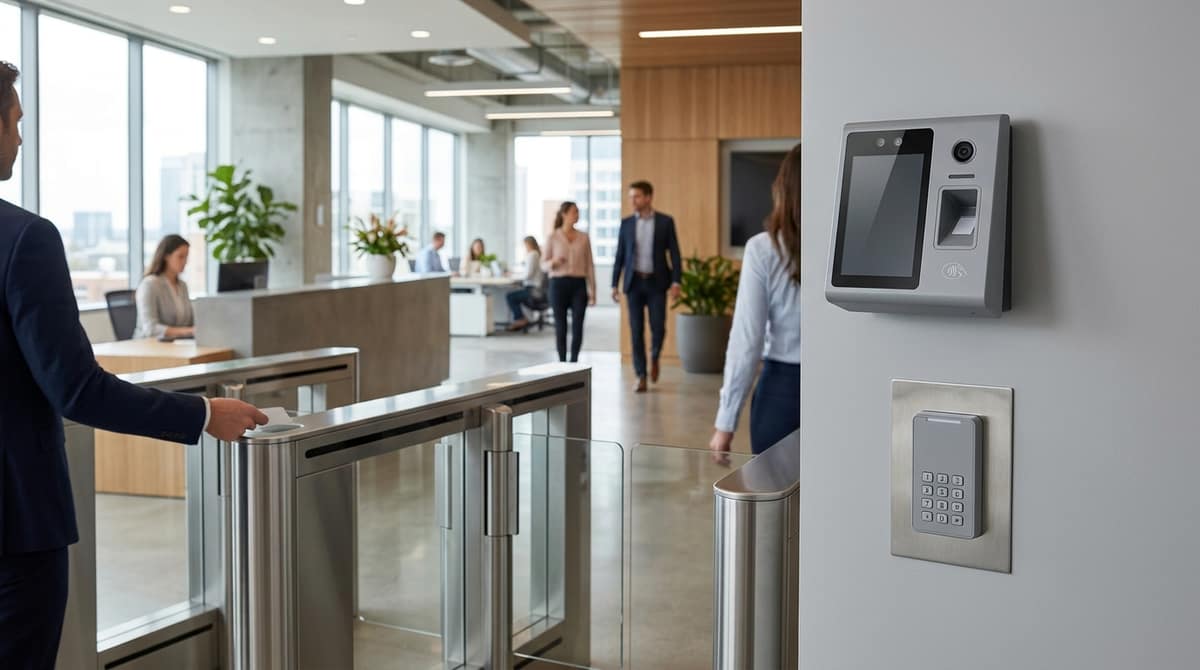
For a single door, the WiFi-capable Hikvision DS-K1T342MFWX-E1 (4.3-inch touchscreen, £278.09 inc. VAT) is the natural standalone face recognition terminal, while the Hikvision DS-K5604-Z(H) (7-inch LCD touchscreen, £205.62 inc. VAT) is built for much larger user lists, such as an office main entrance. The right pick depends on how many users you need to enrol, how far people will stand from the camera, and whether a third-party controller is involved. We supply the equipment, and the customer's own electrician or installer fits it.
How does a Hikvision access control system fit together?
A terminal is a reader with its own brain, a reader only passes on a credential, and a controller is the box that decides and switches the lock. The Hikvision UK access control range follows that split. It lists face, fingerprint and card terminals, then separate controllers and biometric and card readers.
Where each fits
As general guidance rather than a rule, a standalone terminal suits one door or a few, because each unit stores users and makes its own decisions. A controller with readers suits many doors on shared logic, since the decisions sit in one place and the readers stay simple.
Software links the two approaches, through HikCentral Access Control, covered below.
What we list
Our Hikvision access control range covers terminals, door stations and one expansion module:
- DS-K5604-Z(H) 7-inch face recognition terminal, listed at £205.62, with 50,000 face templates and a 13.56 MHz Mifare card reader.
- DS-K1T342MFWX-E1, a 4.3-inch terminal that accepts face, fingerprint, card or PIN, listed at £278.09.
- The DS-KV8213-WME1(C) villa door station and DS-KD8003 modular door station, for video-led entrances, plus the DS-KV9503-WBE1 face recognition villa door station (£219.42), which recognises visitors by face, PIN, card, QR code or Bluetooth.
- The DS-K2M002X 2-door expansion module, which adds two doors to an existing Hikvision access controller over RS-485.
We don't currently list a Hikvision main access controller or separate Hikvision readers. If you need them, ask us about availability and trade pricing.
DS-K5604-Z(H) vs DS-K1T342MFWX-E1: which terminal suits which door?
The 7-inch DS-K5604-Z(H) is the higher-capacity, longer-range terminal; the 4.3-inch DS-K1T342MFWX-E1 is the multi-credential one, adding fingerprint, PIN and WiFi. Both are face recognition units, so the choice comes down to user numbers, approach distance and how people will authenticate. The figures below come from our product listings.
|
DS-K5604-Z(H) |
DS-K1T342MFWX-E1 |
| Screen |
7-inch LCD touchscreen |
4.3-inch LCD touchscreen |
| Face templates |
up to 50,000 |
up to 1,500 |
| Cards |
100,000 |
3,000 |
| Fingerprints |
not listed |
3,000 |
| Face distance |
0.3–3 m |
0.3–1.5 m |
| Credentials |
face, Mifare 13.56 MHz card |
face, fingerprint, card, PIN |
| Network |
TCP/IP Ethernet, plus Wiegand |
WiFi and Ethernet |
| Door wiring |
door relay, alarm I/O |
lock, exit button, door sensor, alarm inputs |
| Price |
£205.62 |
£278.09 |
The DS-K5604-Z(H) suits large user lists, at 50,000 faces and 100,000 cards, and doors where people approach from up to 3 m. The DS-K1T342MFWX-E1 suits smaller populations of up to 1,500 faces, and it is the only one of the two with fingerprint enrolment (3,000 prints) and a PIN fallback.
Trade-offs to check before ordering
- Speed: both are listed at 0.2 seconds or less for face recognition. That is a manufacturer figure, so treat it as a best case rather than a guarantee at your door.
- Connectivity: the 7-inch lists a TCP/IP Ethernet interface only, so it needs a network cable. The 4.3-inch offers WiFi as well as Ethernet, which helps where running cable is awkward.
- Third-party controllers: the DS-K5604-Z(H) listing names a Wiegand interface for talking to third-party controllers. The DS-K1T342MFWX-E1 listing does not mention Wiegand, so check its datasheet if you need one.
Both figures are our inc. VAT catalogue prices at the time of writing and can change, so check each product page for the current price.
What does wiring one Hikvision door actually involve?
Wiring one Hikvision door involves at least a network connection, power and a lock output, and both terminals we list can also take an exit button and a door contact. Our listings for these two terminals do not give currents, relay contact ratings or terminal pin-outs.
What the two terminals expose
- DS-K5604-Z(H) 7-inch face terminal: the listing confirms a door relay output and alarm input/output for wiring an exit button, door contact or alarm panel, plus TCP/IP and Wiegand interfaces. Check the exact-model datasheet for terminal positions and ratings before designing around them.
- DS-K1T342MFWX-E1: the listing confirms it wires into an electric lock, exit button, door sensor and alarm inputs, and gives its power supply as 12V DC. The terminal alone doesn't open a door, so budget for the lock and an exit button.
Read the datasheet before sizing power
Neither listing gives a current draw, PoE class or relay contact rating. Have your electrician or installer read the datasheet and installation guide for the exact model before choosing a lock power supply. If that 12V supply sits at the end of a long cable run, our PoE and voltage drop calculator checks the drop first.
A different power approach
At a video-led entrance, the DS-KD8003 modular door station runs on PoE and, per our listing, outputs 12V DC at 500mA, enough to drive one electronic lock without a separate lock supply. It also has two lock relays, rated at up to 30 VDC and 2 A, so a second lock can run on its own supply. Check the lock's own current draw against that 500mA before dropping the separate lock supply.
How do you set up Hikvision access control software?
Terminals can run standalone or be managed centrally in HikCentral Access Control, but the material we hold does not confirm camera-event linking or NVR integration. Check with Hikvision before relying on video-verified door events, and ask what it needs on the recorder side.
What the software does
Per the HikCentral Access Control page, it is a lightweight platform for access control, time attendance and intercom management, aimed at small and medium-sized businesses. It runs through web and app interfaces, and Hikvision mentions quick setup wizards for HR and management staff.
On the access side, the page lists advanced access rule setting, flexible credential management and control on an E-map. Confirm that your terminal models are supported on the version you download.
The free tier: check the cap
Hikvision's page for HikCentral Access Control V2.5.1 describes all functions as free of charge and says the free version covers up to 16 doors and 3,000 people. Limits have changed between versions, so check the limits on the exact version you download before sizing a site around them.
Standalone versus centralised
A standalone terminal is configured at the device itself. For a single door that can be enough, so check the datasheet for the DS-K1T342MFWX-E1 or DS-K5604-Z(H) to confirm how each one is set up.
Move to HikCentral when you need one place to manage credentials, schedules and reports across several doors.
Some Hikvision products we list can be set up remotely: the DS-KV8213-WME1(C) villa door station through a web interface or the Hik-Connect app, for example. See our Hikvision range for the rest.
Which terminal, reader and controller combination fits your UK site?
Choose by door count, user numbers and whether a third-party controller is already on site. The scenarios below give the reasoning, and each one should be checked against the datasheet before you order.
Scenario by scenario
- Single office door, mixed staff: the Hikvision DS-K1T342MFWX-E1 is a 4.3-inch multi-biometric terminal with WiFi. Not everyone enrols happily on a face scanner, and this one also accepts fingerprint, card or PIN, with up to 1,500 faces stored.
- Larger site or long approach: the DS-K5604-Z(H) has a 7-inch screen, holds 50,000 face templates and lists a 0.3–3 m recognition distance. It also has a Mifare card reader and a TCP/IP connection, and our listing shows £205.62.
- Existing third-party controller: the DS-K5604-Z(H) listing names a Wiegand interface for third-party controllers. Confirm on the datasheet that its Wiegand format matches what your controller reads before relying on it.
- Many doors: a controller-plus-reader design may make more sense than a standalone terminal on every door. Where a Hikvision controller is already installed, the DS-K2M002X expansion module adds two doors, with readers on RS-485 (OSDP) or Wiegand. Confirm it is compatible with your main controller before ordering; the listing gives 12V DC (±15%) power and DIN-rail mounting. Manage the doors centrally in HikCentral Access Control (free up to 16 doors). Ask us about trade pricing on larger orders.
UK GDPR: general guidance, not legal advice
Under UK GDPR, biometric data used to identify a person is special category data. Before going live, check against ICO guidance whether your proposed processing requires a data protection impact assessment (DPIA). Face recognition of staff is the kind of use that is likely to prompt one. Post clear signage and set a retention period for templates and event logs. Read the ICO's biometric and CCTV guidance for the current requirements.
Your own electrician or installer fits the CCTV kits, following the product datasheet or installation guide. Orders placed before 4pm are dispatched the same working day, and you can shop the terminals at cctvmaster.co.uk.
Related products from our own range: