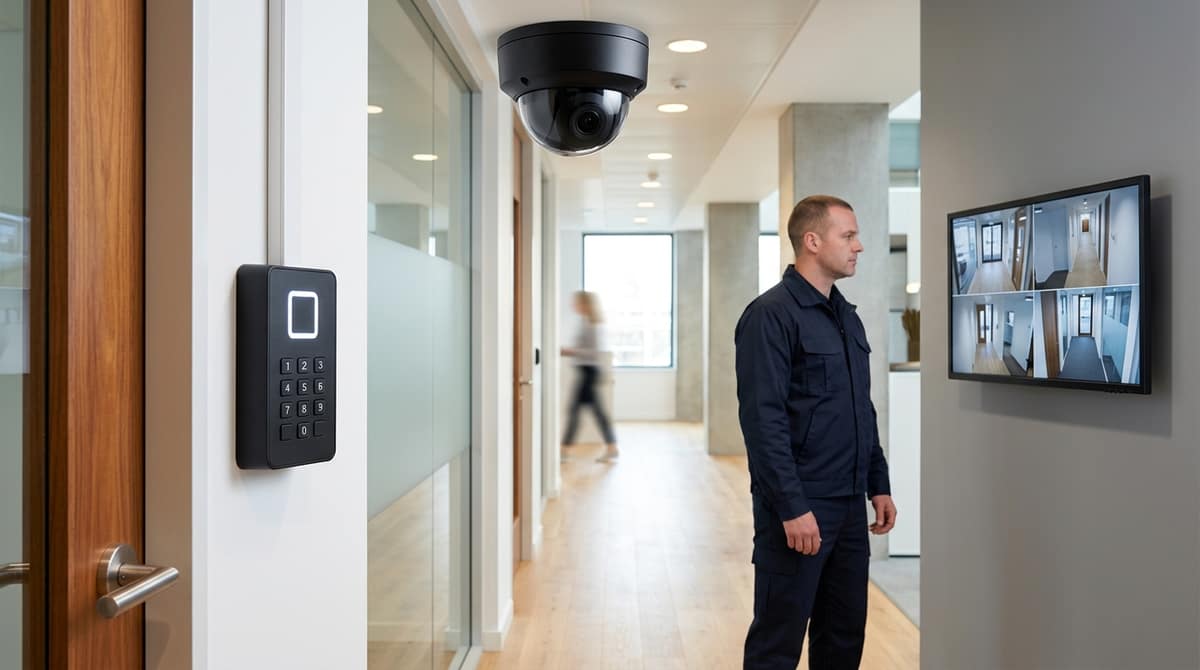
An access control system is the combination of a controller, a credential and a reader that together decide who may pass a given door and when. The credential can be a card, PIN, fingerprint or phone, but the decision logic behind it is what actually secures the opening. The important qualification: a single card reader is single-factor and easily cloned or lost, so higher-risk doors need a second factor, such as a PIN or biometric, layered on top. Which combination is right depends on the traffic and risk at each specific door, not on whichever credential is currently fashionable.
What is an access control system, and how does it work?
An access control system is the combination of a decision-making panel (or controller), a credential — a token, PIN or biometric — and a reader, working together to decide who may pass a given door and when. NPSA, the UK's National Protective Security Authority, groups this into clear functional layers in its Automatic Access Control Systems guidance, rather than treating "access control" as one box.
The controller is the brains. NPSA describes the Automatic Access Control System (AACS) as the part where enrolment, rules and decisions actually happen — access zones, time schedules, anti-passback logic and so on. Everything else in the system exists to feed this controller the information it needs to say yes or no.
The token and reader present the credential. This is the physical layer most people picture: a proximity card, a fob or a PIN keypad at the door, read and passed to the controller for a decision. A 125KHz RFID keypad with WiFi and app unlock is a straightforward example of this layer — a card or the app presented at the door, with the decision logic held in the keypad itself.
Biometrics form an optional further layer. NPSA classes biometric verification separately as BAACS (Biometric Automatic Access Control Systems) — a stronger form of credential verification layered on top of, or instead of, a token. Fingerprint and face readers are the common forms. A door access control system with a fingerprint reader combines the token/reader layer and BAACS in one unit — for example, an IP65 smart fingerprint RFID keypad that stores up to 300 fingerprints and 1,000 cards, with password and Tuya app unlock at the same door.
Single-factor vs multi-factor, in NPSA's model
A card alone is single-factor: present the token, the reader passes the ID to the controller, the controller checks its rules and unlocks. "Card + PIN" or "card + fingerprint" is multi-factor, since a second, independent credential type must also match before the controller grants access. For higher-risk doors — server rooms, plant rooms, cash offices — multi-factor is the more defensible spec, since losing one credential type (a cloned card, a shared PIN) doesn't compromise the door alone.
| Layer |
NPSA term |
What it does |
Example |
| Decision-making |
AACS |
Enrolment, rules, zones, schedules, anti-passback |
Panel/controller inside a keypad or standalone unit |
| Credential presentation |
Token & Readers |
Reads card/fob/PIN and passes the ID to the controller |
WiFi RFID keypad with door controller |
| Verification |
BAACS |
Matches a biometric instead of, or alongside, a token |
Fingerprint + card + PIN keypad |
This three-layer view — controller, token/reader, optional biometric — is our reading of NPSA's grouping, and it explains why a door access control system needs more than "a card reader": the reader alone makes no decisions, it only presents credentials. The actual control — who, where, when — sits in the panel behind it.
Card, PIN, biometric or mobile — which credential type suits which door?
Match the credential to the door's risk and traffic, not to whatever's newest. A plant room with three keyholders needs a different assurance level to a staff entrance used by fifty people a day. NPSA's layers — token and reader, PIN, biometric — map onto three ways of verifying a credential, and combining two of them raises security further, which is exactly why several of the options below pair a PIN with a card or fingerprint rather than relying on one method alone.
PIN/keypad is the cheapest entry point and suits a single door with a stable, known user list — a staff entrance, a plant room or a comms cupboard. Our 125KHz ID Card Access Control Keypad (£13.79) supports card, PIN, or card+PIN and stores 1,000 users, so it scales beyond a household lock while staying simple to programme from the keypad itself. Its main weakness is procedural, not technical: a PIN written on a Post-it or shared between colleagues gives no real audit trail of who actually opened the door.
Proximity card/fob (125KHz) fixes that traceability gap. The same keypad ships with 5 pre-programmed EM-standard keyfobs and a Wiegand 26 input/output, so each user gets their own credential that can be issued or revoked individually — the practical minimum for a door where you need to know who came and went.
RFID + PIN combined raises assurance further for doors with more foot traffic or a higher-value target behind them. The ACM-208C-ID Metal RFID Keypad with PIN Access pairs a Wiegand-interface RFID reader with PIN authentication in a vandal-resistant metal housing with a backlit keypad, priced at £47.87 — a sensible step up for external doors or areas exposed to tampering.
Biometric suits doors where cards get lent out and that's unacceptable — a server room or a cash office. The Smart Fingerprint RFID Door Lock Keypad IP65 stores 300 fingerprints and 1,000 cards, is rated IP65 for outdoor use, and adds password and Tuya app unlock as fallbacks, at £27.50.
Mobile credentials work best where you want remote management without running new cabling. The RFID Access Control Keypad with WiFi & Smart App (£16.55) unlocks via the Tuya app alongside its WG26 card reader, while the WiFi RFID Access Control Keypad with Door Controller adds a 12V–24V door controller and OTA updates for firmware maintenance without a site visit — useful for a landlord or facilities manager overseeing several doors remotely.
| Credential |
Best-fit door |
Key spec |
| PIN/keypad |
Stable user list, single door |
Card/PIN/card+PIN, 1,000 users, £13.79 |
| Prox card/fob |
Doors needing per-user audit |
5 keyfobs, Wiegand 26 |
| RFID + PIN |
External/tamper-exposed doors |
Metal housing, £47.87 |
| Fingerprint |
High-value or cash areas |
300 fingerprints, IP65, £27.50 |
| Mobile/app |
Remote-managed sites |
Tuya app, OTA updates |
An electrician or installer will still need to confirm cable runs and power against each product's own datasheet before fitting; check current stock and full specs at cctvmaster.co.uk or ask about trade pricing.
How does an access control system integrate with an existing NVR or CCTV system?
Integration happens at the specification stage, by wiring the door controller's relay or output into the same event log a camera can timestamp against. It doesn't require one combined software platform. Most site installs simply need the door event and the video to share a clock, so an operator can pull up footage against a logged door-open.
The wiring installers actually deal with
On any real job the points that get connected are the exit button, the electric lock, and sometimes a doorbell input. A stainless steel exit push button such as the ACM-K6B is a typical exit-button device, wired NO/NC/COM into 12V DC, with a detection range of 0.1–10 cm and an operating range of −20 °C to +55 °C. It's the switch that tells the controller "someone wants out", separate from the reader that decides "should this person get in". The lock itself connects as normally open (NO) or normally closed (NC) depending on fail-safe or fail-secure requirements, and that relay state is exactly what a controller can also expose to an NVR's alarm input.
Where the site wants a genuine handshake with third-party access hardware or an NVR's own access module, the interface most of them expect is Wiegand. Our 125KHz RFID keypad with WiFi supports Wiegand 26 in/out, which lets it feed a card read into another controller or receive one from an external reader. This is the practical connection point installers reach for when a camera system's access module needs to talk to keypad hardware rather than replace it. The same unit's built-in doorbell function gives a visitor-notification signal that can be wired into an NVR alarm input just as easily as the door relay can.
Correlating the audit trail
A door-open event with a timestamp, checked against recorded video from a camera aimed at that door, is the practical "who did what, when" record a business actually needs. This is the audit function NPSA describes as core to an AACS — "the brains of the access control system", making decisions and applying rules, with functions such as access zones, access times and anti-passback all serving the one aim of controlling who goes where and when. In practice that means the controller's log (card ID, door, time) sits alongside the NVR's recorded clip of the same door at the same timestamp, and an operator — manually, or via an alarm-input trigger — pulls the two together when there's a query.
The honest limit: a shared timestamp is not the same as a unified platform. Wiring a relay into an NVR alarm input gets you correlated evidence, not single-pane management. Card holder databases, access schedules and video review typically still live in separate systems unless the site has specifically bought a platform designed to unify them. Anyone speccing a video door access control system should treat that gap as a real design decision, not an afterthought, and check exactly what an NVR's access module can and can't ingest before assuming full integration.
What UK compliance and data protection duties apply to access control?
An access control system that logs who entered a building, when and through which door is processing personal data, so UK GDPR applies to entry logs in the same way it applies to CCTV footage, and the ICO's guidance on surveillance is the practical reference. Anyone specifying or buying a system for an office or shared building needs to treat the audit trail as a data protection asset, not just a security feature.
Retention is the first discipline to set in writing. Define how long entry logs are kept — the same principle CCTV operators already apply to footage retention — and delete data once it no longer serves the stated purpose, rather than defaulting to "keep everything forever" because the storage is cheap.
Signage and transparency matter just as much as the wiring diagram. Staff and visitors should be told, clearly and before they present a card or fingerprint, that entry is logged and why. This mirrors the fair-processing and lawful-basis principles the ICO applies to surveillance cameras, and it belongs in the building's data protection paperwork, not left as an afterthought once the readers are on the wall.
Biometric credentials raise the compliance bar further. A fingerprint template used by a keypad such as the Smart Fingerprint RFID Door Lock Keypad IP65, which stores up to 300 fingerprints alongside 1,000 RFID cards, is special category data under UK GDPR when it is used to uniquely identify a person — which is exactly what a door reader does with it. That means a documented lawful basis and additional safeguards are expected wherever biometrics are chosen over a PIN or card, and it's worth specifying a card- or keypad-only alternative — such as a standard 125KHz proximity system — where the extra compliance overhead of biometrics isn't justified by the site's risk.
None of this changes what the hardware does day to day, but it does change what should sit in the specification document alongside door counts and Wiegand wiring: a named retention period, a signage plan and, if fingerprints are involved, a stated lawful basis. Getting this on paper before installation avoids a system that works perfectly on the wall but fails the first data protection query from a tenant or employee.
What are the most common access control specification mistakes installers make?
Most access control failures trace back to spec-stage errors — wiring, power and user-capacity mismatches — not defective hardware, so check power, capacity and interface compatibility before a single hole is drilled.
Underspecifying user capacity. Our 125KHz ID Card Access Control Keypad stores up to 1,000 users, which is generous for a single door but becomes a hard ceiling the moment a site grows into a multi-door estate needing centralised, cross-door management. Plan for that ceiling at spec stage: if the brief mentions more than one door or future expansion, budget for a networked panel-based system rather than standalone keypads from day one.
Wrong lock/power pairing. Every job needs the lock type (normally closed or normally open) and voltage confirmed against the controller's rated output before ordering, not after the door leaf is cut. The ACM-K6B exit push button, for example, is rated for 12V DC input with NO/NC/COM output contacts and a detection range of 0.1 to 10 cm. Wiring it to a controller expecting a different lock logic or voltage is a common cause of returns and callbacks.
Ignoring interface compatibility. Wiegand output format, reader protocol and controller input must match before the reader is fixed to the frame. A keypad wired for one Wiegand configuration won't talk to a panel expecting another, and that mismatch only shows up on first power-up. Checking the datasheet for both sides of the connection, not just the headline feature list, avoids a second site visit.
Quick pre-spec checklist
| Check |
What to confirm |
| Power |
12V DC (or the controller's stated input) matches the lock and reader draw |
| Lock logic |
NC vs NO, and fail-safe vs fail-secure behaviour for the door type |
| User capacity |
Single-door standalone (e.g. 1,000-user keypad) vs networked, multi-door estate |
| Interface |
Wiegand format and reader protocol match the controller |
| Environment |
Detection range, IP rating and operating temperature suit the mounting location |
The single biggest takeaway: treat capacity, power and interface as three separate checks, not one "does it fit the door" assumption, because each fails independently and each is cheap to catch on paper and expensive to catch on install day. For anyone speccing a single door on a budget, the RFID Access Control Keypad with WiFi & Smart App or the ACM-208C-ID Metal RFID Keypad with PIN Access are worth comparing side by side against the door's existing lock hardware before ordering. Full specs are on each product's datasheet, and fitting is carried out by the customer's own electrician or installer.
Recommended kit
For the setup above, this is the kit we'd recommend from our own range: