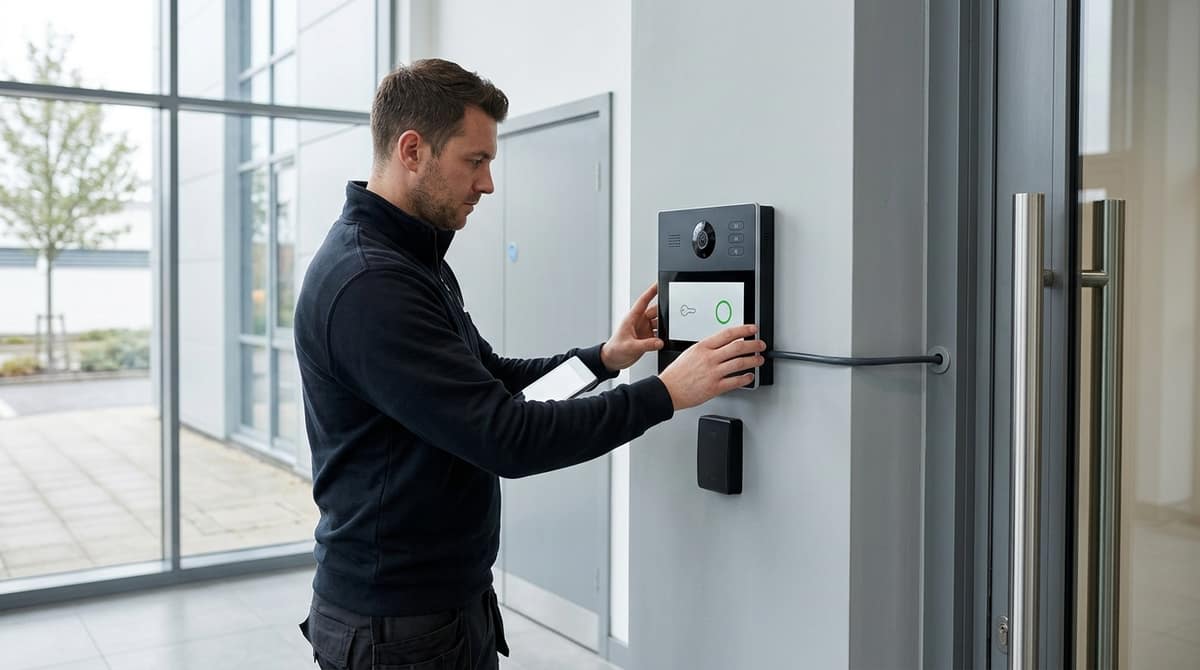
A video door access control system combines a door station with a camera, an electronic lock, a credential method (card, PIN, app or face) and a log of who opened which door. It fits best alongside an existing CCTV setup when you specify the lock and its power supply first, then treat the door station as another camera position. For a wifi door access control system on a simpler job, the same lock-first approach applies. Two cautions apply on UK sites: biometrics and recorded visitor video bring UK GDPR duties, and some jobs, such as multi-door commercial sites with leaver processes, are better handed to an access control specialist.
What should a video door access control system do on a UK site?
A video door access control system pairs a door station, an electronic lock, credentials (card, PIN, app or face) and a log of who opened which door.
Door entry means seeing a visitor and letting them in. Access control means deciding who may enter and recording it. A video system should do both, and the log is what separates it from a plain intercom.
Which job matters depends on the site
This is general guidance, not a regulation:
- Multi-occupancy flats: one call per flat, a resident monitor or phone app, and a separate credential route for trades and communal doors.
- Small commercial: individual staff credentials, a leaver process that cancels a card the day someone goes, and a log you can export. Biometric access control suits some sites, but fingerprint or face templates are special-category data under UK GDPR, so a card or PIN is often the simpler choice.
A single-dwelling reference point
For one house, the Hikvision DS-KIS604-P(C) is £327.06. It has a door station, a 7" indoor monitor and one call button, with remote unlocking and live view through the Hik-Connect app. It ships with power adapters and a 16GB TF card for messages and snapshots.
It is a see-and-unlock kit, not a multi-user access controller. Once you need named credentials and a log across several doors, you are specifying a different class of system. Your own electrician or installer should fit either, working from the datasheet.
Fail-safe or fail-secure: which lock, and how do you power it?
Fail-safe locks release when power is lost, while fail-secure locks stay locked, so the escape route decides which one a door gets.
This is general guidance, not a design sign-off. The premises' responsible person, working from the fire risk assessment, and your own electrician or installer should confirm egress before anything is fitted. We sell equipment only, so your installer does the fitting.
| Lock type |
Suits |
Risk to plan for |
| Fail-safe (magnetic lock) |
Doors on escape routes |
The door is open during a power cut |
| Fail-secure (strike) |
Doors that must stay secure |
Needs a guaranteed mechanical exit from inside |
Choose by what the door must do when the power fails, not by which lock is easier to wire. A fail-safe door protects people leaving but leaves the building exposed. A fail-secure door protects the building but depends on a mechanical release that works every time.
On power, the Hikvision DS-KD8003 modular door station takes PoE and offers dual lock control. The lock itself is a separate question: its voltage and current draw are on its datasheet, and your electrician sizes the supply to match.
Add an exit button on the inside. The Hikvision DS-KD-E is a mechanical push button for KD series modular stations, priced at £27.59. It connects to the intercom or access controller, but a button on its own does not settle the egress question. That stays with the responsible person.
Where do the cables and door stations go, and how do they reach the NVR?
Run one network cable to each door station, a separate cable to the lock and exit button, and plan the station as a camera. Our Cat6 cable specification guide and cable trunking guide cover conductors, runs and containment, so this section only adds what is specific to doors.
Cabling
- Keep lock and data cables apart where practical. A lock fault or a mixed-up termination then can't take the network run down with it.
- Leave a drip loop at the outdoor station. The cable dips below the entry point before rising into the housing, so water follows the loop and drips off rather than running in.
- Settle the monitor or app route before first fix. An indoor monitor needs its own cable path. If you plan to use an app, the station needs a network route that reaches the internet. The Hikvision DS-KIS604-P(C) kit at £327.06 pairs a door station with a 7" monitor and works with the Hik-Connect app.
Positioning the station
The DS-KD8003 modular station is IP65 rated, with a 2MP fisheye camera, IR and dual lock control. Aim for faces rather than glare, and avoid backlit doorways and sun-facing walls. Mounting height depends on the station and the users, so follow the installation guide for your model.
A biometric terminal has a fixed read range. The DS-K1T342MFWX-E1 reads faces at 0.3–1.5m, so site it where people naturally stop within that distance.
NVR and VMS link
Count each PoE door station as a camera channel and a PoE port in your switch budget. Some IP door stations are designed to double as surveillance cameras, as with the Grandstream GDS3720 series. Whether a given station records on a given NVR depends on protocol support, so check the datasheet before you buy.
What goes on the commissioning and UK GDPR handover checklist?
Test the doors first, then document the data: seven physical and admin checks, followed by a short privacy record the user keeps. This is general guidance, so check it against the site's own risk assessment and the manufacturer's installation guide.
- Confirm the lock fail mode. Establish whether the lock is fail-secure or fail-safe, then cut power and see what the door does.
- Test the exit button and emergency release. Both must open the door from inside with the system powered and unpowered. Whoever fits the kit should check this against the building's fire arrangements.
- Check the camera view day and night. Look at the live image after dark and in low sun, with the door open and closed.
- Set the time and date. Footage and access logs are only useful as evidence if the clock is right.
- Change default passwords and set admin roles. Give each admin their own login and keep a single owner account.
- Remove test credentials. Delete any cards, PINs, faces or fingerprints enrolled during setup.
- Hand over credential admin steps. Show the user how to add and revoke people, and where the log lives.
UK GDPR and ICO points
A door camera that records visitors usually captures personal data, so the ICO's video surveillance guidance applies. Signage is expected where recording takes place.
There is no single legal retention period. Keep footage no longer than necessary, and set the overwrite period on the NVR or TF card to a documented figure the user can justify. A kit such as the Hikvision DS-KIS604-P(C) stores snapshots on a TF card and ships with a 16GB one, so check how that card is set to overwrite.
When should a CCTV installer sub out to an access control specialist?
Keep one door with a standalone IP station and no fire interface in-house; sub out where life safety, many doors or user management arise. The table below is general guidance, not a rule, so check each site's risk assessment.
| Scenario |
Keep in-house |
Sub out |
Why |
| Single house or small office, one lock, PoE station |
✔ |
|
Self-contained: one station, one lock, one network cable |
| Two locks on one station |
✔ if the datasheet confirms dual lock control |
If it doesn't |
The Hikvision DS-KD8003 IP Video Intercom Door Station Kit lists dual lock control; verify any other model |
| Fire alarm interface or escape-route doors |
|
✔ |
Lock release is a life-safety decision, not a cabling job |
| Multi-door site with leaver and schedule management |
|
✔, or a unified platform |
Axis states its Camera Station Secure Entry scales to up to 1,000 doors per server |
| Block of flats, many residents, shared risers |
|
✔ |
Resident turnover and riser cabling are a different discipline |
| Biometric roll-out |
Hardware |
DPIA and enrolment |
Biometric data is high-risk personal data under UK GDPR |
| Gates and barriers |
|
✔ |
Moving-gate safety sits outside door-station work |
The line is drawn at consequences, not at hardware: if a failed lock could trap someone, or an ex-employee's credential must be killed across several doors, bring in a specialist.
Biometric access control splits neatly. A terminal such as the Hikvision DS-K1T342MFWX-E1, which reads faces at 0.3–1.5m and also takes fingerprint, card and PIN, is straightforward to mount. The data protection impact assessment, enrolment process and retention policy are the parts worth passing to someone who does them regularly.
Related products from our own range:
- Hikvision Face Recognition Terminal DS-K1T342MFWX-E1 — Yes, Hikvision makes face recognition terminals. This one checks faces at 0.3–1.5m, with fingerprint, card and PIN too, over WiFi or Ethernet, for door entry.
- Hikvision DS-KD8003 IP Video Intercom Door Station Kit — Build your Hikvision IP video intercom kit with the DS-KD8003 door station. Features 2MP camera, PoE, and dual lock control. Ideal for home & business.
- Hikvision DS-KD8003 2MP Modular Door Station PoE — Hikvision modular door station with 2MP fisheye camera, PoE power, IP65 weatherproofing and dual lock control. Stainless steel construction for external access control.
- Hikvision DS-KV8213-WME1(C) PoE Villa Door Station — 2MP PoE villa door intercom with dual-button calling, card reader, IP65 weatherproof housing and IR night vision. Secure access control for residential entrances.