
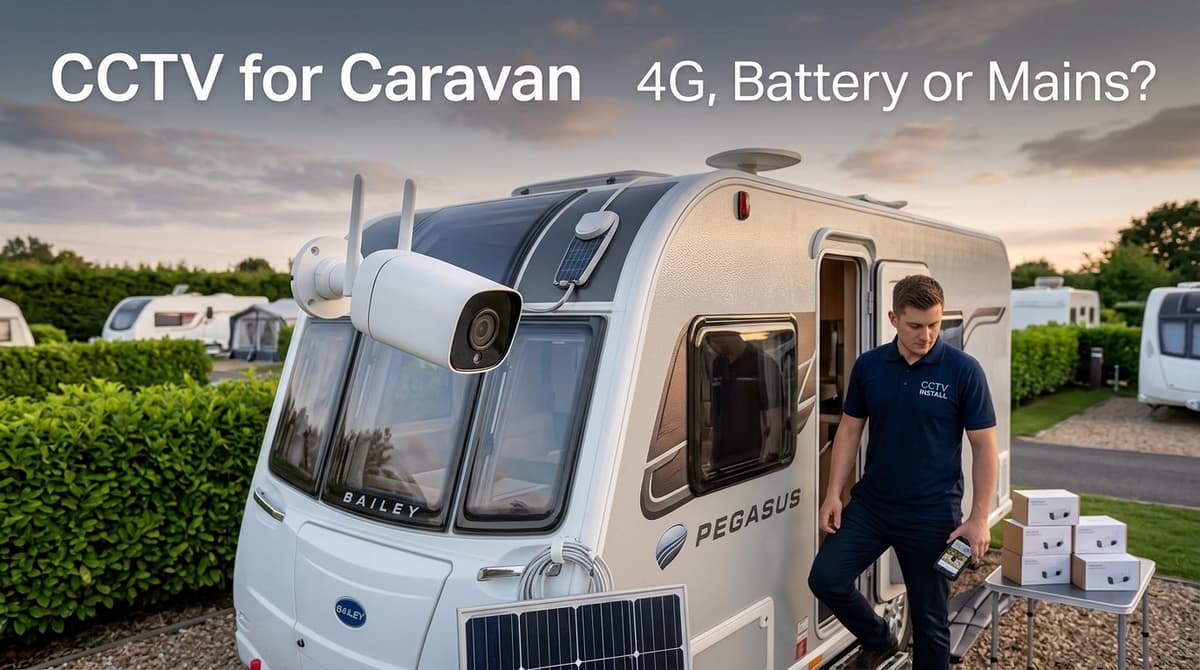
The right CCTV for a static caravan depends on occupancy and pitch power: mains-fed suits units used most weeks, while 4G with battery or solar suits long empty spells. Where the pitch has no usable supply, battery or solar kit avoids wiring, and 4G covers the connection because most pitches have no reliable Wi-Fi. Whichever you choose, check your site rules first and plan the winter lay-up before the first frost, since cold and shade limit battery and solar cameras most.
Which CCTV suits a static caravan: 4G, battery or mains-fed?
Occupancy and pitch power decide it: mains-fed for all-year use, battery or solar for occasional visits, and 4G wherever there is no usable Wi-Fi. Resolution comes a distant second.
| Occupancy pattern | Recommended power | Connectivity | Main risk | Suits |
|---|---|---|---|---|
| All-year park home | Mains-fed, continuous recording | Site broadband if offered, otherwise 4G | Pitch supply trips, or the site refuses approval | Residents who want a full recorded history |
| Regular weekends | Rechargeable battery or solar | 4G | Flat battery between visits | Owners who top up kit on arrival |
| Seasonal holiday let | Mains-fed if the pitch has a supply, otherwise solar | 4G | Guest privacy: keep cameras off guest areas and post signage under UK GDPR | Letting owners monitoring the exterior |
| Long winter closure | Mains-fed with alerts, if the supply stays live | 4G | Cold and shade starve battery or solar; the park may isolate pitch power | Owners checking in remotely for months |
Mains-fed kit records continuously, but it relies on a pitch supply and the site's agreement to you adding a load. If the supply is unreliable, our UPS for CCTV sizing guide covers keeping a recorder running through short outages.
Battery and solar cameras need no cabling. The KamperHub guide lists solar wireless cameras among the most popular caravan choices for exactly that reason. Cold weather typically cuts battery output, and a shaded pitch starves a solar panel, so winter is where they struggle.
Most pitches have no usable Wi-Fi, so 4G is the realistic route for cctv for static caravans. That means either a camera with its own SIM or a SIM-slot router such as the STRONG 4G LTE WiFi Router (CAT 4, up to 150 Mbps, 2.4GHz Wi-Fi) feeding Wi-Fi cameras.
Can you fit CCTV on your pitch? Site rules, power and the law
Usually yes, provided your pitch agreement allows it, you have a way to power the camera, and the picture doesn't take in neighbours or shared roads.
Site rules and power
Read the pitch agreement and site rules before drilling or running cable. Some sites restrict fixed installations, so check yours and ask the office what counts as "fixed".
Where the pitch has no fixed supply point, battery or 4G kit is the practical route. Mains work should be done by your own electrician, and a wired system by an independent NSI or SSAIB-accredited installer. We sell equipment only and do not install.
Insurance
Off Grid WiFi's caravan security guide suggests theft claims can be hard to win without evidence. Read your policy wording for security conditions, and ask your insurer whether camera footage helps a claim.
UK GDPR and the ICO
A camera on a shared site can easily capture other people's pitches and the communal road, which brings data protection duties into play.
- Aim the lens at your own unit and its door.
- Use privacy masking, or reposition the camera, to cut out shared areas.
- Put up clear signage saying recording is in progress.
- Treat microphones with extra care. Our guide to CCTV with audio in the UK explains when sound recording is lawful.
Site operators carry fuller duties than individual owners, because they film many people for the whole site. Their obligations are set out in the ICO's CCTV guidance.
How do you get a reliable 4G signal on a caravan pitch?
Test the pitch with a phone first, then use an unlocked router with external antennas, such as the STRONG 4G LTE Router N300, so you can switch SIM if the first network is weak.
Signal changes from pitch to pitch. Hedges, neighbouring units and a site's position in a valley or on the coast can all weaken it. Before you buy anything, stand where the caravan will sit and check bars and a real speed test on your phone.
The STRONG router is a router, not a camera, and its listing names caravans as a use. The specs that matter here:
- Unlocked, so it takes any SIM
- CAT 4, up to 150 Mbps on 4G
- Two detachable external 4G antennas
- N300 Wi-Fi at 300 Mbps on 2.4GHz, with WPA3/WPA2 encryption and a physical Wi-Fi on/off switch
- One Ethernet LAN port
Because it is unlocked, a weak result on one network doesn't strand you: swap in a SIM from another provider and retest. The external antennas also give you something to reposition, which is more useful than a router buried in a locker. If you use the LAN port for a wired run to a recorder, our guide on whether you need shielded CCTV cable in the UK covers when longer runs justify it.
Allow for data use. Cameras streaming continuously will consume far more of a SIM's allowance than cameras that only send clips on motion, so size the data plan to how you intend to record.
How do condensation and freezing affect cameras and batteries in a caravan?
Condensation can fog lenses and form inside camera housings, while freezing weather cuts battery capacity, so an unheated caravan is harder on cameras than a house.
General guidance
- Damp air and large temperature swings in an unheated unit can let moisture condense inside housings and on lenses, even when nothing has leaked in.
- An IP66 or IP67 rating means water and dust are kept out. It does not stop internal condensation. Maxview's caravan CCTV FAQs list IP66 waterproofing among a camera's features, but that rating says nothing about damp already inside.
- Cold reduces battery capacity, and many lithium batteries restrict or block charging in freezing temperatures.
Practical advice
- Read the datasheet's operating-temperature range and its battery notes before buying. A battery camera may quote a different range for charging than for running.
- Mount cameras under eaves, away from the unit's heated surfaces, where warm and cold air meet.
- Use a desiccant pack where the manufacturer's guide allows it, and keep cable entries sealed so damp can't creep in along the cable.
Solar-powered cameras may underperform through short, dull winter days. Treat the panel as a top-up and check whether the battery can also be charged by cable.
A battery smoke alarm is a cheap companion to any camera setup. The FireAngel SB1-R battery smoke alarm is listed as suitable for caravans, needs no mains wiring and has a test button. Press the button each time you open the van up after a cold spell.
Winter lay-up: what to power down, keep recording and check monthly
Power down batteries and Wi-Fi extras, keep one door camera, the 4G router and motion alerts running, and check remotely every month. Run through these in order.
Before lay-up
- Test the signal at the pitch and confirm the remote app connects over mobile data, not just site Wi-Fi.
- Update the camera and recorder firmware while you can still reach them.
- Check the SD card, or the NVR's disk and recording status, and replace anything showing errors.
- Refresh the pitch's CCTV signage so it is legible and still says who is operating the system.
Power down
- Anything with a battery that shouldn't sit flat or frozen. Bring it home if the manual advises.
- Non-essential Wi-Fi extras, such as spare repeaters or secondary cameras.
Keep running
- One camera covering the door.
- The 4G router, if the van has power. The STRONG 4G LTE router takes any SIM, so it suits this role, though check its listing for current stock and back-order status.
- Motion alerts on that camera.
Monthly check (remote login or site visit)
- Is the camera online?
- Is there a recent clip?
- Are the batteries and the alarm test OK? A battery smoke alarm such as the FireAngel SB1-R has a test button for this.
- Is there condensation or ice on the lens?
- Do alerts still reach your phone?
For replacement cameras, SD cards or a router, shop at CCTV Master or ask about trade pricing, and read stock and back-order status on each live product page.