
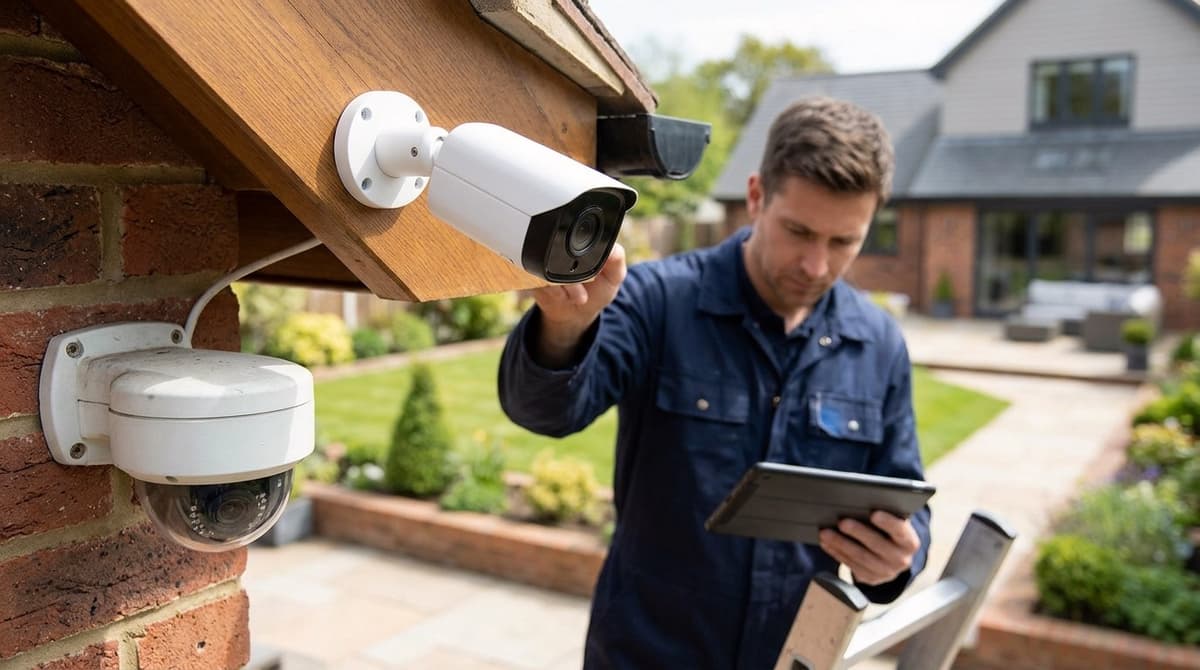
A partial upgrade, often starting with the recorder, can suit an ageing business CCTV system better than a full rip-out or simply adding cameras, provided the existing cabling and the recorder's supported formats allow it. Test one representative cable run with the intended camera and recorder before buying in bulk. A pass on that run does not guarantee the condition of every other run, so check your longest and oldest cables as well.
Rate the six layers (recorder, cameras, cabling, firmware support, storage and power) as a simple decision aid before you buy anything. Adding cameras to a recorder that is already struggling is a common way for an upgrade to disappoint.
How do you decide whether to keep, add or replace a CCTV system?
Keep the system if it still does its job, add cameras if only coverage is missing, and replace only the layer that has failed.
- Keep: footage is usable, the recorder is stable and you can still get at the images when you need them.
- Add: the recorder, cabling and storage are sound, but a loading bay, yard gate or office entrance sits outside any camera's view.
- Replace: the recorder, the cameras or both can no longer deliver usable footage, or they can't be maintained.
Start with what has stopped working, not the age of the kit. A dead recorder, an abandoned phone app and one faulty camera are three different fixes, and only the first calls for new core equipment. A ten-year-old system that records clear images is a keep. A two-year-old one with a failing recorder needs that one part changed.
Then audit six layers in order: recorder, cameras, cabling, firmware support, storage and power. Cabling decides how much of an upgrade is a swap rather than a rewire, so check it early and test one representative cable run before committing to a whole site. Firmware support and storage are where ageing systems often fail quietly, through unpatched software or a disk that can't hold the retention you now need.
If only the recorder has gone, a replacement such as the 8-channel 4MP hybrid DVR can be a one-part fix. Check its datasheet for the camera formats it supports first. Our Hikvision CCTV system guide for the UK covers how recorders and cameras pair up.
What does a keep, add or replace score look like for each part?
Score each layer 0 if it is fit for purpose (keep), 1 if it is limiting (add or supplement), and 2 if it is blocking (replace). This is a decision aid of ours, not a validated scoring system. A 2 only holds up the upgrade if that layer affects the coverage or recording outcome you need.
| Layer | 0: keep | 1: limiting, add to it | 2: blocking, replace |
|---|---|---|---|
| Recorder | Enough channels and accepts the camera formats you want | Full or nearly full; add a second recorder or a hybrid unit | Cannot record the camera type or resolution you need |
| Camera resolution | Detail is enough to identify people or plates at the working distance | Fine in some areas, weak at entrances and yards | Footage cannot identify anyone where it matters |
| Cabling | Tested run carries the new camera cleanly | Works on short runs, marginal on long ones | Damaged, poor connectors or interference |
| Firmware/app support | Current firmware and a working remote app | Remote viewing flaky or limited | No updates and no usable app |
| Storage | Retention meets your policy | Retention is tight; add capacity | Drive cannot hold the footage you must keep |
| Power | Supply or PoE budget has headroom | Little spare capacity | Cannot power the new cameras |
The recorder is where mixed estates usually get resolved. The XVR-3108AD-4MP is an 8-channel 4MP hybrid DVR, sold as a multi-format recorder; its live price is on the product page. Before buying, check its datasheet for the camera formats it accepts, the maximum recording resolution per channel and the total recording limit, and compare those with your existing cameras.
For cabling, serviceable 75-ohm coax with BNC connectors may carry HD-over-coax, but CCTV Security Pros says "without rewiring" is not guaranteed: cable type, run length, connector quality and interference all matter. It advises testing one representative run with the intended camera and recorder before buying a full set. A passing run does not guarantee every other run, so test the longest as well. Existing Cat5e or Cat6 may be reusable for a PoE IP upgrade, but test it the same way.
Once the scores are in, our CCTV system price guide shows what the replace and add rows are likely to cost.
Where is the cost-to-value line between fixing and replacing?
The line is crossed when the keep-or-add total still leaves a system that fails a row of your audit, because you then pay for the patch and the replacement.
The formula, with no figures filled in:
Keep-path cost = recorder swap + repairs + extra cameras + fitting by your own electrician or an independent installer
If that sum buys a system that still fails an audit row (night image, coverage, retention, remote access), replace instead. If it clears every row, keep and add. Our 4 camera CCTV system price and setup guide gives the new-system side to compare against.
Phase it: recorder first, cameras later
Swapping the recorder first spreads the spend. A hybrid recorder such as the XVR-3108AD-4MP, an 8-channel 4MP hybrid DVR, is built for mixed camera types, so older cameras can keep running while you replace the worst ones. Check the datasheet for the exact formats it supports. Live price and availability are on the product page.
Keeping the cables
Existing coax is usually the costly part of a job to replace. A guide from CCTV Security Pros says serviceable RG59 or similar 75-ohm coax with BNC connectors may suit HD-over-coax cameras. Running IP cameras over old coax with a converter kit is a niche route, so test one representative run with the intended camera first. Cable type, run length, connector quality and interference all affect the result.
Fitting
CCTV Master sells equipment and does not install it. Use your own electrician or an independent installer, and ask for NSI or SSAIB accreditation. Drives sold with a recorder are supplied pre-fitted before dispatch.
When is adding cameras a false economy?
Adding cameras is a false economy when the recorder, the storage, the power or the weakest existing camera cannot support them, so the spend goes on fixing that limit instead.
- High-resolution cameras on a limiting recorder. If the recorder captures at a lower resolution than the camera can produce, or has no free channel, the footage is no sharper and you still buy a recorder. A 4MP hybrid unit such as the 8-channel 4MP hybrid DVR records up to its stated resolution, whatever the camera can do.
- Extra cameras on a full or tight recorder. With no spare channels, or a drive already sized to your retention target, every added camera shortens recording time for all of them.
- PoE cameras beyond the switch or PSU budget. With no headroom, you buy a bigger switch as well. Our PoE CCTV system guide for cameras, switches and NVRs explains how to check the budget first.
- A new camera beside old ones that cannot capture the evidence. If the existing camera cannot resolve faces or plates, a second camera leaves the weak point where it was. Replace that camera instead.
Adding is the right call when the recorder is sound, channels and power are spare, and the camera fills a genuine coverage gap. If only some of those hold, fix the limit first.
How do you test an upgrade before buying the whole system?
Test one representative cable run, the longest or the oldest, with the intended camera and recorder before buying everything else. CCTV Security Pros advises this because cable type, run length, connector quality, interference and camera power all affect whether an old run will carry a new camera.
- Choose the worst case. If the longest or oldest run works, shorter and newer ones are more likely to, though one good result does not guarantee the condition of every other run.
- Fit one new camera and the intended recorder. An 8-channel 4MP hybrid DVR is a low-cost way to trial a coax run; check its live price on the product page. Before buying, confirm in the datasheet which camera formats it records and its channel and recording-resolution limits. Your own electrician or an independent installer should do any fitting.
- Judge three things. Check the daytime picture, whether the camera powers reliably, and the night footage, where noise and interference tend to show.
A changed camera layout can change your data-protection position. New fields of view, extra cameras or a different recording purpose mean you should recheck your signage and your ICO obligations before going live.
Treat ANPR and wireless as separate decisions. ANPR is a specific camera job, not a resolution bump, so a higher-megapixel camera does not make plate capture work by default. Wireless cameras still need power at the camera, so the cable run does not disappear.
Once a representative run passes, you have a firmer basis for buying the rest: shop at CCTV Master or ask about trade pricing. In-stock orders placed before 4pm Monday to Friday are dispatched the same working day.