
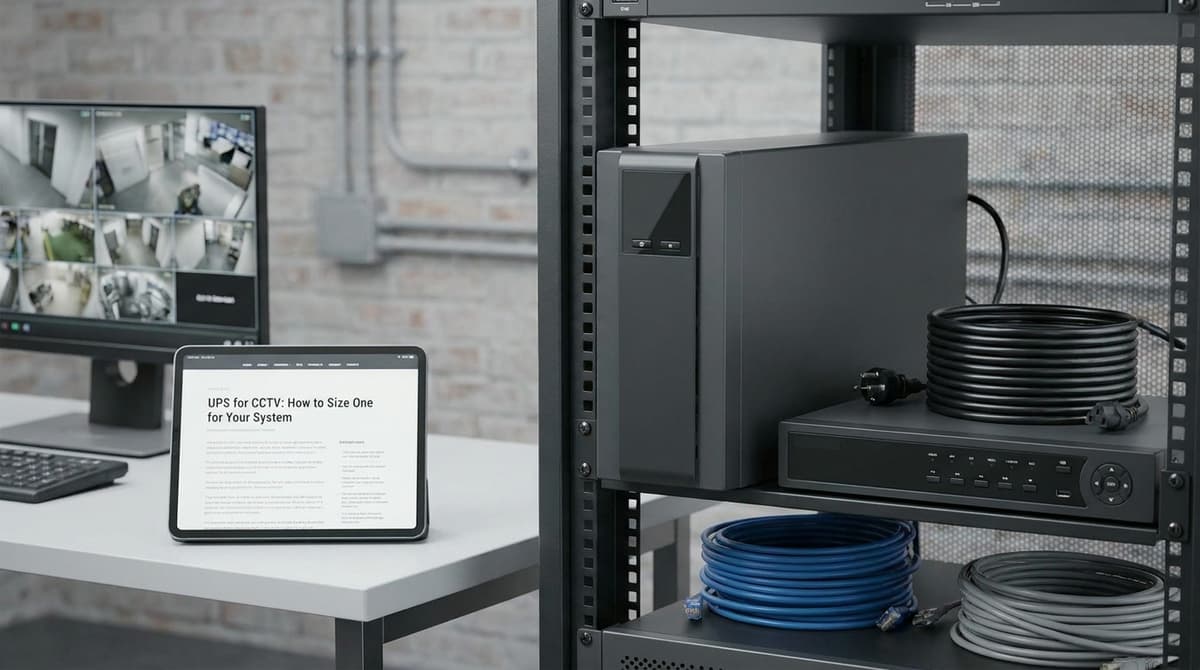
To size a UPS for CCTV, add up the maximum watts drawn by everything you want on battery, such as the NVR, PoE switch, router and fibre ONT. Then choose a unit whose watt rating is comfortably above that total.
Check the VA rating separately: it must cover the load's measured apparent power, or the VA worked out from each device's stated power factor, not a figure inferred from the UPS's own watt-to-VA ratio.
Runtime is the third check, and the one most often missed. A unit that can carry the load may still last only minutes, so read the manufacturer's runtime data at your measured load.
A plug-in UPS is designed to bridge short power cuts and to buy time for a controlled shutdown so footage isn't corrupted. Backup lasting hours needs substantially more battery capacity, an external battery solution or a generator, depending on the measured load and the manufacturer's runtime figures for vacant property CCTV security.
What size UPS does a CCTV system need?
Add up the maximum watts every backed-up device can draw, choose a UPS whose watt rating sits comfortably above that total, then check separately that its VA rating covers the load's apparent power.
Sizing in three steps
- Total the watts. Take the maximum or design draw from each datasheet, not the typical figure. Include the NVR or DVR, the PoE switch with its cameras connected, and any router you want online during a power cut.
- Check the VA separately. The load's apparent power (VA) is best read from a meter that shows VA. You can also work it out from each device's stated power factor. Make sure the UPS's VA rating covers that figure as well as its watt rating covering the total.
- Leave headroom. Don't run a UPS at its limit. A margin allows for devices you add later, and a lighter load usually stretches the runtime too. This is general guidance, not a figure from any datasheet, so there's no fixed percentage to quote.
What the 0.6 ratio on the C60-800 means
The CertaUPS C60-800 we sell is rated 800VA / 480W. That gives a watt-to-VA capacity ratio of 0.6. The figure describes the UPS's own limits, not the power factor of the cameras and recorder you plug into it.
Dividing your watt total by 0.6 can work as a conservative screening check against this unit. It doesn't tell you the load's actual VA, and other brands and models use different ratios. Read the watt and VA ratings on the datasheet of the specific UPS for CCTV you're considering.
Watts cap the load, VA is the headline
VA is the number on the box, but the watt rating is what limits how much you can connect. A 480W draw reaches the C60-800's watt limit, even though its label says 800VA.
The 800VA / 480W rating tells you how much load the unit can carry, not how long it will carry it. For runtime, use the manufacturer's runtime data at your measured load.
Hours of backup need substantially more battery capacity, an external battery solution, a generator or a controlled shutdown. Which one fits depends on the measured load and the manufacturer's runtime data.
How do you add up the load in watts?
List every device that must stay powered in a cut, measure each one's real draw in watts, and add them up. Count PoE cameras only once, through whatever powers them. For a wider look at picking the right setup, see the CCTV buyers guide.
On a typical system, the devices that go on the UPS are:
- NVR or DVR: the recorder itself.
- PoE switch, if the cameras aren't powered from the NVR's own ports.
- Router, so remote viewing survives the outage.
- ONT or modem: without it, the router has no connection to share.
- Monitor: only worth backing up if someone watches live on site.
PoE cameras draw their power through the switch or NVR. Measuring that device with the cameras connected already includes them, so don't add the cameras again on top.
Measured figures beat the nameplate
A plug-in watt meter shows what a device actually draws. If you can't measure, use the datasheet's maximum consumption rather than its typical figure. Sizing on typical draw risks an undersized UPS, while the maximum gives you a safe design figure.
Home Tech DIY's YouTube test of a US home setup shows the method. That reviewer's meter read:
- 18.4 W for the NVR alone
- 33.3 W for the same NVR powering four PoE cameras
- 4 W for the router
- 11.4 W for the modem
- 22.2 W for a 23in monitor
The video presents the 33.3 W reading as the NVR plus its four cameras, so it appears to include the NVR's own 18.4 W. Count one figure or the other, never both. These are one person's readings on their own kit, so replace them with your own.
If you're deciding whether a local screen is worth the extra draw, our guide to choosing a CCTV monitor covers what to look for.
Only count what's on battery-backed outlets
Leave out anything plugged into a surge-only socket, because it goes dark the moment the mains fails. The CertaUPS C60-800's listing gives three battery-backed IEC C13 outlets and one surge-protected IEC outlet. Keep the recorder, switch, router and ONT off that fourth outlet.
A recorder, separate PoE switch, router and ONT make four plugs, one more than the three backed outlets. If the cameras run from the NVR's own PoE ports, you drop the switch and the remaining three fit. Plan your leads before you order, and remember that anything sharing a backed outlet still counts towards the total.
Worked examples: a 4-camera home and an 8-camera business site
A four-camera home system measured at 48.7 W uses roughly a tenth of an 800VA/480W UPS's watt rating, which leaves plenty of margin. An eight-camera site has to be summed from its own datasheets before you pick a class.
4-camera home (illustrative)
These figures are the Home Tech DIY watt-meter readings. Treat them as one measured setup, not a rule for every NVR:
- NVR powering four PoE cameras: 33.3 W (on that video's reading, this appears to include the cameras' draw)
- Router: 4 W
- Modem (stand-in for a UK ONT): 11.4 W
- Total: 48.7 W
Start by comparing your total watts with the UPS's watt rating. Against the CertaUPS C60-800's 480 W, 48.7 W is about a tenth of capacity. Then check VA separately, using a plug-in meter that reads apparent power or the equipment's stated power factor. The C60-800's 480 W to 800 VA ratio describes the UPS, not your load, so don't use it to convert your watts into VA.
The cameras take their power from the NVR's PoE ports, so only three devices need sockets: the NVR, the router and the modem. That matches the C60-800's three battery-backed C13 outlets exactly. Plug-top power bricks for the router or ONT will need an IEC C14-fed adaptor or lead.
The 800VA/480W rating tells you how much load the unit can carry. It doesn't tell you how long it will run. Take runtime from the manufacturer's runtime data at your measured load rather than assuming a figure.
8-camera business site
There are no verified wattages for this build, so fill the formula from your own kit's datasheets. Use the maximum or design consumption figures, not the typical ones:
Total W = (8 × camera W) + NVR W + PoE switch W + router W + ONT W
For the switch, use its loaded draw with all eight ports powering cameras, as worked out in the PoE switch sizing guide. Don't use the idle figure. The UPS's watt rating should exceed that total with sensible headroom. Its VA rating should also cover the measured apparent power, or the VA worked out from the equipment's stated power factor.
Two limits can rule out the C60-800 here:
- Outlets: in this layout the cameras run from a separate PoE switch. The NVR, switch, router and ONT then make four devices against three battery-backed outlets.
- Load: if the sum passes 480 W, or the measured VA passes 800 VA, the unit can't carry it and you need a larger class.
Physical fit matters too. Check the UPS's form factor against your cabinet before ordering. A site with rack-mounted kit may be better served by a rack-format UPS.
If the eight cameras are guarding a temporary compound rather than fixed premises, the site CCTV hire vs buy guide covers whether owning the power backup makes sense at all.
How long will it run, and what would four hours take?
The C60-800's 800VA / 480W rating tells you how much load it can carry, not how long it can carry it. Runtime has to come from the manufacturer's runtime data at your measured load. Four hours needs substantially more battery capacity, an external battery solution or a generator, depending on that load.
Runtime is the battery's usable watt-hours divided by your load in watts. The VA and watt ratings set the ceiling on what you can plug in, but they say nothing about how many minutes the battery will last.
The runtime sum
Runtime (hours) = (battery volts × Ah × inverter efficiency × usable depth of discharge) ÷ load in watts
Volts and Ah are printed on the battery. Take the efficiency and usable share of capacity from the manufacturer's datasheet rather than guessing them. Measure the load with a plug-in watt meter, because nameplate ratings tend to overstate it. As a reference point, the Home Tech DIY test measured 18.4 W for an NVR on its own and 33.3 W with four PoE cameras running from its rear ports.
What the C60-800 is built for
The C60-800 is rated at 800VA / 480W. It has three battery-backed IEC C13 outlets and one surge-protected IEC outlet, so the recorder and PoE switch belong on the battery-backed side.
Check the manufacturer's runtime data at your measured load before relying on it for anything longer than a short interruption. In the Home Tech DIY video, the UPS software could not tell a dedicated NVR to shut down. Check whether your recorder accepts a UPS shutdown signal before you rely on one.
Sizing for four hours
Start with the energy the battery must deliver: required Wh = load W × 4 h. For the measured 33.3 W NVR-plus-four-cameras setup, that comes to about 133 Wh before any allowances. Divide by the datasheet's efficiency and usable-depth figures to get the battery capacity you need.
That points to a UPS with a much larger battery, support for an external battery pack, or a generator, sized from the manufacturer's runtime chart rather than the VA rating. If that isn't practical, plan for a controlled shutdown instead. Multi-zone sites, like the layouts in our guide to CCTV for warehouses, push the load and the battery requirement up quickly.
Treat published runtimes as rough guides
One UK UPS specialist's buying guide quotes 20–60 minutes for a modest CCTV load on a 1000VA–1500VA unit. The width of that range shows how much the result depends on load. Battery age matters too. Home Tech DIY notes that sealed lead-acid batteries typically last 3 to 5 years, depending on how often they discharge.
Short cuts, long outages and shutdown planning
A small CCTV UPS is sized to ride through brief mains cuts. Hours of backup need substantially more battery capacity, an external battery solution, a generator or a planned, controlled shutdown, depending on your measured load and the manufacturer's runtime data. For example, the CertaUPS C60-800 we sell is rated at 800VA / 480W, which tells you how much load it can carry, not how long it will carry it.
For runtime, use the manufacturer's runtime data at your own measured wattage, not the VA figure. The unit has three battery-backed IEC C13 outlets and one surge-protected-only IEC outlet. That means the recorder and PoE switch can go on battery while anything non-essential goes on the surge-only socket.
Adept Power notes that a cut of just a few minutes can mean lost footage and system reboots. For a long outage, plan for the recorder to shut down cleanly before the battery runs out, rather than hoping it lasts.
Getting the shutdown right
Some UPS units have a monitoring connection and software that can close a PC-based recorder down while some battery remains. Check the product's datasheet to see what the C60-800 supports. Before relying on any automated shutdown, check these points against your own kit:
- NVR support: confirm in the recorder's documentation that it can act on a UPS signal. The Home Tech DIY video found a UPS could not tell a dedicated NVR to shut down properly.
- Unattended restart: make sure the recorder powers back up by itself when mains returns. Test this before handover.
- Battery health: if the software supports it, use it to check the battery's condition.
Waveform and topology
Line-interactive UPS units with automatic voltage regulation (AVR) can correct voltage fluctuations without drawing on the battery. Check the datasheet for the topology and output waveform of any unit you shortlist.
Double-conversion online units run the load from the inverter all the time, so there is no transfer gap when mains fails. That can make online a better fit for sensitive recorders or larger multi-switch sites, where the extra cost is justified.
Battery life
UPS batteries wear out. The Home Tech DIY video puts the life of the sealed lead-acid batteries in its own UPS at about 3 to 5 years, depending on how often they discharge. Record the fitting date and budget for a replacement, rather than waiting for a cut to show the battery has failed.