
door entry system for flats
Door Entry Systems for Flats: Install & Costs
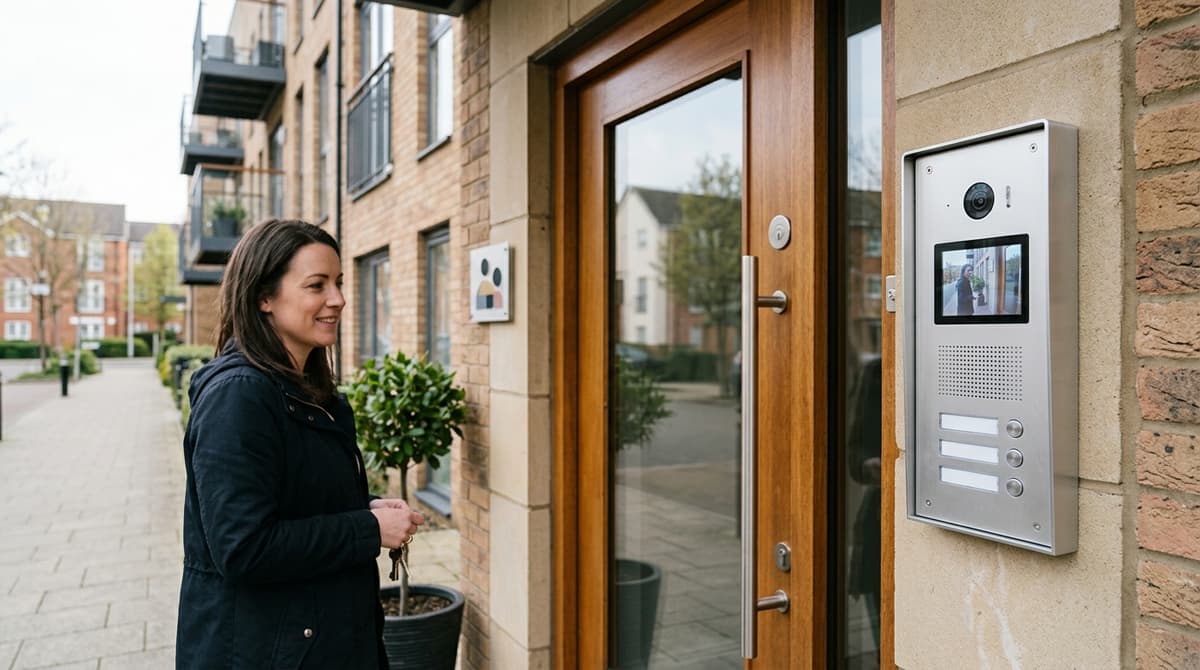
A door entry system for flats lets a visitor at a communal outdoor panel call a specific flat, so the resident can see or hear who's there and release the door…
On this page
- What is a door entry system, and how does it work in a block of flats?
- Audio, video or access-control: which type suits your block?
- The three practical tiers
- Where our villa kit stops short
- How do you size a door entry system for the number of flats?
- Questions an installer works through before quoting
- 2-wire vs IP/PoE: which wiring suits a retrofit or a new build?
- How does a door entry system integrate with existing CCTV and access control?
- Recommended kit
A door entry system for flats lets a visitor at a communal outdoor panel call a specific flat, so the resident can see or hear who's there and release the door remotely without leaving their unit — the two things you need to decide first are whether you need audio-only or video, and how many flats the panel and wiring need to support.
Get those wrong and you'll either overpay for features residents don't use or install a panel that can't scale as the block grows. This guide walks through sizing, the wiring choices behind it, and where CCTV and lock hardware fit into the system.
What is a door entry system, and how does it work in a block of flats?
A door entry system lets visitors call a specific flat from an outdoor panel; the resident hears or sees them and releases the door remotely via a signal path from the panel to an indoor handset or monitor, then to an electric lock release.
A door entry system for flats lets a visitor press a call button at an outdoor panel, which rings the specific flat's indoor handset or monitor so the resident can see or hear them and release the communal door remotely. It exists to control who gets into a shared building without a caretaker on the door, and it ranges from a simple audio buzzer to a full video door access control system with a camera at the entrance panel.
The signal path is the same regardless of budget: outdoor panel or door station → wiring or network link → indoor monitor/handset for the correct flat → an electric lock release on the communal door. The panel identifies which flat is being called, the resident's handset rings, and pressing the unlock button on the handset (or in an app, on IP systems) sends a release signal to the door's lock. That lock release is often an electric strike or, where a block needs stronger holding force, a magnetic lock such as the 1000kg maglock we stock — separate hardware from the panel and handsets, wired in as the final link that releases the instant the resident authorises entry.
Door entry systems for flats fall into two broad families that later sections cover in depth: traditional 2-wire/analogue systems, wired directly between panel and handsets, and IP/PoE video door entry systems, which run over network cabling and can extend to a mobile app.
Fastlec's breakdown of door entry technology groups options into keypad, intercom, card and biometric variants, reflecting how varied "entry system for flats" can mean in practice — from a basic keypad to a networked video door access control system. Both families can be audio-only or video; the choice mainly comes down to wiring already in the building and how many flats need covering.
Audio, video or access-control: which type suits your block?
Choose based on flat count and whether residents need to see callers. Audio-only keypad systems suit tight budgets, video intercoms add caller visibility with higher hardware costs, and standalone keypads work for shared entrances without flat-specific calling.
The right type comes down to two questions: how many flats need to call, and whether residents want to see a caller before they buzz them in — not just hear a voice. Video adds a camera at the door and needs a screen at every flat, which raises both wiring and per-unit hardware cost against a voice-only setup.
The three practical tiers
- Audio-only keypad/intercom — the simplest form of door entry for flats: a caller panel with buttons or a keypad, wired to a handset in each flat. No camera, no monitor, lowest hardware count per door — the natural fit where budget is tight and the block just needs controlled voice entry.
- Video intercom — a door station plus an indoor monitor in each flat, so residents see who's calling as well as hear them. Our Hikvision DS-KIS604-P kit pairs a door station with a 7" monitor, supports remote unlocking and live view through the Hik-Connect app, and stores snapshots to a bundled 16GB TF card — but it's built for a villa or single household calling one monitor, not routing calls to multiple flats.
- Standalone keypad/RFID access control — no calling function at all, just controlled entry at a common door. A keypad or RFID reader mounted at the door reads a code or a card/fob and releases the lock, suiting a communal entrance, bin store or side gate where residents don't need to speak to a visitor first.
Where our villa kit stops short
The DS-KIS604-P is a villa kit, built for one household, not multi-flat calling — one call button rings one monitor, so it doesn't route a visitor's call to a specific flat among several. Genuine multi-flat door entry — where a visitor presses "Flat 4" and only Flat 4's handset or monitor rings — needs a system built around per-flat call routing, whether audio or video. For that scale, talk to CCTV Master about trade pricing and which door station and monitor combination matches your flat count.
How do you size a door entry system for the number of flats?
Size by matching the outdoor panel's call-button capacity to your flat count plus future extensions. Platforms vary widely—some are advertised as supporting several hundred flats—so check the manufacturer's rated capacity against your building before ordering.
Sizing comes down to one question: how many independent call buttons or addresses does the outdoor panel support, and does that match your block's flat count today and after any future extensions. This isn't a guessing exercise — panel platforms are rated to a stated capacity, so the right starting point is the flat count, not the aesthetics of the panel.
Manufacturer capacity claims vary widely, which is exactly why they need checking against your building before ordering. One TVT door station on the market is advertised as able to unlock the door for up to 500 independent flats or offices, with face recognition, key code, fob and card entry and integration into TVT NVRs.
At the other end, the CAME Entrotec APEX type 23 platform references over 6,000 flats and over 1,000 digital/functional doors on a single system, aimed squarely at large estates rather than a single block.
Questions an installer works through before quoting
- How many call buttons does the panel need now, and how many spare addresses for future extensions? A block converting a loft or adding a rear annexe needs headroom built in from day one, not a second panel bolted on later.
- Single entrance or multiple communal doors? Blocks with a car park gate, a rear fire exit, and a main entrance may need more than one panel talking to the same indoor stations.
- Is a concierge or porter override required? The CAME Entrotec APEX system can be installed "Concierge Ready", with handsets fitted with an extra button and an EntroNet Gateway added later to bring in full concierge functionality without replacing residents' handsets.
- What cabling exists or can be run? Options referenced include CW1308, Cat 5 or Cat 6, and whether the property already has 2-wire infrastructure or needs a PoE/IP retrofit changes the panel shortlist.
Be honest about scope: our own kits, including the Hikvision DS-KIS604-P IP Video Intercom Kit and the Hikvision DS-KIS702-P(B) 2-Wire IP Video Intercom Kit, are villa and house kits built around a single call button and one door station — they suit a single-entrance house or small residential property, not a ten-plus-flat block. The Hikvision DS-KV8413-WME1 4 Button IP Door Station extends that to four independent call buttons for smaller multi-occupancy entries, but a block with more than four flats on one entrance needs a panel platform rated for that call-button count from the outset. Shop at CCTV Master or ask about trade pricing to check which panel and indoor station combination fits your flat count before committing to cabling.
2-wire vs IP/PoE: which wiring suits a retrofit or a new build?
A retrofit usually favours 2-wire because it reuses the existing two-core cable already run to each flat, while a new build is better suited to IP/PoE because it shares the same Cat5e/Cat6 backbone as the CCTV network. IP door stations such as the DS-KV8413-WME1 4-button IP video intercom door station are PoE-powered, with built-in WiFi and a Mifare card reader, so a single network cable can carry both power and data to the entrance panel — no separate mains run needed at the door.
The wiring decision is largely dictated by what's already in the riser, not by which technology is "better" on paper:
- 2-wire retrofit path: ESP's SP1APDSPXMW is a multi-way video door station supporting custom apartment addresses over a 2-core cable run — illustrating how a 2-wire architecture can scale a block without pulling new containment.
- IP/network path: SystemQ's TVT door station is a 2MP unit that integrates directly into TVT NVRs and runs subscription-free, showing how an IP-based entry panel can share the same recording infrastructure as a building's CCTV rather than sitting as a standalone system.
Neither wiring type is inherently superior; the right choice follows the existing containment. If a block already has functioning 2-core cabling to each flat, a 2-wire panel avoids re-cabling the riser, whereas a refurbishment or new build with fresh Cat5e/Cat6 already planned for CCTV and networking can extend that same cabling to the door station, simplifying power and diagnostics onto one PoE switch.
Before specifying either, check the containment route flat-by-flat — mixed-age blocks sometimes have a combination of both, and matching the panel to the cable that's actually there saves the cost of re-pulling wire through a shared riser.
How does a door entry system integrate with existing CCTV and access control?
An IP door station can feed into a compatible NVR as an additional camera, while its lock-release output wires into the same access-control loop as keypads or card readers. Whether that integration actually works depends on the door station's ONVIF compliance and the specific interface it exposes — check the datasheet rather than assuming it.
Concrete integration points worth knowing:
- The TVT secure access video door station is advertised as able to "unlock door from up to 500 flats or offices" and "fully integrates into TVT NVRs," letting a single manufacturer's recorder pull in door-camera footage alongside the rest of a site's CCTV feeds, with face recognition, key code, fob and card entry handled at the same panel.
- A standalone access controller with a Wiegand interface can sit on the same bus as a door entry lock release, an exit button and a door contact/sensor, which is the general wiring approach for combining entry-panel unlock signals with a broader access-control loop.
- For the lock hardware itself, that typically means an electric lock release — often an electric strike or, where a block needs higher holding force, a magnetic lock — wired into that same loop rather than treated as a separate system in its own right.
The takeaway most buyers miss: a door station calling itself "IP" doesn't guarantee it will appear as a native camera channel in an unrelated brand's NVR. ONVIF support varies by firmware and profile, and a panel that streams fine to its own mobile app may still need a separate encoder or a manual RTSP add to show up on third-party CCTV software. For a residential entry panel already built around IP video, the Hikvision DS-KV8413-WME1 4 Button IP Door Station gives a PoE-powered, Mifare-card-capable starting point, but always confirm ONVIF/NVR compatibility against that specific unit's datasheet before assuming it will slot into an existing recorder. The same rule applies to the lock side: confirm the door station's relay or Wiegand output actually matches the access controller's input before specifying a lock alongside it.
Recommended kit
For the setup above, this is the kit we'd recommend from our own range:
- Hikvision DS-KIS604-P IP Video Intercom Kit — IP video intercom kit for villas and houses with 7" indoor monitor, door station and remote mobile app control. Includes 16GB TF card and power adapters.
- Hikvision DS-KIS702-P(B) 2-Wire IP Video Intercom Kit — 2-wire IP video intercom kit for villas and residential properties. Includes door station, indoor monitor, 16GB TF card and power supply. Easy installation.
- Hikvision DS-KV8413-WME1 4 Button IP Door Station — 4-button IP video intercom door station with 2MP HD camera, WiFi, Mifare card reader and PoE power. Outdoor-rated aluminium housing for multi-user residential entry.
This article was researched and written by IT Master.
