
poe cctv system
PoE CCTV System: Camera, Switch & NVR
A PoE CCTV system is one where every IP camera draws both power and data from a single Ethernet cable run to a PoE switch or PoE NVR, eliminating the separate…
On this page
- What Is a PoE CCTV System? How the Camera, Switch and NVR Work as One
- The three parts that must all be PoE-aware
- One camera, two power options
- How Does PoE CCTV Actually Work? (Camera, Switch, NVR, Cable)
- The standard behind the power
- Switch-fed vs NVR-fed: the two setups
- Cable, distance and the 100 m ceiling
- PoE System vs Mixing Separate Components — Which Should You Buy?
- What Should a Business Weigh Up Before Choosing a PoE CCTV System?
- Recommended kit
A PoE CCTV system is one where every IP camera draws both power and data from a single Ethernet cable run to a PoE switch or PoE NVR, eliminating the separate 12V power supply and coax cabling that analogue systems need. The important qualification is that this only holds if the camera, switch and cabling are all genuinely PoE-rated together: a PoE camera bought on its own doesn't make a system unless the power budget and cable grade are matched to it. Get that pairing right and you halve the cabling per camera; get it wrong — an underpowered switch, or a Cat5e run past its distance limit — and the "one-cable" promise quietly breaks down.
What Is a PoE CCTV System? How the Camera, Switch and NVR Work as One
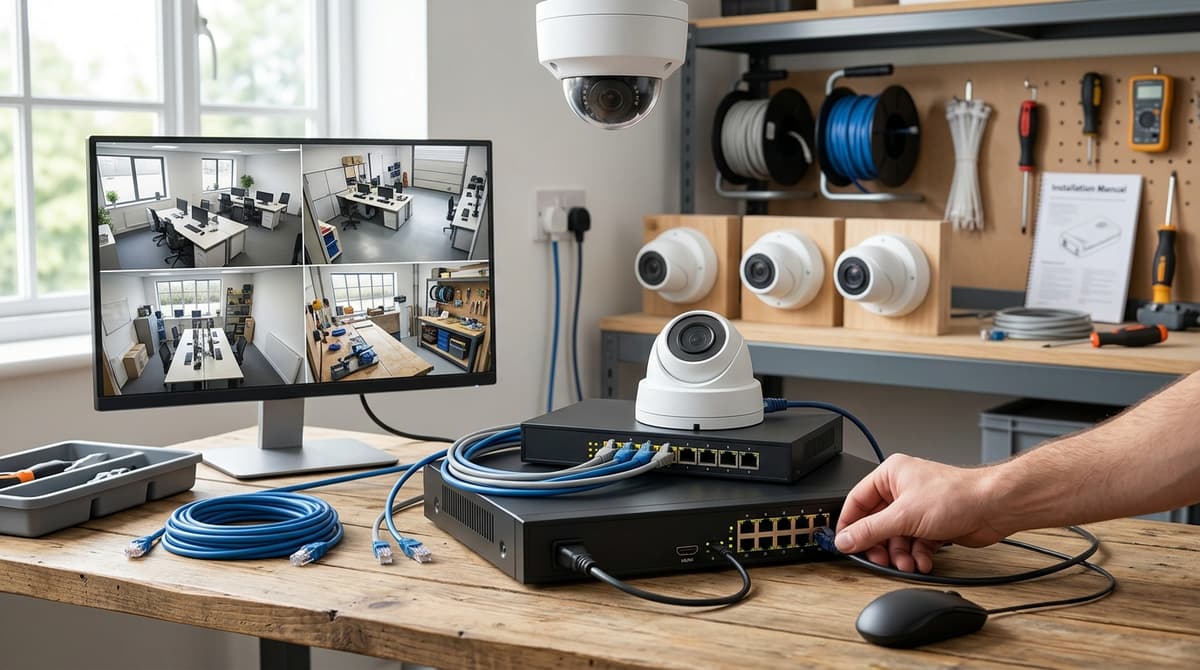
A PoE CCTV system is one where every IP camera draws both power and data down a single Ethernet cable to a PoE switch or PoE NVR, so there's no separate 12V power supply and no coax to run. This is the core distinction from an analogue system, where power and video travel on two separate cables to two separate devices. One cable in, one connection out — that's the whole point of "PoE and voltage drop calculator" in a PoE CCTV system.
The three parts that must all be PoE-aware
Calling something a "PoE CCTV system" only holds up if all three elements are genuinely PoE-capable. Buying a PoE camera on its own doesn't make a system:
- A PoE camera — an IP camera that takes its power from the Ethernet port under the IEEE 802.3af or 802.3at standard, over a single Cat5e or Cat6 run.
- A PoE switch or PoE NVR supplying the power budget across every port — a 16-port Gigabit PoE switch from the 16-port PoE switch range is a standalone example of the switch half of that pairing.
- Cat5e or Cat6 cable run point-to-point, with no coax and no separate mains lead at the camera end.
Miss any one of those three and you're back to mixed components. A PoE camera fed from a non-PoE switch, for instance, still needs its own 12V injector, which defeats the single-cable benefit entirely.
One camera, two power options
Many PoE cameras keep a secondary 12V DC input alongside the PoE port. That is a useful fallback where a PoE source isn't available rather than a requirement to use it. The flexibility matters for retrofits into an existing commercial CCTV system where not every run can reach a PoE switch or PoE NVR: you can power that one camera conventionally without redesigning the whole network. For most business CCTV systems, though, running every camera off one PoE source is what keeps installation and maintenance straightforward.
How Does PoE CCTV Actually Work? (Camera, Switch, NVR, Cable)
A PoE CCTV system carries both data and low-voltage DC power down the same twisted-pair Ethernet cable, so one cable connects a camera to a network switch or recorder and powers it at the same time. There's no separate mains lead at the camera end. The power source, whether that's a PoE switch or a PoE-enabled NVR, injects power onto the cable and the camera draws it as the "powered device".
The standard behind the power
Not all PoE is equal, and the standard a device is built to caps how much power it can draw. Basic fixed cameras typically run on 802.3af, the original PoE standard delivering up to 15.4 W at the source — fine for a sensor, IR illuminators and a processor. Pan/tilt motors, built-in heaters or fan units on larger PTZ cameras usually need more headroom, which is where 802.3at ("PoE+", up to 30 W) or 802.3bt comes in. Treat this as a budgeting question per camera, not a fixed rule: it depends on the exact model's rated power draw, which is on its datasheet.
Switch-fed vs NVR-fed: the two setups
Every PoE CCTV system is wired one of two ways:
- Camera → PoE switch → separate NVR/NAS. The switch does the powering and networking; the recorder just stores and displays footage. A 16-port Gigabit PoE switch from the 16-port PoE switch range is a practical example — it lets you scale a system without needing every port built into the recorder.
- Camera → PoE NVR directly. The NVR's own ports supply power and carry data, so smaller jobs need no separate switch at all. This is the simpler build for a single site with a modest camera count.
Both routes are common on commercial CCTV systems, and the right one usually comes down to camera count and future expansion rather than cost alone.
Cable, distance and the 100 m ceiling
Standard Ethernet PoE runs are capped at 100 metres per segment. Go further and signal integrity (and power delivery) degrades, so longer runs typically need a PoE extender, a mid-span switch, or fibre with a media converter feeding a local PoE injector.
For most retail units, offices and warehouses this is rarely the binding constraint, but it's worth mapping cable runs before specifying kit for a larger business CCTV system. Camera power draw, switch PoE budget and cable length all interact, so check the totals add up before ordering rather than after the cable's in the wall — shop the range at CCTV Master or ask about trade pricing if you're speccing multiple sites.
PoE System vs Mixing Separate Components — Which Should You Buy?
Buy a matched PoE system — a PoE camera paired with a PoE switch or PoE NVR sized to match its draw — unless a specific constraint rules that out, such as an existing non-PoE recorder or a switch whose per-port wattage the camera would exceed. A matched system gives you one cable run per camera and a power budget you can calculate in advance, which is why it's the default for most new installs and retrofits.
Mixing components makes sense when the matched route doesn't fit your situation. Common cases: you already own a non-PoE NVR and don't want to replace it, you're adding a pan/tilt or two-way-audio camera that draws more than your existing switch delivers per port, or you need more ports than your current NVR has built in. At that point a dedicated PoE switch — such as one from the 16-port PoE switch range — sits between the cameras and a non-PoE recorder or router.
| Approach | What you need | Where it fits |
|---|---|---|
| Full PoE system (camera + PoE switch/NVR) | PoE camera, PoE switch or PoE NVR, Cat5e/Cat6 cable | New builds, most retrofits — single cable run, one power budget to manage |
| PoE camera + separate PoE switch, non-PoE NVR | PoE camera, PoE switch, Cat5e/Cat6 cable, existing non-PoE NVR/router | Keeping an existing recorder, or adding a higher-draw camera (e.g. pan/tilt, two-way audio) beyond the NVR's built-in port budget |
| PoE camera + PoE switch, no NVR (NAS/cloud recording) | PoE camera, PoE switch, network storage or cloud plan | Small setups without a dedicated recorder box |
A pan/tilt or two-way-audio camera typically draws more than a fixed-lens turret because of its motor and speaker, so check its rated draw against your switch's per-port PoE budget before committing to it as an add-on rather than part of a matched kit. For most buyers weighing up a commercial CCTV system or a straightforward home upgrade, a pre-matched kit — such as the Hikvision 4K PoE Camera System | AcuSense NVR Kit — removes the wattage-matching step entirely, since the NVR's PoE budget is already sized for the cameras it ships with.
What Should a Business Weigh Up Before Choosing a PoE CCTV System?
For a commercial or business CCTV system, the real decision framework is channel count, PoE power budget across every camera, cable run distances, and storage retention. Resolution alone doesn't answer whether the system will actually work on site. Businesses shopping for a commercial CCTV system often start by comparing megapixels, but the failures reported in practice come from sizing, not sensor quality.
Power budget is the constraint most quotes skip. Every camera on a PoE CCTV system draws a share of the switch's or NVR's total PoE power budget. If the sum across all channels exceeds that budget, cameras furthest down the port list can brown out, reboot, or simply not power up — even though each port shows a green light individually. This isn't a "buy a switch with more ports" problem; it's arithmetic that has to be done before ordering hardware, and pan/tilt or two-way-audio cameras (which draw more than a fixed-lens unit) are usually what tips a budget over. A 16-port switch still needs its total PoE budget checked against every connected camera's draw, not just its port count.
Channel count needs to match the site, not a round number. How many cameras a warehouse, retail unit, school or construction site actually needs — entrances, till points, perimeter, loading bays — should be walked out on a plan first, since overspecifying channels wastes NVR capacity while underspecifying leaves blind spots.
Cable runs and retention close out the sizing. Cable distance affects placement options long before it affects image quality. Storage retention is a function of resolution, frame rate and the number of channels recording continuously, which is why a 32-channel NVR kit needs its hard drive sized to the actual retention period a business intends to keep, not just plugged in and left.
Recommended kit
For the setup above, this is the kit we'd recommend from our own range:
- Hikvision 4K PoE Camera System | AcuSense NVR Kit — Crystal-clear 4K surveillance from a Hikvision PoE camera system. Includes an AcuSense NVR for smart human/vehicle detection and easy setup.
- For the switch half of a mixed build, see the 16-port PoE switch range — Gigabit PoE switches sized for 16 cameras, with the total PoE budget listed on each product page.
This article was researched and written by IT Master's AI SEO content engine.
