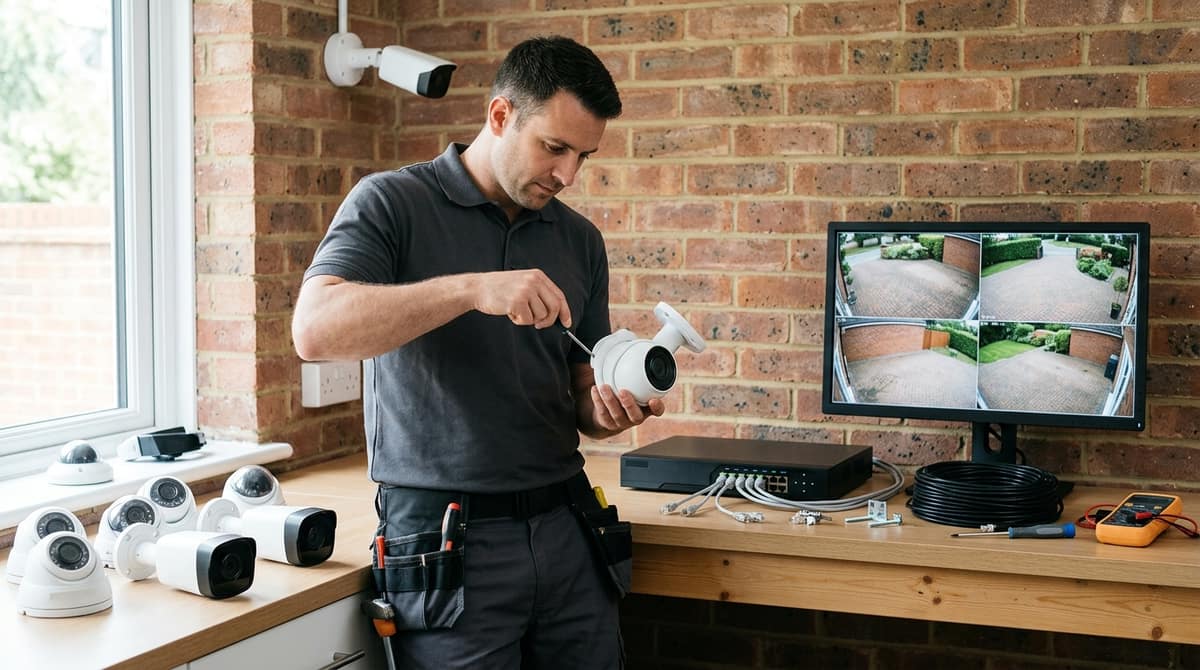
Before you compare any CCTV system, write down five things: what each camera must identify (a face, a plate or just activity), where each camera will be mounted, how it will be powered, how many days of footage you need to keep, and who will support the system after installation. Then reject any listing that cannot answer those points in its specification, however good its headline resolution looks. This checklist is general installer guidance rather than a guarantee of fit, and if your cameras will capture beyond your own boundary, or you are buying for a business, you should also check your obligations under UK GDPR before you buy.
What do you actually need the CCTV to record?
Decide the job for each camera before anything else: identify a face, read a number plate, or simply show that activity took place. Resolution and brand come second.
These jobs call for different set-ups. A camera that only needs to show someone crossed a yard can take a wide view, while identifying a face generally means a tighter shot of a doorway or till point. Putting all three jobs on one lens is a common reason for disappointing footage. This is general installer practice rather than a fixed rule.
Home or business
Homes usually concentrate on entrances, while commercial premises tend to need more cameras and a clearer view of what each one is for. Our home and business system guides work through camera counts, so they aren't repeated here. If you searched "cctv camera for home" and are unsure whether the term differs from "security camera", the CCTV vs security camera guide covers the terminology.
Legal checkpoint
A camera that captures beyond your own boundary, such as a neighbour's drive or a public pavement, can bring UK GDPR into play. The ICO publishes CCTV guidance, including on signage, and it is the place to start. A business should check its own obligations rather than assume the domestic position applies.
ANPR is a separate requirement
Number-plate recognition is a specialist requirement, not a setting you switch on in an ordinary IP camera. If reading plates is the job, plan it as its own project with equipment chosen for that purpose, and keep it apart from the general-coverage cameras.
Where will each camera go, and what does that mean for the spec?
Each camera's position decides its lens, IR range, IP rating and mount, so list every position before comparing a single model.
Write one line per position: indoor or outdoor, mounting height, and the furthest point you need to see in the dark. A porch camera covering a few metres and one watching a yard from a gable end are different purchases, even if the box quotes the same resolution. Height matters too, because a camera out of easy reach is harder to tamper with, but a steep downward angle can cost you facial detail.
Weather: insist on an IP code
IP codes come from BS EN 60529 / IEC 60529. IP66 means dust-tight and protected against powerful water jets, while IP67 means dust-tight and able to survive temporary immersion. They are separate tests, so IP67 does not automatically imply IP66.
"Weatherproof" with no IP code is a red flag. It is a marketing word, not a test result.
Night: metres first, lux second
Look for the IR range in metres, and treat it as a best-case figure. Usable detail at that distance is typically shorter, particularly when a nearby wall bounces the infrared back at the lens.
If a datasheet promises colour at night, it should also give a minimum illumination in lux. If there is no lux figure, assume the claim has not been measured.
Whether a position needs pan-tilt-zoom is covered in our PTZ camera guide. Our bracket and cabinet guides cover mounting and housing for each position.
How will the cameras be powered and cabled?
Choose PoE or 12V for each site before you buy, because that decision fixes the recorder, the switch and the cable. PoE carries power and video over one Ethernet cable, while 12V cameras need a power supply at the camera or a distribution unit. The PoE cameras guide covers the trade-offs in depth.
Budget the PoE load
The check is one line: sum of camera wattages ≤ PoE budget of the switch or NVR, with headroom left over. Take each camera's wattage from its datasheet, and use the maximum figure rather than the typical one, since infrared at night can draw more. The PoE switch sizing guide shows how to apply the formula to a switch.
Cable run decisions
- Cat6 spec: check the conductor material and the outdoor or indoor rating before you order a reel.
- Run length: the usual 100 m Ethernet limit applies per camera run. Measure the real route, not the straight line.
- Trunking: decide early whether runs go in trunking or conduit, as it affects how much cable you need and where the cameras can sit.
Our Cat6, trunking and 12V power-supply guides go through each of these in full.
Mains work
Any mains-side work, such as a socket for a recorder or a 12V supply, is for your own electrician or installer. We sell the equipment and do not fit it, so follow each product's datasheet and installation guide.
Pick the number of days first, then let the formula size the drives: storage is cameras × bitrate × days, with unit conversions on top.
Storage (bytes) = number of cameras × average bitrate (bits per second) × 86,400 seconds × days retained ÷ 8
Work it out per camera if your cameras differ, then add the results together.
What pushes bitrate up or down
- Resolution: more pixels means more data per frame.
- Frame rate: more frames per second means a higher bitrate.
- Codec: newer codecs such as H.265 generally need less bitrate than H.264 for similar quality, though results vary by camera and scene.
- Recording mode: motion-only recording writes less than continuous recording, but a busy scene still produces high bitrates while it records.
Check the recorder before you buy drives
The calculation is only useful if the recorder can hold the result. Check the channel count, the maximum capacity each drive bay accepts and the total the unit supports. Use surveillance-rated drives, which are built for constant writing, rather than ordinary desktop disks.
Our hard-drive size guide and NVR explainer cover those limits in more depth.
Retention and the law
There is no single legal retention period for CCTV in the UK. Under UK GDPR you should keep footage no longer than you need for your stated purpose, and the ICO's CCTV guidance expects you to be able to justify the period you choose.
Will your installer support it, and which specs are red flags?
Ask whoever will fit the system whether they'll commission and support that brand and platform before you buy. CCTV Master sells equipment and does not install, so your own installer or electrician fits the kit.
Put these questions to them first:
- Documentation: is a datasheet and installation guide available for each model?
- Firmware and app: is there a maintained firmware download and a current app for the platform?
- Warranty: who handles a fault, and on what terms?
Our own terms give you 14 days to change your mind on a distance sale and 30 days to reject faulty goods, but your installer's view should come before the order, not after.
Red flags in a listing
- No IR range in metres: night-time coverage can't be judged without it.
- No PoE vs 12V statement: it decides your cabling and power plan, as the PoE cameras guide explains.
- "Up to" resolution with no sensor or stream detail: the figure may describe an upscaled or secondary output.
- No IP code: weather and dust protection is then unverified. IP codes follow IEC 60529.
- Vague storage ("large capacity"): no HDD limit or channel count means no retention maths.
- No datasheet link: every claim on the page is unverifiable.
- No UK mains plug or PSU detail: you can't confirm what plugs in or what voltage reaches the camera.
- Analogue-only recorders sold as modern systems: they won't take IP cameras, so you can't upgrade later.
If no installer is lined up yet, settle the DIY-versus-installer question before choosing a brand.