
cctv for sites
CCTV for Sites 2026: Construction, Yard & Storage Guide
For CCTV on a site, let the way the site gets power and connectivity decide the setup.
On this page
- Which CCTV for sites suits construction, a yard or storage units?
- What works for CCTV on a construction site (power, 4G and moving cameras)?
- Choosing a power and network route
- Planning for cameras that move
- How do you cover an open yard or plant storage area?
- What's right for storage units and containers?
- A DVR is not an IP recorder
- Commissioning
- How do remote alerts, live viewing and insurer evidence fit together?
- Watching live and acting on alerts
- Footage as evidence
- Data protection
For CCTV on a site, let the way the site gets power and connectivity decide the setup. Active construction sites suit temporary, redeployable cameras, open yards suit a perimeter-led layout, and storage units suit fixed, mains-powered PoE cabling. Whichever you choose, no camera can replace a clear plan for who responds to an alert and what happens next, and your insurer's own requirements should be checked before you buy anything.
Which CCTV for sites suits construction, a yard or storage units?
Construction sites usually need mobile, redeployable CCTV for construction sites, yards need perimeter coverage, and storage units suit fixed cabled systems where mains is available.
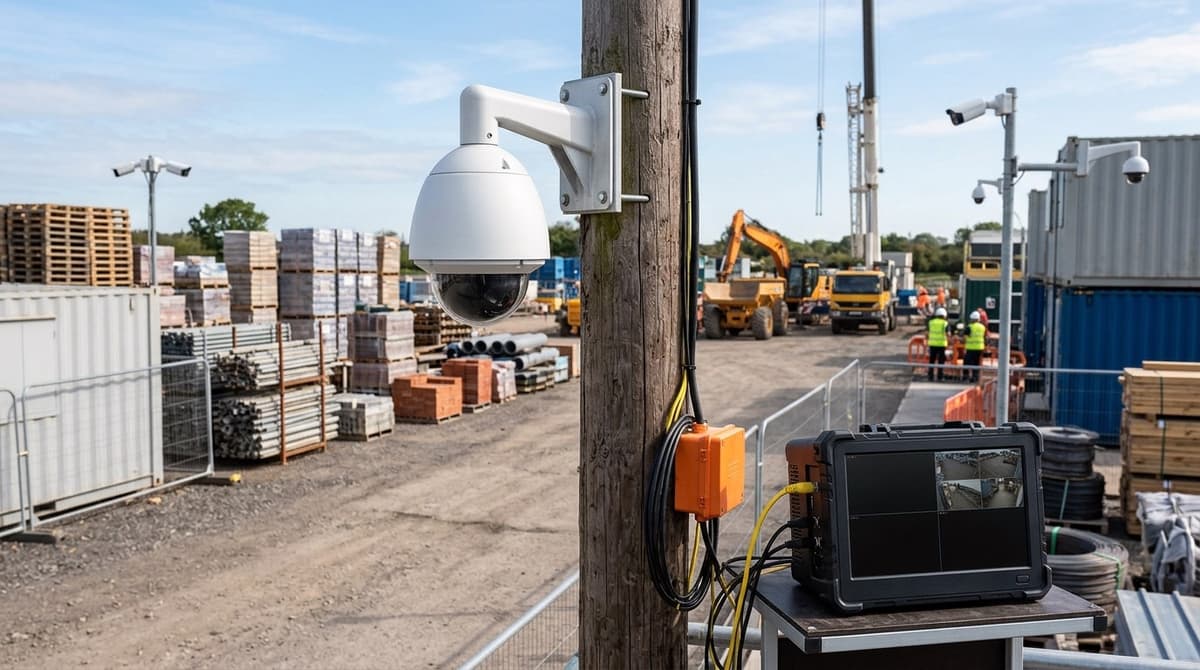
The four things that separate them are power, connectivity, how permanent the mounting is, and who acts on an alert. A building site often has no permanent power or internet, so building site CCTV systems tend to run from a generator or solar and report over 4G. A fixed building with mains can use cabling and record locally.
Response is the least obvious difference. A phone alert on an unmanned site only helps if someone can attend. For 24/7 CCTV for construction sites, a monitored service with an alarm receiving centre can send security or police, but that is a separate service from the equipment. Fitting the kit is down to your own electrician or installer, and the product datasheet or installation guide covers the details.
Choosing by situation
- Layout changes weekly, no mains → mobile, redeployable cameras on generator or solar with 4G.
- Large open area, few buildings → perimeter detection and long-range cameras, with power and data run to a few mounting points.
- Fixed building, mains available → cabled PoE cameras recording to an NVR.
- Nobody on site out of hours and nobody able to attend → add a monitored response service.
For the cabled route, [PoE Cameras Explained] covers what the cameras need, [PoE Switch for CCTV: Sizing & Mistakes] covers power budgets, and [NVR Explained] covers the recorder.
What works for CCTV on a construction site (power, 4G and moving cameras)?
Use cabled cameras where a temporary supply exists; where none does, a self-powered 4G unit works but needs more upkeep.
Manufacturers build CCTV for construction sites around missing infrastructure. Milesight describes sites with no power or internet and layouts that keep shifting, and it offers trailer, tower and standalone all-in-one kit for them. WCCTV makes a similar case for its temporary jobsite cameras, saying they run without mains or Wi-Fi, and its Project Insights page pairs live and recorded footage with a cloud platform so teams can review a site without visiting.
Choosing a power and network route
General guidance, not a rule:
- Temporary supply on site: cabled PoE cameras feeding a recorder in a lockable cabin are the simplest route to 24/7 CCTV for construction sites, with no fuel or batteries to manage.
- Generator: reliable output, but someone has to refuel and service it, and it becomes another item to secure.
- Solar: no fuel runs, but panels and batteries must be sized for the dullest UK months, and the kit itself is attractive to thieves.
- 4G: removes the network cable, but adds a monthly data plan and depends on signal strength at the exact spot. Continuous streaming can burn through an allowance, so recording locally and pulling clips on demand is often more economical.
Planning for cameras that move
A building site CCTV system rarely stays put. Hoarding goes up, scaffold comes down and cabins are relocated, so leave spare cable length at each position and choose mounts you can unbolt and re-aim. The CCTV Camera Bracket Fitting Guide covers bracket choice and fixing.
CCTV Master sells the equipment but does not fit it. Your own electrician or installer should do the fitting, following each product's datasheet or installation guide, and any mains connection should be made by a competent person.
How do you cover an open yard or plant storage area?
Start with the gate, the fence line and the plant parking, then add cameras to cover the darkest gaps.
A large perimeter will not be covered by one camera per corner, so spend first where people and vehicles have to pass.
- Gate: every legitimate and illegitimate entry goes through here, so it needs the clearest, closest view.
- Fence line: concentrate on stretches facing the road, open ground or unlit access points rather than trying to cover every metre.
- Plant parking: put cameras where machines are left overnight, angled to see anyone approaching the cab or fuel points.
Poor lighting is the usual weak point, so check the low-light and infrared figures on each datasheet instead of assuming. Fixed cameras suit the gate and fence, while a PTZ can sweep a wide yard, though it only looks one way at a time. Our [Best PTZ Cameras UK] and [Dahua PTZ Cameras UK] pieces cover that choice.
A plate-reading camera at the gate can be a useful extra for logging vehicles in and out. [What ANPR Cameras Actually Check] explains what it does and does not verify, so read it before relying on it.
For tamper resistance, mount cameras out of easy reach and choose vandal-resistant housings. Keep the recorder in a lockable cabinet rather than loose in a site cabin; the [CCTV Cabinet Buying Guide UK] covers the options.
Cable runs across a yard are long, so measure the route before buying. [Cat6 Ethernet Cable for CCTV] covers the distance limits.
What's right for storage units and containers?
For a fixed storage yard with mains and broadband, use PoE cameras on a single cable run to a recorder locked inside an enclosure. If a container has neither mains nor broadband, the 4G or solar approach from the construction section applies instead.
Keeping the recorder in a lockable enclosure matters because a thief who takes the recorder takes the evidence. Your own electrician or installer should fit the enclosure and the mains supply to it.
A DVR is not an IP recorder
The XVR-3104HS-5MP-LITE 4-channel DVR costs £53.82 including VAT, and its listing names commercial properties, warehouses and industrial sites among its uses. It is a DVR for analogue/HD-over-coax cameras, not an IP/PoE recorder, so it won't record PoE cameras. It suits a site that already has coax runs or wants to reuse them.
Check the product page for specs. Our DVR Meaning and NVR Meaning in CCTV guides explain the difference.
Commissioning
A handheld tester saves return trips to a remote yard. The Rsrteng IPC-5100C Plus is a 5.4" tester that handles IP, TVI, CVI, AHD and CVBS cameras. It has a cable tracer for identifying runs, and HDMI and VGA outputs for connecting an external monitor. Use one to check each camera's picture and cabling before the enclosure is locked.
How do remote alerts, live viewing and insurer evidence fit together?
They form one chain: a named person receives the alert, checks live view on your own system, and exports timestamped footage if something has happened.
Watching live and acting on alerts
To watch CCTV live, open the manufacturer's app or the recorder's own interface once the recorder is online. Setting CCTV online normally means connecting the recorder to your network and registering it in that app, so follow the manual for your model. This only works for cameras you own or are authorised to use. If you're wondering where you can watch live CCTV cameras that aren't yours, the answer is that public and third-party feeds aren't available to you.
An alert only helps if someone acts on it. Name one person who receives it, a backup who takes over if they don't respond, and the next step, such as calling the site manager and then the police. Some managed services dispatch security or police from a monitoring centre, but with self-managed kit that escalation is yours to write down. This applies equally to construction site CCTV monitoring.
Footage as evidence
Read your insurer's policy wording first, then ask what they expect: how long footage must be kept, which camera positions they want covered, and how it should be exported. Clear, accurate timestamps (check the recorder's clock regularly) and a repeatable export process make footage far easier for the police to use. Whether it is admissible is a matter for the court.
Data protection
Where personal data is captured, meaning identifiable people, UK GDPR and the ICO's CCTV guidance are likely to apply. That typically brings in signage, a defined purpose and a retention period you can justify. Exemptions and conditions vary with the setting, so check the ICO's current guidance against your site.
This article was researched and written by CodeNest's AI SEO content engine.
