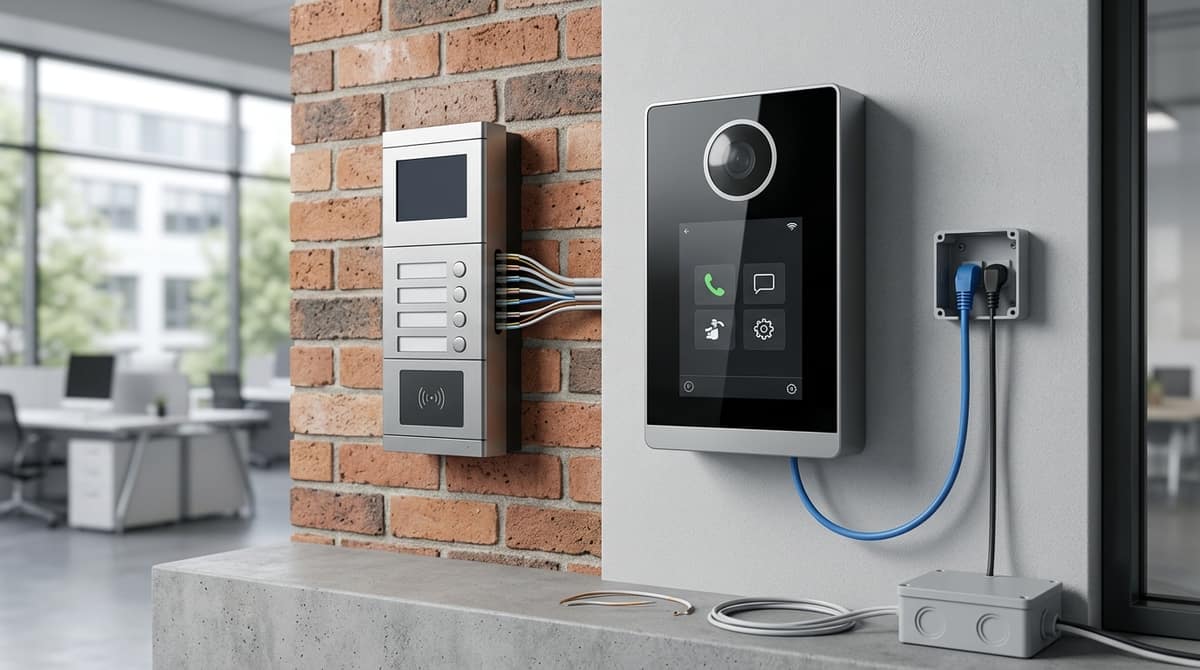
Hikvision splits its video intercom range into three architectures — 2-wire, standard IP/PoE and voltage drop calculator, and modular KD — and the right choice depends on your property's existing cabling and scale, not on which kit has the newest features. A house being retrofitted without Cat5e in the walls suits a 2-wire kit run over two-core cable, while a single office with structured cabling already in place suits a standard IP/PoE kit like the Hikvision IP Video Intercom Kit DS-KIS603-P, the DS-KIS603-P(C) variant of which is priced at £180.55 on this site. Larger or multi-entrance sites, where door stations need to be built up from separate camera, keypad and card reader modules, are better served by the Hikvision DS-KD8003 IP Video Intercom Door Station Kit as a starting component for a wider modular system, rather than a single fixed-price complete kit.
Hikvision range's three intercom architectures — 2-wire, standard IP/PoE, and modular KD8 — solve different installation problems, and the choice comes down to existing wiring and scale, not resolution or feature count. Mixing them up at quote stage is a specification error worth avoiding.
2-wire kits
2-wire kits, such as the Hikvision DS-KIS702-P(B), run video and audio over a simple two-core cable rather than Cat5e/6. That matters most on refurbishments and retrofits, where a two-core cable already exists in the wall and running new PoE cabling isn't practical. The door station and monitor share power over the same two cores, which means no PoE switch is needed and keeps the bill of materials low for a single-door villa install.
Standard IP/PoE kits
Standard IP kits — the DS-KIS603-P(C) and DS-KIS604-P — run over standard Cat5e/6 cabling with PoE power. This is the more familiar path for anyone already running structured cabling and a PoE switch for cameras, since the intercom sits on the same network infrastructure. Confirm the exact PoE class and cabling requirement against the specific kit's own instructions before wiring, as this varies by model.
Modular KD8 series
The KD8 series is built door-station-by-door-station from separate modules — camera, keypad, card reader and exit button — fitted into a DS-KD-ACW2 surface-mount frame or flush ACF3 housing. The DS-KD8003 door station is the building block here, not a fixed kit — you pair it with the housing, indoor monitor and any card reader or keypad modules the entrance needs. This suits blocks and commercial entrances where the door station needs a specific combination — camera plus keypad, or camera plus card reader without a keypad — that a fixed kit can't offer.
Choose based on your building type: existing two-core cable points to 2-wire, existing structured cabling points to standard IP, and multi-door commercial entrances point to modular KD8.
Wired 2-Wire vs Standard IP: Which Suits a House or Single Office?
2-wire suits a retrofit where only a two-core cable already runs to the door, while standard IP/PoE suits a new-build or a property that's already networked with Cat5e/Cat6. The choice usually comes down to what's already in the wall, not which technology performs better.
Installation complexity is the main differentiator. A 2-wire kit carries power, video and audio over the existing two-core run, so there's no new containment to chase in and no PoE switch to find rack space for. Standard IP needs a free PoE port or a small PoE switch, but it then sits natively on the existing network, making remote viewing and app control (Hik-Connect) straightforward once you're plugged into the router.
Which kit for which job
Either kit should be fitted by the customer's own electrician or installer, following the product's datasheet or installation guide rather than assumptions carried over from a different Hikvision intercom system.
Bold takeaway: if the cable already in the wall is two-core, buy 2-wire; if you're running new Cat6 or already have a PoE switch spare, standard IP gives simpler long-term network integration.
Modular KD Range: When Does a Multi-Unit or Commercial Property Need It?
A block of flats, office building or gated development needing more than one call button, plus a keypad or card reader at the entrance, needs the modular KD8 range rather than a single all-in-one door station. Instead of one sealed unit, the KD8 series builds a door entry panel from separate modules — camera, keypad, card reader and exit button — slotted into a shared mounting frame.
The frame you choose depends on how many modules you need and whether you're mounting flush or on the surface. A 3-module flush mounting frame houses camera, keypad and card reader modules recessed into a wall or door frame, giving a clean finish for new-build entrances. The equivalent surface mount frame supports 2 modules, which suits retrofits where chasing cable into brick or block isn't practical.
Where a mechanical exit button is required — for a warden's office, a fire door override, or simple visitor release — the modular range can accommodate a dedicated exit module alongside the intercom modules, though the exact part number and fit should be confirmed against Hikvision's current datasheet before you order.
These modular components sit in the wider Hikvision catalogue as building blocks: they're the mechanism that lets an installer specify camera-only, camera-plus-keypad, or camera-plus-card-reader configurations from the same family, rather than a fixed feature set.
For most single-entrance commercial or small multi-unit jobs, a fixed-configuration kit is simpler to spec and wire than assembling modules. The Hikvision DS-KD8003 IP Video Intercom Door Station Kit is a surface-mount 2MP door station with PoE and dual lock control, useful as the door-side component when your electrician is building out a wider intercom system rather than as a self-contained kit on its own.
How Does Each Architecture Integrate with an Existing CCTV NVR?
Standard IP and modular KD door stations are PoE network devices that sit on the same LAN or switch as your NVR; 2-wire door stations join the network indirectly, via their indoor station or a dedicated network module.
That distinction matters when you're wiring an intercom into a site that already has a CCTV backbone. An IP intercom needs nothing more than a spare PoE switch port and an IP address on the same subnet as your recorder. A 2-wire system, by contrast, runs its own low-voltage pair to the door and only reaches the network through the indoor monitor's Ethernet port, so it adds a hop rather than sitting directly on the switch.
What a standard IP device looks like on the wire
The Hikvision DS-KD8003 door station is a good example of what "standard IP" means in practice. It carries a 2MP camera, runs on PoE and controls two locks — electrically and logically, it behaves like any other PoE camera on your network, drawing power and data down one Cat5e/Cat6 run.
That's the appeal of modular KD-series hardware for anyone extending an existing camera network: patch it into a free switch port, give it an IP, and it's on the LAN alongside your cameras.
The caveat: NVR-side call and video support isn't universal
Sitting on the same network doesn't automatically mean your existing NVR can answer or display the intercom's live call. Whether a specific Hikvision NVR model handles direct intercom call/video integration depends on its firmware and model — this varies enough that you should check that NVR's own datasheet rather than assume support, per Hikvision's IP Video Intercom range.
Bold takeaway: if integrating with an existing NVR/CCTV network is the priority, confirm compatibility on your specific NVR's datasheet before ordering — an IP or KD-series intercom will always join the LAN, but call/video handling on that NVR is model-dependent, not guaranteed.
Setup follows the same broad pattern across the Hikvision range: power the door station via PoE or its supplied PSU, wire it to the indoor station over the correct cable run, then activate the device before adding it to Hik-Connect.
How to connect Hikvision intercom
The door station and indoor station must share the same network or cable run, and which cable depends on the kit family. On a 2-wire system, such as the Hikvision DS-KIS702-P(B) 2-Wire IP Video Intercom Kit, that's a simple two-core cable between door and indoor units. On a standard IP kit, it's Cat5e or Cat6 carrying PoE per the Hikvision IP Video Intercom brochure — but check the cabling and power specification in the documentation for the exact kit you've bought, since this varies by model. Villa door stations such as the DS-KV6124-E1 use IEEE 802.3at PoE per the Hikvision villa door station page, though that figure applies to that model rather than the IP kit range as a whole. Kits such as the Hikvision DS-KIS604-P IP Video Intercom Kit bundle the door station, 7" indoor monitor and power adapters together, so the cable run is the main decision left to the installer — for anything outside that box, the kit's own manual is the reference, not another model's datasheet.
How to setup, reset and default a Hikvision intercom
Setup normally runs through Hikvision's SADP tool or the indoor station's own menu to activate the device with a password before it's added to Hik-Connect for remote viewing and unlocking. We can't confirm a specific default IP address or default password here — these vary by firmware and model, so check the activation and reset steps in the instructions supplied with your specific door or indoor station before powering up. If a unit needs defaulting after a failed activation or a forgotten password, the same manual will cover the correct reset procedure for that model rather than a generic one.
Is there an app for Hikvision intercoms?
Yes — Hik-Connect is the companion app used across the IP range for remote call answering, unlocking and viewing, and it's how kits like the Hikvision IP Video Intercom Kit DS-KIS603-P offer mobile control after the indoor station has been activated and connected to a network.
Related products from our own range:
This article was researched and written by CodeNest.