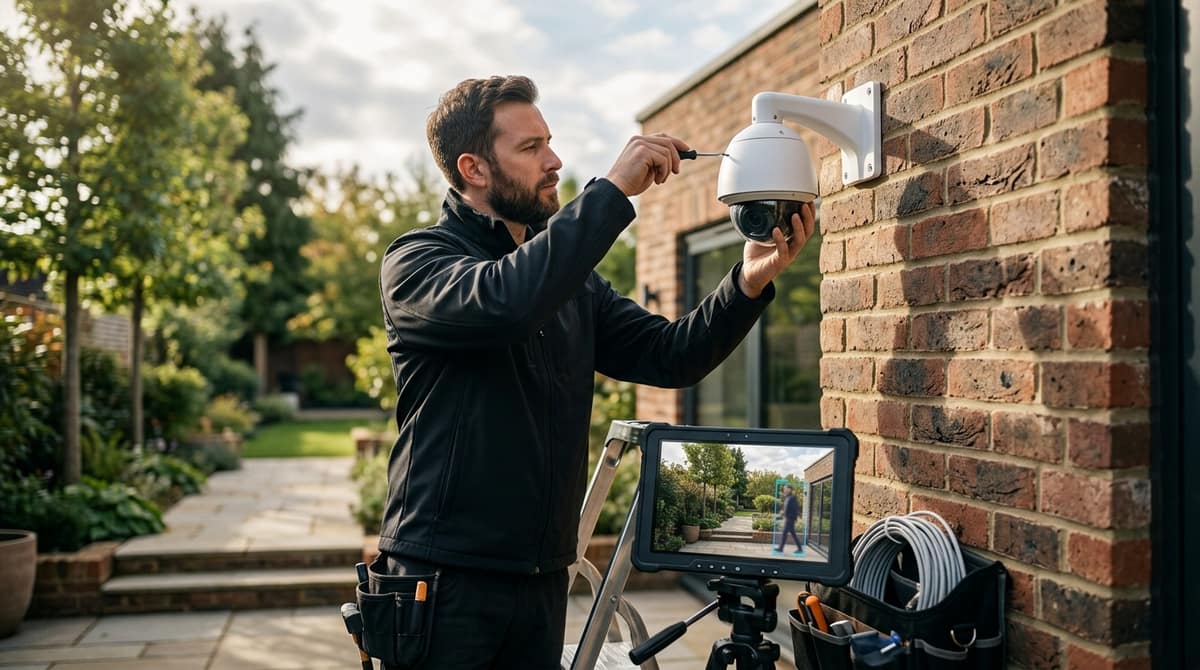
Hikvision AcuSense is a deep-learning layer built into selected cameras and recorders that classifies moving objects as human, vehicle or other, so you get alerts for people and cars rather than for every pixel change caused by rain, leaves or insects. It reduces false alarms rather than eliminating them, and how much you save depends on camera placement, detection settings and whether the recorder behind it supports AcuSense too. For UK buyers and installers, the practical question is not whether the feature works, but whether your site's lighting, mounting height and scene make it worth specifying.
What is a Hikvision AcuSense camera and how does it work?
A Hikvision AcuSense camera uses deep-learning algorithms, built into the camera or the recorder, to tell humans and vehicles from other movement, per Hikvision AcuSense. "AcuSense" is Hikvision's name for this classification. Phone notifications need to be set up on the system.
How the classification works
The algorithms are trained in Hikvision's laboratories to sort objects in video into three categories: Humans, Vehicles and Other. You then choose which categories raise an alarm. A driveway camera, for example, can be set to alert on people only.
How it differs from ordinary motion detection
Traditional motion detection is triggered by pixel changes, as Hikvision describes it on its 2nd Gen AcuSense series page. To a pixel-based system, a swaying branch and a person walking past look much the same, so both can fire an alert.
AcuSense classifies the moving object first. That filtering is the practical gain: fewer false alarms, and alerts that are worth opening.
A 5MP example is the Hikvision 5MP AcuSense Turret Camera with IR Night Vision (DS-2CD3356G2-ISU), which is PoE-powered and IP67 rated for outdoor use. Check the datasheet for the analytics features on any specific model.
How does AcuSense reduce false alarms from weather, animals and shadows?
AcuSense classifies what is moving, and Hikvision says Motion Detection 2.0 minimises false flags from animals, falling leaves and heavy rain. It does not eliminate them.
The mechanism is deep-learning classification. Hikvision's AcuSense overview says the algorithms sort objects into three categories: Humans, Vehicles and Other. You then choose which categories trigger an alert, so a fox or blowing debris can be filtered out.
Shadows, insects and IR glare
Hikvision's material doesn't name these, so treat this as general installer guidance. Classification helps, but placement, detection zones and lighting still decide how clean your alerts are. Keep lenses away from swaying branches and spiders' webs, and avoid pointing at a wall that bounces IR back. Run a trial period of a week or two, reviewing alerts before you rely on them for notifications.
Zones plus human/vehicle filtering
On the Hikvision DS-2CD3356G2-ISU 5MP turret (£109.02 including VAT), perimeter rules such as line crossing, intrusion and region entry/exit are the usual way to draw a zone. Confirm the exact rule set on the datasheet before designing around it.
A drawn zone limits where the camera looks. Human/vehicle filtering limits what triggers it. Either alone leaves a gap: a zone still fires for an animal, and a filter still fires for a passer-by on the pavement.
Caveat: Classification does not replace sensible camera positioning. Filtering to Humans and Vehicles also means anything classed as "Other" is ignored, so a misclassified event could go unflagged. Test with real walk-throughs after setup.
What does AcuSense change for installers and end users day to day?
The practical gain is fewer meaningless alerts and faster evidence retrieval, not a guaranteed saving. Hikvision's own pitch is that the camera tells people and vehicles apart from other movement, so users can focus on real threats rather than respond to false alarms.
Alert fatigue
Notifications only work if someone reads them. Once phone alerts are set up, a buzz for every spider web, shadow or swaying branch gets the app muted, and the one genuine alert then gets the same treatment. Hikvision says its algorithms classify objects as Humans, Vehicles or Other, and, depending on the model and recorder, you can choose which classes trigger an alert. That filtering is what makes a notification worth opening.
Evidence search
Hikvision describes its PCI varifocal series as supporting Quick Target Search on the NVR and tagging events triggered by human or vehicle targets. Instead of scrubbing through hours of footage, you filter the timeline by target type.
The benefit depends on a compatible recorder, so check the NVR before you buy cameras. Hikvision's materials pair AcuSense cameras with AcuSense NVRs, so confirm AcuSense support on the recorder's datasheet.
Working out the return
Don't trust a generic "saves X%" claim. Use this formula with your own numbers:
(false alerts per week × (minutes to check each ÷ 60) × hourly cost of whoever checks)
Fill it in from your site's alert log before and after. We have no first-party measurements of the saving, so treat any figure as yours to establish.
Storage side note
We haven't seen datasheet evidence that AcuSense delivers a specific storage saving. Size your disks for the worst case rather than a hoped-for reduction. For a camera to test the filtering on, the Hikvision DS-2CD3356G2-ISU 5MP AcuSense turret is listed at £109.02.
When is an AcuSense camera worth the premium over a standard Hikvision camera?
AcuSense is worth paying for where alerts reach a person's phone or a monitoring desk, or where outdoor movement is constant. That means trees, rain, wildlife or passing traffic. It is less compelling for indoor setups that only record continuously.
The reason is the classification. Hikvision says its AcuSense deep-learning algorithms sort objects into humans, vehicles and other, so you can configure alerts to fire only on the first two. If nobody reads alerts, that filtering earns you very little.
| Your situation |
Best fit |
Trade-off |
| Alerts are actioned by a person, on an exposed site |
AcuSense |
Higher purchase price |
| Recording only, nobody reads alerts |
A standard camera may be enough |
No human/vehicle filtering on notifications |
| Tight budget, but you want human/vehicle filtering |
2nd-gen Value cameras |
Less choice of form factor and spec |
On that last row, Hikvision's 2nd-gen Value range ships with Motion Detection 2.0 switched on by default, so there is less to configure before it filters people and vehicles from other movement.
What the premium looks like
The Hikvision 5MP AcuSense Turret Camera with IR Night Vision is £109.02 inc VAT. It is a PoE camera with 40m IR and an IP67 rating for outdoor use. Check that figure against a non-AcuSense model's live page and decide whether the gap is justified for your site.
Which AcuSense PoE camera specs should you check before buying?
Check power, weather rating, night range, field of view and storage, because AcuSense can only classify people and vehicles it can actually see clearly. Hikvision says its AcuSense algorithms sort objects into humans, vehicles and other, so a dark, soft or badly framed image undermines that sorting.
Worked example: DS-2CD3356G2-ISU
The Hikvision 5MP AcuSense Turret Camera with IR Night Vision (DS-2CD3356G2-ISU) is listed on our site at £109.02 including VAT. Its first-party specification breaks down like this:
| Check |
DS-2CD3356G2-ISU |
| Image |
5MP (2592 × 1944), 1/2.7" CMOS |
| Lens / view |
Fixed 2.8mm, 98° horizontal |
| Night range |
IR up to 40m |
| Light handling |
120 dB true WDR |
| Housing |
IP67, metal |
| Power |
PoE (IEEE 802.3af) or 12V DC |
| Audio / storage |
Built-in mic, microSD up to 512GB |
The 98° view suits a wide yard or driveway but gives fewer pixels per metre at distance than a narrower lens would.
Budget your PoE properly
Use this formula: (number of cameras × each camera's rated draw from the datasheet) ≤ the switch's total PoE budget. Take the draw figure from the datasheet for your exact model, not from a generic estimate, and leave headroom on the switch.
Fixed versus varifocal
The 2MP motorised varifocal DS-2CD2723G2-IZS lets you adjust framing after mounting, where the fixed 2.8mm turret cannot. You trade resolution and a fixed lens for flexibility, so read its Hikvision datasheet for IR range, power draw and storage before comparing like for like.
Related products from our own range:
This article was researched and written by CodeNest.