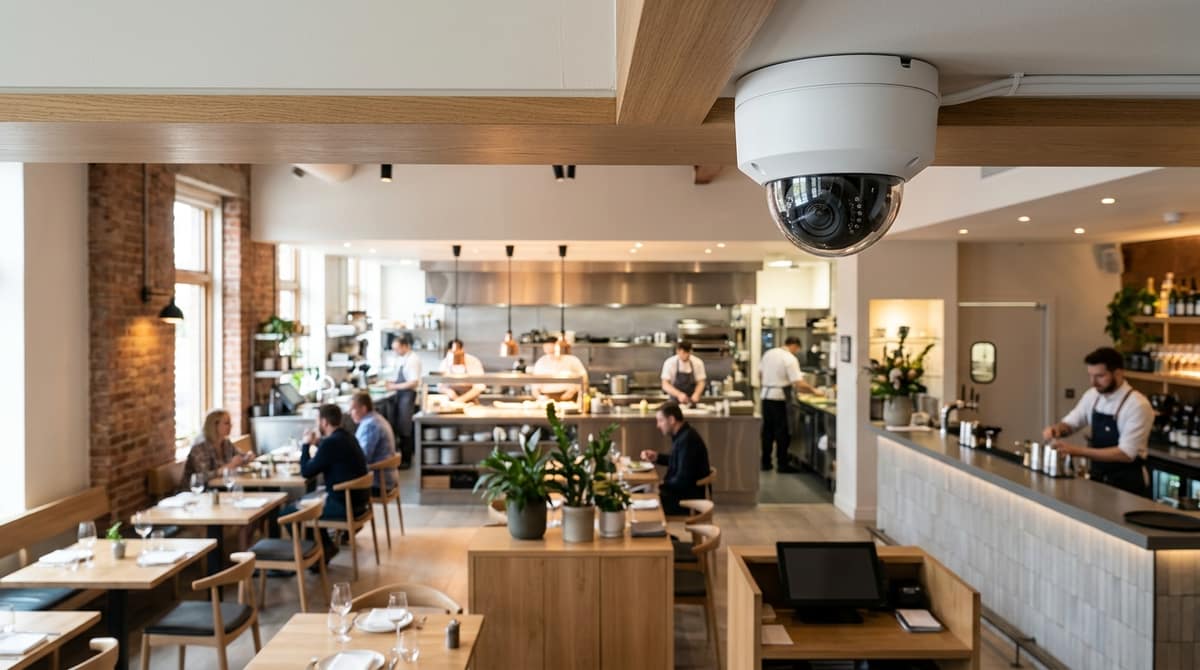
A restaurant needs kitchen-rated, easy-to-clean cameras covering the pass, the till and the back door, with the recorder, signage and retention period set up to meet UK GDPR. The catch is that the camera that suits a cash desk is not the one that suits a hot, greasy kitchen, so specify by zone rather than buying a single "restaurant kit".
Camera counts depend on your layout, so treat any fixed number you're quoted before a site survey with caution.
What should CCTV for a restaurant cover, zone by zone?
Cover six zones: entrance and door, dining room, till or bar, pass and cooking line, back door and delivery area, and stock or cold store. The same logic applies to a café or takeaway.
Each zone has one job:
- Entrance and door: identify faces as people come in and go out, so the camera needs a head-height view of the doorway.
- Dining room: show who was where and what happened, which means wide coverage rather than facial detail.
- Till or bar: audit transactions. The view should show the cash drawer, the screen and the person using them.
- Pass and cooking line: show staff practice and the flow of orders.
- Back door and delivery area: record who has access, and when.
- Stock or cold store: cover the door and the shelving, since that is where losses tend to go unnoticed.
Vendors map their pitches onto the same zones. Lorex says its restaurant offer covers entrances and exits, cold storage and dining areas. Tentovision lists POS and front-of-house, kitchens, and outdoor seating and entry points. Those are vendor claims, but they agree with the layout above.
Camera counts depend on the floor plan, sightlines and how many entrances you have, so no number can be fixed in advance. For a doorway that needs colour detail after dark, the VIPER PRO 5MP 3K ColorVu camera is one option to consider.
Which camera survives a hot, greasy, humid kitchen?
Pick a sealed turret or dome rated IP66 or IP67, then check the datasheet's operating temperature and humidity range before buying. The IP code covers only dust and water, and a smooth sealed housing is easier to wipe down than one with open vents.
Pick a sealed turret or dome housing rated IP66 or IP67, then check the operating temperature and humidity range on the datasheet before you buy. The IP code only tells you about dust and water ingress, so it does not replace that environmental range. Grease is the other factor: a smooth, sealed housing with no exposed vents is far easier to wipe down than a camera with open grilles.
Option one: Hikvision 4K turret
The Hikvision 4K Two Way Audio CCTV Camera Turret carries an IP67 rating, a 4K 3840×2160 image and 40m night vision. That resolution helps when you need to read a till display or identify someone at the pass.
The built-in two-way audio works only through a compatible DVR. In a staff area, recording or talking to people needs a clear, documented justification, which the GDPR section covers. If you cannot justify it, leave the audio feature switched off.
Option two: HiLook 4MP turret
The HiLook THC-T240-M-R 4MP turret is an HD-TVI model with 40m IR and a 2.8mm lens. A 2.8mm lens gives a wide view, which suits a compact prep area or a back-of-house corridor.
It is a simpler, 4MP choice if you do not need 4K or audio. Whichever you choose, your own electrician or installer should fit it, following the installation guidance on the product page.
Choose a camera with wide dynamic range (WDR) for bright pass lights, steel counters and shopfront glare, and confirm the WDR figure on the datasheet rather than the box. WDR helps one frame hold detail in both bright and dark areas. A generic "HD" label says nothing about this.
Match the lens to the job
A wide lens such as the 2.8mm on the HiLook THC-T240-M-R 4MP turret takes in more of the room. The cost is less face detail on any one person. That suits a dining-room overview, not a till.
A till camera needs a tighter view of the cash drawer and the customer's face, so choose a longer focal length and aim it away from the window and the brightest lamp. I'm not quoting pixel-per-metre figures here because they depend on sensor, distance and lighting. Check each model's datasheet for lens options.
Dim dining rooms and after-hours
Where lighting is low or the premises are empty overnight, the VIPER PRO 5MP 3K ColorVu bullet records in colour day and night. It does this with a built-in smart light rather than switching to black-and-white infrared.
The trade-off is that you are relying on a light source on the camera itself instead of invisible infrared. Think about where it points, especially near windows, and read the datasheet for the light's behaviour. If you want the quieter infrared approach, the HiLook above lists 40m IR.
A restaurant running CCTV is normally the data controller, so it needs a clear purpose, a lawful basis, visible signage and footage kept no longer than necessary. This is general guidance, not ICO text, and the detail depends on your setup. Check the ICO's own CCTV guidance before you finalise the design.
Staff cameras
Tell staff why they are filmed. Cash-handling at the till and food-safety oversight in the kitchen are the usual stated purposes, and they should be written down and shared with the team. Avoid cameras in toilets and changing areas altogether.
Audio is more intrusive than video and needs a stronger justification. That matters if you are considering a camera with built-in talk-and-listen, such as the Hikvision 4K Two Way Audio turret, which works through a compatible DVR. Where you can't justify recording sound in a staff area, leave that function unused.
Signage and retention
Signs should say who operates the system, why it is in use and how to contact them. Place them where people see them before entering the monitored area. We aren't quoting statutory sign wording here, so check the ICO's guidance for what your signs must contain.
For retention, the principle is "no longer than necessary" rather than a fixed number of days. Pick a period that matches your purpose, such as how quickly you would normally spot a till discrepancy, and document it.
How do you choose a restaurant CCTV system and budget for it?
Match each zone to a camera type, then size the recorder and storage for the retention period you need, and read costs from live product pages. There is no single best CCTV for restaurants, only the right camera per area.
For budgeting, the product pages show current prices, and the business CCTV cost guide explains why quotes for the same building can land far apart: installers have often priced two different jobs. That applies to restaurants too, so compare quotes by camera count, recording days and cabling, not by headline total. We don't give estimated prices here.
Who suits what
Limits of this advice
We hold no measured test data for kitchens or dining rooms, so these are matches by specification, not results from a restaurant. Check each datasheet before ordering. Your own electrician or installer fits the kit, as we sell equipment only.
Related products from our own range: