
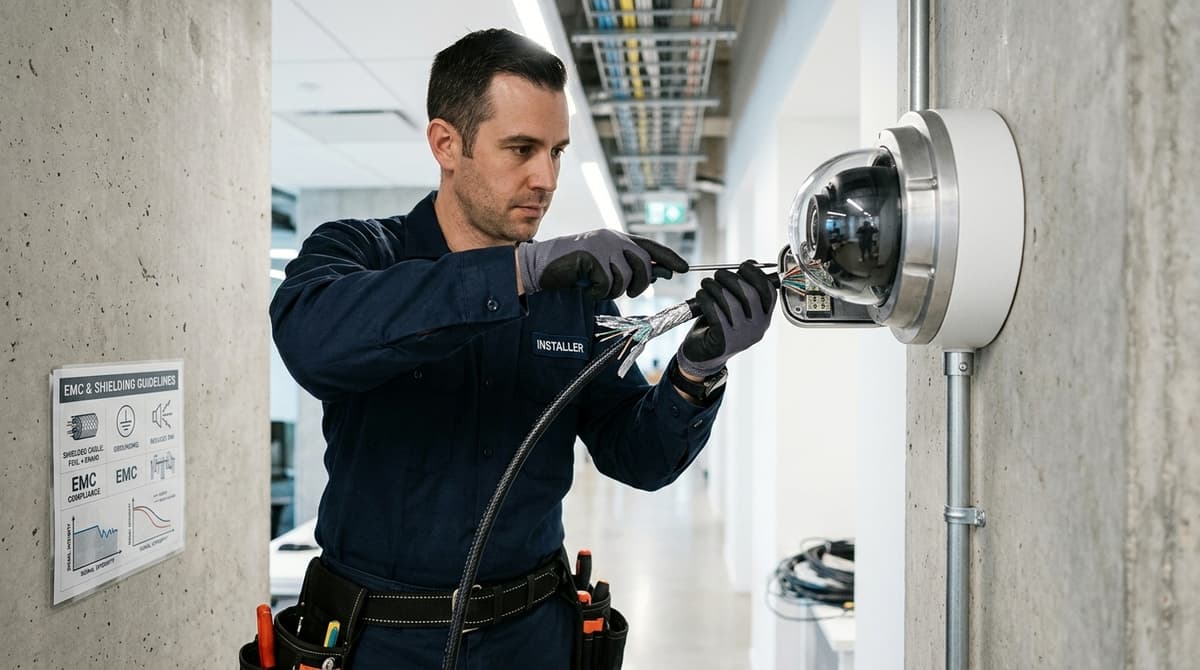
A shielded camera is one whose enclosure and connectors keep outside electromagnetic fields from disturbing its electronics and stop it radiating noise of its own. In the strict EMC sense, these are mostly specialist cameras for watching equipment inside anechoic chambers and shielded rooms, usually sending video out over optical fibre.
On ordinary CCTV listings and in some manuals, the word can instead mean shielded cabling and connectors, or a "shield region" setting that blocks part of the image. Working out which meaning you're looking at tells you whether you need a specialist camera or simply a properly earthed, screened installation.
What does "shielded camera" mean?
A shielded camera has an enclosure and connector arrangement that keeps outside electromagnetic fields from disturbing its electronics and stops it radiating noise of its own. ATEC treats "RF shielded" and "EMC shielded" as the same thing, and HV Technologies frames the aim as high immunity plus low emissions. "EMI shielded camera" means the same again.
Where true EMC-shielded cameras are used
These cameras watch equipment under test inside anechoic chambers and shielded rooms. EMC Directory describes an EMI-hardened case that lets the camera work in high electric-field environments, measured in V/m. Video typically leaves the room over optical fibre, so the cable cannot carry interference in or out.
You will not meet one on a typical home or business CCTV job.
The other uses of the word in CCTV
Most "shielded" products in a CCTV context are one of two things:
- Screened cable. A shielded CCTV cable or shielded camera cable has a conductive screen around the conductors. The same idea applies to a shielded dash cam cable or a shielded reverse camera cable. Our shielded RJ45 pass-through plug for Cat5e STP cable is £0.07 and is the connector side of an STP run.
- Optical shields. These manage light and weather, not radio noise. Axis describes an IR-shielded dome on its Q3558-LVE that stops IR reflections from rain and snow. A Hikvision turret manual describes a shield that cuts sun glare and keeps rain off the lens.
If you are weighing screened Ethernet against reusing old cabling, our HD over coax camera guide for UK buyers covers what an existing coax run can carry.
How can you tell genuine shielding from a marketing claim?
Check three things in order: a metal housing bonded to the connector shell, a metal-shelled connector touching the cable screen, and a published test figure. This is general guidance rather than a formal test procedure.
- Housing. Confirm the body is genuinely metal and electrically bonded to the connector shell. A metal-look plastic body proves nothing, and a painted or anodised joint can leave the housing floating.
- Camera-end connector. The plug needs a metal shell that makes contact with the cable screen. Our shielded RJ45 pass-through plug for Cat5e STP cable is an example of a metal-housed STP termination; the live page shows the current price. Without a connector like this, shielded CCTV cable is left with an open screen at its last metre.
- Documentation. Lab-grade suppliers reference test standards such as CISPR 25 and ISO 11452 and quote immunity in V/m. EMC Directory describes shielded cameras as operating in high electric-field environments measured in V/m. A bare "anti-interference" line with no figure or standard is a warning sign.
Where shielding usually leaks
Every enclosure has openings. The 2021 paper by Skočík et al., on measuring the shielding effectiveness of a security-camera enclosure, notes that the front of the enclosure is made of a transparent material, so the lens window is a deliberate gap in the metal.
Ask how the window and the cable entry are treated, because those are the points a marketing claim tends to skip. A housing that is metal everywhere except the lens end may still be a sound product, but only a stated test result tells you how much that gap matters.
When does electrical interference actually cause picture problems?
In installer experience, interference mostly matters where a camera or its cable runs close to a strong switching or radiating source. Elsewhere, ordinary cable faults are far more likely to be the cause.
Realistic sources and what they tend to look like
- Motors and drives: rolling lines or banding that comes and goes with the machine, most visible on analogue feeds.
- Inverters: the same banding, sometimes with brief dropouts, when cable runs alongside the inverter's output wiring.
- Radio masts and transmitters: snow, dropouts or intermittent link loss, often at particular times or when transmitting.
Diagnostic order
- Rule out the usual culprits: poor crimps, water ingress and an overloaded PoE power budget.
- Swap the cable for a known-good one.
- Shorten or reroute the run, keeping it away from power and drive cabling.
- Check the PoE port and switch by moving the camera to another port.
- See whether the fault follows the equipment switching on and off. If it does, interference is the likely cause.
Lab versus field
In EMC testing, a shielded camera in an EMI-hardened case watches the equipment under test inside a chamber, as the EMC Directory describes. Labs typically also take the signal out of the chamber on a non-conductive link such as fibre.
On site, the fix is more modest. Separate the run from the noise source, then use screened cable, with the screen terminated and earthed according to the manufacturer's guidance. If you terminate your own STP runs, a shielded RJ45 pass-through plug for Cat5e STP is listed at £0.07.
What should an installer check on grounding and earthing at the camera mount?
Check the power type first, then confirm the cable screen is earthed at one end only, tested for continuity and isolated from the bracket. This is general guidance for UK sites. Your own electrician or an independent NSI or SSAIB installer should fit the camera and sign off the work, because we sell equipment and do not install it.
- Power arrangement. A PoE camera or a low-voltage DC adapter keeps mains away from the mount. Anything mains-fed at the mount, such as a spur or a socket feeding a camera's supply, falls under BS 7671 and is for a qualified electrician.
- Screen earthed at one end. It is common practice to earth the screen at one end only, to avoid ground loops. That end is often the switch or recorder rather than the camera. Terminate it through a properly fitted shielded connector, such as the shielded RJ45 pass-through plug for Cat5e STP cable, listed at £0.07. The cable itself must be a shielded type, and our CCTV Camera Wire Guide UK: Cable Types Explained covers the options.
- Continuity after termination. Test the screen end to end once both plugs are fitted, using a tester that reports screen continuity as well as the pairs. A screen that is broken at the plug does nothing.
- Bracket as a conductor. A metal bracket fixed to masonry or metal cladding can touch other earthed metalwork. If the camera body also bonds to it, you may create a second earth path alongside the screen.
- Camera end. Weatherproof the connection to suit the camera's datasheet rating. Keep the drain wire clear of the camera's metal body unless the manufacturer specifies that as the earth point.
When does a shielded camera not matter?
In a typical home or small-business install, a short PoE run away from motors, inverters and transmitters needs only good cabling. Most interference complaints trace back to badly made crimps, damaged cable or a run tied alongside mains.
Not in a typical home or small-business install: a short PoE run, away from motors, inverters and transmitters, needs only good cabling. Most "interference" complaints trace back to badly made crimps, damaged cable or a run tied alongside mains. Re-terminating and re-routing usually cures them.
So is a shielded CCTV camera worth it in the UK? Only where there is a known noise source. Even then the camera body is rarely the weak link. Screened cable only helps if the screen stays continuous through to a shielded connector, such as a shielded RJ45 pass-through plug for Cat5e STP cable.
Choosing the right camera for the site matters more, and our guide to selecting a CCTV camera for your home covers that.
Shielding is defensive. It makes a camera and its cable less prone to picking up stray interference. It does not defeat a deliberate jammer, and it does nothing for privacy, which is a separate matter of masking and placement.
If you do have a genuine noise source, you can shop CCTV Master for cable, connectors and cameras, and trade pricing is available on request.