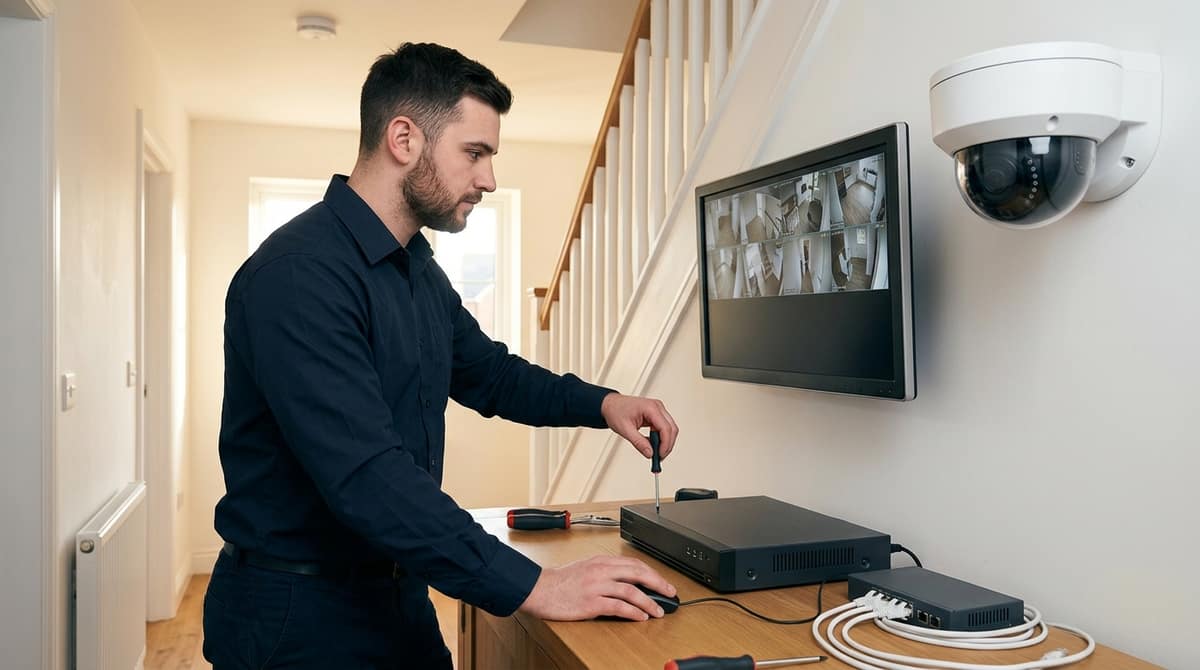
For a commercial property, the best CCTV system is a specified combination of camera count, NVR channel capacity, PoE switch budget and retention period — sized to your site's layout and risk profile.
A single 4K camera kit built for a house porch and an 8-to-16-channel PoE system covering a warehouse loading bay are both marketed as "CCTV systems", yet they solve entirely different problems.
General "best security cameras" roundups compare individual cameras rather than specify multi-camera systems: Security.org names 12 best cameras for 2026 after testing over 100 of them. That is a useful camera comparison, not an answer to how many channels, how much PoE and how many days of storage your site needs.
The right starting point is your own site: how many entry points and blind spots need coverage, how long you are required to retain footage, and what bandwidth and storage that implies. The yardstick that matters is pixel density on target — BS EN 62676-4 sets roughly 250 pixels per metre for identification, 125 px/m for recognition and 25 px/m for detection — not which camera carries the highest megapixel count.
What Is the Best CCTV System? A UK Buyer's Decision Framework
There is no single best CCTV system: the right choice depends on your property type, camera count, retention needs and budget. Treat "best" as a category question rather than a product one.
Answering it properly means working through six decisions — resolution, field of view, environment rating (IP66 for exposed outdoor positions, IK10 where vandalism is a risk), storage, power and budget — as set out in the CCTV Info buyers guide. Get those six right for your specific site and the "best" system becomes obvious.
Start by sorting yourself into one of two camps: domestic or commercial. A homeowner covering a driveway and back door has entirely different needs from a retailer covering a shop floor, stockroom and till point.
Mixing the two buying logics is the most common reason people overspend on the wrong kit, or under-spec a system that cannot actually identify a face at the property line.
If you're buying for a home
Home buyers are usually choosing between 2 and 4 cameras covering entry points. The deciding factors are field of view — a fixed 2.8mm lens suits a doorway, a varifocal lens covers a long driveway — and whether you want a wired PoE system or a simpler self-install option.
If this is you, the detailed answer to what is the best cctv system for home and what is the best cctv system for home uk sits in our dedicated best home CCTV systems guide, which covers camera placement by vulnerability point rather than just spec-sheet comparison.
If you're buying for a business
Business CCTV systems and commercial CCTV systems carry obligations domestic ones do not: more cameras, longer retention, and UK GDPR responsibilities around signage, documented purpose and access control. The ICO's guidance for organisations is the reference point for those duties.
A cctv system for business covering a shop floor, warehouse or school site commonly needs higher camera counts, a PoE switch sized to the total draw, and an NVR with enough bay capacity for the retention period you have documented.
School CCTV systems and construction site CCTV systems add their own layer: safeguarding policy for the former; rugged IP66-rated housings and often cellular backhaul for the latter, since there is no fixed structure to run cable to.
If you're specifying a commercial CCTV system and want a feel for commercial CCTV system cost, that scales primarily with camera count and NVR channel/bay capacity rather than with brand — a 4-camera shop unit and a 32-channel warehouse deployment sit at very different price points for that reason.
Quick self-diagnosis table
| You are... |
Camera count |
Priority |
Where to go next |
| Homeowner, entry points only |
2–4 |
Face/plate detail at 250 px/m at the door |
Home CCTV guide |
| Shop, office or small business |
4–8 |
Till point, stockroom, entrances |
Small business CCTV guide |
| Warehouse, school, construction site |
8–32+ |
Coverage area, retention, IP66 ruggedness |
Browse CCTV kits or ask about trade pricing |
The one rule that cuts through most confusion: match your camera and NVR spec to what you actually need to prove after an incident — a readable face or plate at 250 px/m — not to the highest resolution number on the box.
What Actually Decides the "Best" CCTV System for You
Four variables settle it: property type, how many cameras genuinely cover it, how many days of footage you must keep, and your budget tier. The highest-spec camera you can find settles none of them.
Property type first. A homeowner asking what is the best cctv system for home uk usually needs 2 to 4 cameras covering the front door, driveway and rear access.
That is very different from a commercial cctv system protecting a retail unit with till points, stockrooms and a car park, or a construction site cctv system covering a perimeter that changes every few weeks. School CCTV systems typically need wider coverage of corridors and grounds alongside stricter access controls on who can view footage.
Camera count and retention drive the hardware, not the other way round. An 8-camera commercial cctv system recording continuously needs a channel-matched NVR and enough storage for the full retention period.
Get the retention maths wrong and you are either overwriting evidence early or paying for drive capacity you don't need. H.265 encoding roughly halves the bitrate of H.264 at the same resolution, which is often the difference between 15 and 30 days on the same disk.
Budget tier is the fourth variable, and it's not just about spending less — a cheapest cctv system search often leads buyers to hardware that can't take the camera count or retention they actually need, forcing a second purchase later.
This is also where general "best of" roundups mislead. A list of the 12 best security cameras ranks single units — a battery doorbell alongside a standalone outdoor camera — which does not answer what is the best cctv system for a business needing 8 channels, a PoE power budget and weeks of continuous recording.
Takeaway: start from your scenario — property, camera count, retention, budget — not from a camera's spec sheet. Once those four are fixed, the right resolution, lens type and storage size follow logically rather than being guessed at upfront.
Home CCTV: Wired, Wireless or Hybrid?
For a UK home, the best architecture is wired or hybrid PoE unless running cable is genuinely impractical. Connection type shapes reliability, storage and expansion more than any camera spec sheet does.
The most common mistake is choosing a camera before choosing an architecture. A buyer picks a well-reviewed camera, then discovers it is wireless-only or locked to a proprietary cloud plan, and the system can't expand the way the house actually needs.
As our home CCTV systems guide sets out, architecture determines reliability, ongoing storage cost and how easily you can add cameras later — all before brand or resolution enter the conversation.
The three options compared
| Architecture |
Reliability |
Storage |
Best suited to |
| Wired (PoE) |
No Wi-Fi dropout, 1 cable carries power and data to 100m |
Local NVR, no subscription required |
New builds, renovations, homes where cable runs are feasible |
| Wireless |
Depends on Wi-Fi signal and battery life |
Often cloud-subscription based |
Rented properties, retrofits where cabling isn't possible |
| Hybrid |
PoE for key positions, wireless for hard-to-reach spots |
Mixed local/cloud |
Most existing houses balancing cost against cable access |
A wired PoE camera draws power and sends data over one cable back to a switch or NVR, up to the 100m structured-cabling channel limit. That removes the two weakest points in a wireless setup: Wi-Fi congestion and battery replacement.
Budget the switch rather than just the camera. IEEE 802.3af delivers up to 15.4W per port, 802.3at up to 30W, and 802.3bt up to 90W for heated housings or PTZ heads.
Hybrid setups let you run PoE to the driveway and entrances — the positions that need to record continuously — while using wireless for a shed or side-return where cabling is impractical.
If you're buying for a house: don't cluster every camera at the front door. Placement should match each vulnerability point — entrance, driveway, and rear or side blind spots — with the camera type suited to that position, as detailed in our home CCTV systems guide. Get the architecture and placement right first; camera choice is the easier decision to make afterwards.
Business, Commercial and Site CCTV: How Many Cameras and What Compliance Applies?
For a business, the best CCTV system is the one sized to what the premises actually needs — entry points, tills, stock areas, perimeter — and one you can defend as compliant. It is not a bigger version of a home CCTV kit.
Camera count for a commercial CCTV system should never come from a generic "4-camera" or "8-camera" package. It should come from counting your actual vulnerability points, as covered in our small business CCTV systems guide.
Sizing a business CCTV system by site, not by package
A small retail unit might need only 4 cameras — front door, till area, stockroom, rear exit. A warehouse with a perimeter fence and loading bay could justify 12 or more.
The right number for cctv systems for business is the count of points where you need evidential coverage, not a round number a supplier defaults to.
Schools and multi-let sites often need more channels simply because there are more entrances and communal areas to cover; school CCTV systems, in particular, tend to need wider channel counts to cover playgrounds, corridors and gates rather than a single shopfront.
Compliance is part of the system, not an add-on
In most cases the UK business operating the cameras is the data controller under UK GDPR, and that status doesn't depend on which brand or camera model you buy.
Under UK GDPR and the Data Protection Act 2018, operators are expected to display clear, visible signage telling people they're being recorded and to hold a lawful, documented reason for retaining footage. The ICO's guidance for organisations is where to check what applies to your own site.
This applies equally to a single-camera shop system and a 20-camera commercial CCTV system — the compliance duty scales with use, not with hardware spend.
Retention drives storage sizing, not the other way round
Retention period is the decision that should come before you spec an NVR or hard drive, because it fixes how much storage the business CCTV system actually needs.
A 14-day policy needs roughly half the drive capacity of a 30-day one at the same resolution, channel count and frame rate. Agreeing the retention period first — and documenting the lawful basis for it — keeps the storage spec honest rather than guessed.
Construction site CCTV systems, which often run continuous recording across a wider perimeter, typically demand this calculation more carefully, because channel counts and retention windows both tend to run higher than in a shop or office.
Takeaway: size the camera count to the site's actual vulnerability points, then let a documented retention policy — not a marketing bundle — set the storage spec.
Hikvision vs Dahua vs Zxtech vs Generic PoE Kits: How Do the Categories Compare?
The best choice among these 4 categories depends on how much ecosystem depth, budget flexibility and support you need — not on which brand takes sharper video, since image quality varies model-to-model within any of them.
For a business CCTV system or a commercial CCTV system where cameras, NVR and future expansion all need to talk to each other, category-level trade-offs matter more than any single spec sheet.
Hikvision offers one of the widest spreads of NVR and camera combinations in a single ecosystem, which suits buyers who want to add cameras or swap models later without hunting for compatible parts.
That breadth is also the catch: with so many ranges on offer, picking the right model still needs a spec-led approach rather than guessing from the box — our Hikvision PoE camera guide works through that in detail.
Dahua's strength is pairing solid fixed cameras with a genuine PTZ range inside the same ecosystem, useful where a business CCTV system needs both static coverage and an operator-controlled camera on one entrance or yard.
As with the Hikvision range, this is a model-by-model decision rather than a brand-wide one — see our Dahua PTZ camera guide for the specifics that actually differ between models.
Zxtech tends to come up where buyers are comparing 4K kit pricing rather than ecosystem depth — it's a category worth checking on cost per channel, as our Zxtech vs Dahua and Hikvision comparison sets out, rather than assuming brand parity.
Where generic PoE kits fit
Generic (unbranded) PoE kits trade ecosystem support and firmware consistency for a lower upfront price. That can work for a simple single-site install but leaves less room to expand or get matched replacement parts later.
For a commercial CCTV system covering multiple entrances, or a retention period that needs reliable NVR firmware, a named-brand ecosystem is usually the safer long-term base.
| Category |
Best suited to |
Trade-off to know |
| Hikvision |
Buyers wanting the widest range of NVR/camera combinations and accessories in 1 ecosystem |
Range is broad — narrowing to the right model still needs a spec-led guide, e.g. our Hikvision PoE camera guide |
| Dahua |
Buyers who want strong PTZ options alongside fixed cameras in the same ecosystem |
Best evaluated model-by-model — see our Dahua PTZ camera guide for specifics |
| Zxtech |
Buyers comparing 4K kit pricing |
Worth checking cost per channel rather than assuming brand parity |
| Generic PoE kits |
Simple, single-site budget installs |
Less ecosystem support for future expansion or matched replacement parts |
The takeaway: pick the category for its ecosystem and support model first, then narrow to the specific camera or NVR model against your resolution, low-light and storage needs. CCTV Master stocks Hikvision, Dahua and other installer-grade kit — ask about trade pricing if you're speccing a multi-site business CCTV system.
This article was researched and written by itmaster.uk.