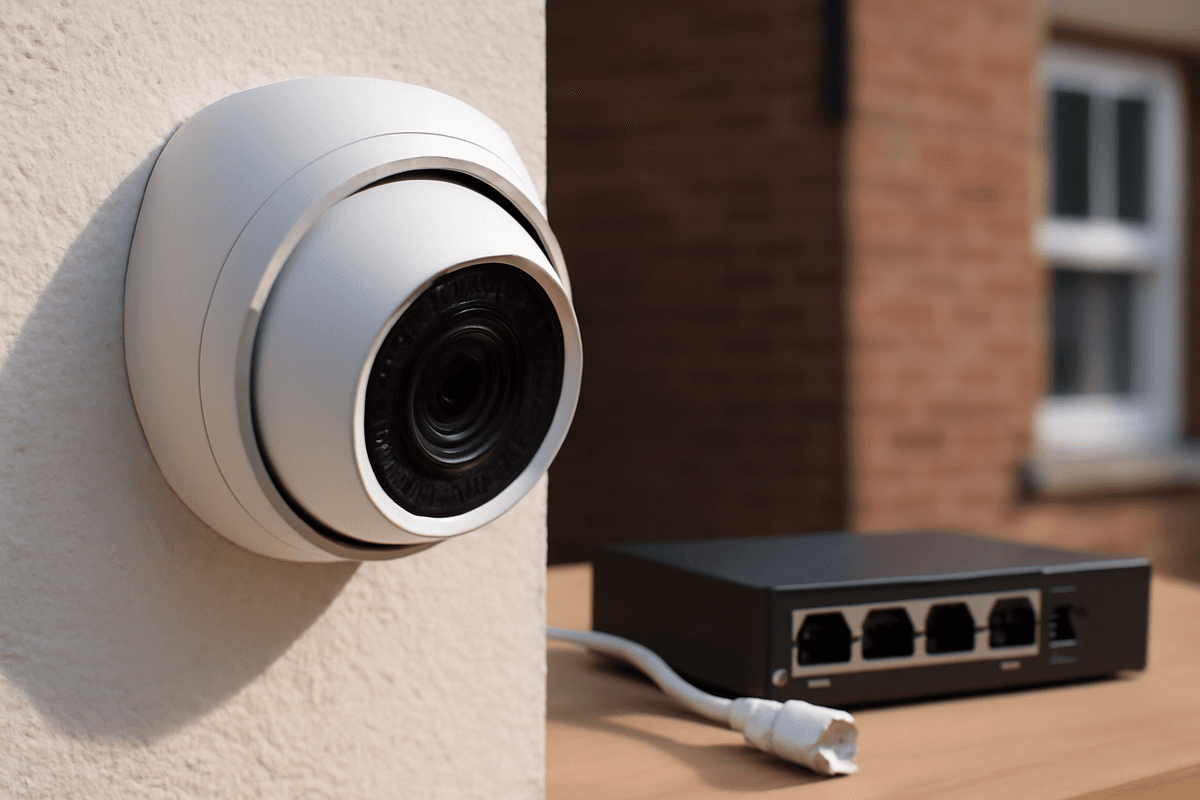
A PoE camera runs video and power down a single Ethernet cable — no separate power supply, no second cable run, and no electrician needed just to add a camera. That single-cable simplicity is why PoE has become the default choice for professional CCTV installations across the UK, from small retail units to multi-site commercial estates. Get the switch, cabling, and power budget right before you buy, and a PoE system will outlast and outperform almost anything else at the same price point among cameras.
What Is a PoE Camera — and How Does It Actually Work?
A PoE (Power over Ethernet) camera is a network camera that receives both data and electrical power through a single Cat5e or Cat6 cable. There are no separate mains power cables, no electrician required at each camera position — just one run of Ethernet from switch to camera.
The IEEE Standard Behind It
PoE is governed by IEEE 802.3 standards, and the version matters when you're specifying cameras:
| Standard |
Max power sourced |
Max power at device |
Typical use case |
| 802.3af (PoE) |
15.4 W |
12.95 W |
Fixed cameras, basic IR domes |
| 802.3at (PoE+) |
30 W |
25.5 W |
PTZ cameras, heated housings |
| 802.3bt (PoE++) |
60–90 W |
Up to 71.3 W |
Multi-sensor, high-power PTZ |
Most fixed PoE CCTV cameras draw 6–13 W, comfortably within 802.3af. PTZ cameras, models with built-in heaters for outdoor winter use, or multi-sensor panoramic units often exceed the 12.95 W device budget of 802.3af — those need an 802.3at or 802.3bt switch port, or they'll throttle or fail to power on entirely.
The Hikvision DS-2CD2385G1-I 8MP DarkFighter PoE IP Turret Camera is a good example of a high-resolution fixed camera that runs comfortably on a standard 802.3af port, despite its 3840 × 2160 sensor.
How the Power Actually Gets There
The PoE switch (or PoE NVR) injects DC voltage onto the unused wire pairs — or in some implementations the data pairs — of the Ethernet cable. Before delivering the power to the camera, the PoE injector includes a detection circuit that verifies the device on the other end is PoE-compatible, preventing damage to non-PoE equipment. Once the camera is confirmed as compatible, the full power delivery begins, with the voltage regulated to maintain a stable supply even over longer cable runs. This intelligent handshake ensures safe, efficient power transmission across the entire network infrastructure.
What Cable Do You Actually Need — and How Far Can You Run It?
Cat5e works for most PoE camera installations, but the 100 m limit set by IEEE 802.3 is non-negotiable — plan every camera position around it before you buy a single camera or switch.
Cat5e vs Cat6: Which Should You Specify?
Cat5e handles 1080p through 4K video and standard PoE (802.3af, up to 15.4 W) without issue at typical installation distances. It remains the minimum acceptable standard for indoor runs under around 70 m.
Specify Cat6 for any run over 70 m, or wherever you're powering PoE+ devices (802.3at, up to 30 W). Cat6's lower conductor resistance reduces voltage drop over longer distances, meaning the camera receives closer to the full 48 V the switch puts out — critical for PTZ cameras or anything drawing near its power budget ceiling.
Cat6 also gives you headroom if you ever upgrade cameras. The marginal cost difference per 100 m roll is small compared to the labour of re-pulling cable later.
The Hard 100 m Limit — Plan Before You Purchase
IEEE 802.3 sets a hard 100 m maximum for copper Ethernet, data and power combined. Beyond that, both signal integrity and delivered voltage degrade — you may see intermittent dropouts, reduced frame rates, or a camera that simply won't power on.
Measure every proposed cable route — not line-of-sight distance — before finalising camera positions. A corner-mounted camera 60 m from a building might need 90 m of cable once you route through a ceiling void and down a wall. That's still within spec; 75 m line-of-sight via a convoluted route might not be.
If a position genuinely exceeds 100 m, the correct solution is a PoE-capable switch or injector at an intermediate point, not a longer cable.
Outdoor Runs: Cable Specification Matters Enormously
Standard indoor patch cable will typically fail within two to three UK winters when exposed to UV, moisture, and temperature cycling due to degradation of the outer jacket and internal conductors. For outdoor installations, you'll need Cat6A or Cat7 rated cables with UV-resistant jackets, typically made from polyethylene or PVC compounds designed to withstand British weather conditions. These outdoor-grade cables cost more upfront but eliminate the need for costly replacements and system downtime. Additionally, proper conduit protection, regular inspection points, and adequate cable slack to accommodate thermal expansion will significantly extend the lifespan of your PoE infrastructure in exposed environments.
How Do You Size a PoE Switch — and Avoid Blowing Your Power Budget?
The number that kills most DIY PoE camera installs is total switch wattage, not port count. A cheap 8-port "PoE" switch may carry only 60–80 W across all ports combined — yet eight cameras drawing 15 W each need 120 W. The switch throttles or drops cameras the moment you exceed its budget.
The Total PoE Budget Rule
Every PoE switch has two specs that matter: per-port maximum (typically 15.4 W for 802.3af, 30 W for 802.3at, or 90 W for 802.3bt) and total switch budget — the aggregate watts available across all ports simultaneously. The total budget is almost always the binding constraint, not the per-port figure.
Budget switches often advertise "8-port PoE" but bury a 60 W or 65 W total in the small print. Divide that across eight ports and you get around 8 W per camera — fine for a basic 802.3af turret, fatal for a PTZ or a camera with an IR array.
Worked Example: 6-Camera Residential System
The Hikvision DS-2CD1343G2-LIUF/SL draws around 6 W in typical operation. Six of them total roughly 36 W — comfortably within a 65 W switch, leaving ~29 W headroom.
Now add a single mid-range PTZ, which commonly draws 20–25 W under 802.3at. Your revised load is around 56–61 W — still inside a 65 W budget, but with almost no margin for IR activation spikes or cold-start inrush. Always leave at least 20–25% headroom above your calculated load.
If that PTZ is 802.3bt (up to 90 W), you need a switch rated for 150 W or more total. Recommend checking the device datasheets for peak power draw during night mode, as infrared illumination and motor movement can cause temporary spikes well above the rated average. In this example, upgrading to a 150 W PoE switch ensures you can safely add the high-power PTZ without risk of brownouts or device resets during peak demand periods.
Choosing the Right PoE Camera: Resolution, Sensor, and Night Vision Trade-offs
For most UK residential and small commercial installs, a 4MP PoE camera at 2560×1440 hits the best balance of image detail, storage consumption, and cost. Step up to 8MP only when wide-area coverage demands digital zoom for evidential detail.
Resolution vs. Storage: Where the Maths Actually Lands
Higher resolution means larger files — and that directly affects how many days of footage you can retain before storage runs out or costs spiral.
- 4MP (2560×1440): The Hikvision DS-2CD1343G2-LIUF/SL shoots at this resolution with a 98° horizontal field of view from a fixed 2.8mm lens. It covers a typical driveway or shop entrance in full detail without hammering your NVR storage.
- 8MP (3840×2160): The DS-2CD2385G1-I delivers 4K UHD — roughly four times the pixel count of 1080p. That's the right call for a car park or warehouse where you need to digitally zoom into a face or plate after the fact.
- 5MP (2592×1944): A useful middle ground for analytics-heavy deployments (more on that below).
Rule of thumb: 8MP footage at constant bitrate consumes roughly twice the storage of 4MP. If your NVR is sized for 30 days' retention at 4MP, expect closer to 15 days at 8MP with the same drive capacity — plan accordingly before spec'ing up.
The sensor's low-light rating determines whether your camera captures usable colour footage at night — or just a grainy monochrome image that's hard to use as evidence.
Standard IR cameras typically switch to black-and-white
Storage, Retention, and UK Legal Compliance — What You Must Get Right
Get your storage sizing and legal obligations sorted before you buy a single camera. Undersized drives fill up and overwrite evidence; non-compliant retention policies expose you to ICO enforcement action.
Retention Maths: How Much Drive Space Do You Actually Need?
Storage requirements vary significantly by resolution and codec. As a working rule of thumb:
| Resolution |
Codec |
Approximate storage per camera/day (continuous) |
| 4MP |
H.264 |
~2–4 GB |
| 4MP |
H.265 |
~1–2 GB |
| 8MP |
H.264 |
~6–10 GB |
| 8MP |
H.265 |
~3–5 GB |
These are approximate figures — actual usage varies with scene complexity, motion frequency, and bitrate settings.
Example calculation: 6 × 4MP cameras on H.265, 30-day retention = roughly 180–360 GB minimum. Specify a 1 TB HDD to give yourself meaningful headroom; for 8MP cameras at the same count and retention, budget at least 2–3 TB.
Always over-specify storage at the design stage. Drives are cheap; losing evidential footage because the NVR recycled it overnight is not recoverable.
H.265 vs H.264: Always Choose H.265 Where You Can
H.265 (HEVC) cuts storage roughly in half compared with H.264 at equivalent image quality — the single most impactful setting you can change on an NVR.
On Hikvision NVRs, look for H.265+ (the proprietary enhanced profile), which applies dynamic bitrate reduction during static scenes and can cut storage further still. Not all budget NVRs support H.265, so confirm codec support before purchasing — it is a genuine differentiator, not a marketing footnote.
If your NVR only supports H.264, your retention window halves or your drive requirement doubles. Factor this into your total cost of ownership, not just the upfront hardware spend.
Related products from our own range:
- Hikvision DS-2CD1343G2-LIUF/SL 4MP Smart Hybrid Light PoE Turret Camera — • 4MP resolution (2560 × 1440) progressive scan CMOS image sensor
• Fixed 2.8mm lens with 98° horizontal field of view
• Smart Hybrid Light with IR and white light illumination up to 30m
• Built-in
- Hikvision DS-2CD2385G1-I 8MP DarkFighter PoE IP Turret Camera 2.8mm — • 8MP ultra-high-definition resolution (3840 × 2160) CMOS sensor
• DarkFighter technology for excellent low-light performance
• Fixed 2.8mm lens with wide 110.7° horizontal field of view
• Infrared
- 5MP AI IP Dome Camera PoE Face Detection IR Night Vision 256GB SD ONVIF IP67 — A professional 5MP AI IP dome camera with 2592×1944 resolution, advanced analytics including face detection and licence plate recognition, 30m IR night vision, PoE power, 256GB SD storage, and IP67/IK
- WATERproof ip poe ethernet splitter adapter rj45 fits connectors for security camera installation ethernet cable management — 【Run 2 IP Cameras on 1 Cable】: Allows you to run 1 cable run to the switch for 2 cameras that are near each other. Set consists of a "sender" unit and a "receiver" unit. Plug Sender unit into 2 open ports on your PoE switch, then run a single Cat5e/Cat6 cable to the receiver unit where your two cameras are located. This solution is ideal for installations where running separate cables would be impractical or costly, and it maintains full PoE power delivery to both connected devices.