
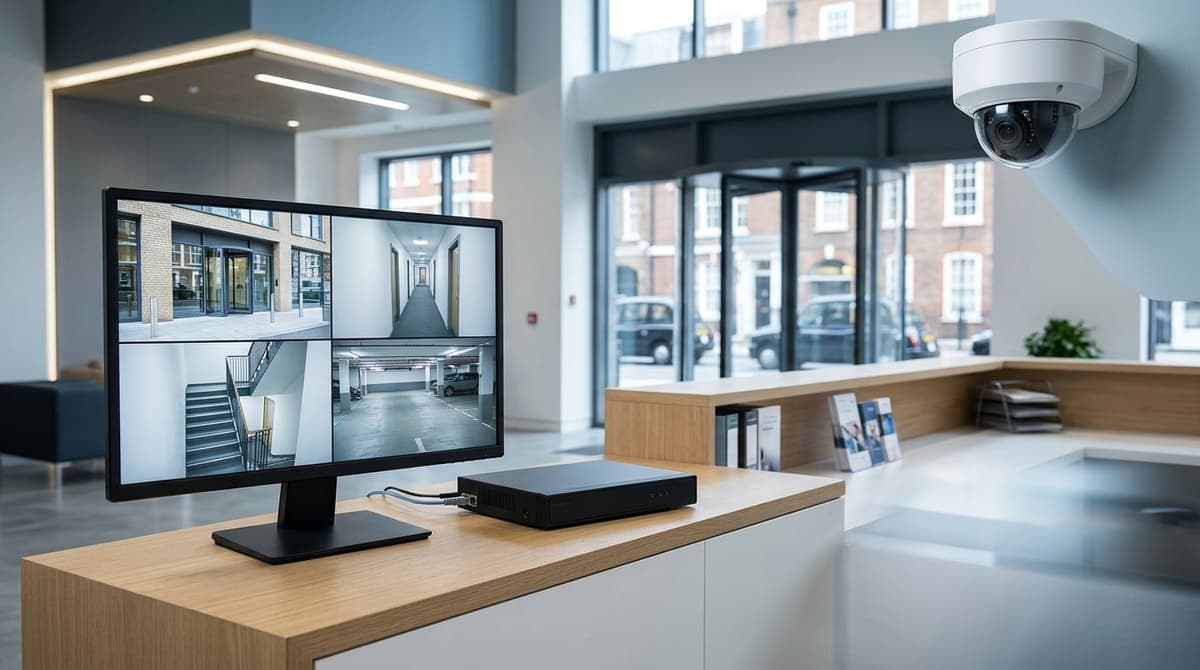
Multi-occupancy CCTV is a responsibility decision before it is a camera decision. In a building with several occupiers, one named party (usually the freeholder, a resident-owned management company or the managing agent, though this depends on the management structure) should control the system, the cameras should cover communal areas only, and tenants' private space needs a separate arrangement.
Settle who decides why the cameras run, who holds the recorder and who handles police and access requests before you choose any hardware. This is general UK GDPR guidance rather than legal advice for your specific building.
CCTV for a building with several occupiers: who owns the footage?
The data controller is whoever decides why and how the cameras run, usually the freeholder, a resident-owned management company or the managing agent, not individual tenants. Check your lease and management agreement, because the answer depends on the management structure.
Three set-ups cover most cases, from CCTV for a block of flats to CCTV for commercial buildings:
- Landlord-run communal system: the landlord or management company holds the recorder, usually in a locked riser or plant room. It controls exports and answers subject access and police requests.
- Tenant-run cameras inside their own demise: the tenant is the controller for that system, holds its recorder and handles its own requests. If a camera also covers shared corridors or the street, agree that coverage with the landlord in writing.
- Managing agent acting for the landlord: the agent often holds the recorder and performs exports. Whether it is a processor following instructions or a controller in its own right turns on who sets the purposes, so the contract should say.
Put the answers on a one-page responsibility sheet:
- the stated purpose of the system
- the named controller
- who has login rights (named individuals, not a shared admin account)
- who deals with police requests
The NPSA CCTV guidance says CCTV may deter or detect crime but will not prevent it. That is a realistic basis for wording the purpose.
Which communal areas need cameras, and which should stay uncovered?
Cover the shared points where people, vehicles and waste enter or collect, and keep lenses off anything that looks into a private home. As general practitioner guidance, the usual priorities are:
- Entrances and lobbies: every visitor, resident and delivery passes through, so this is where faces are easiest to capture.
- Bin stores: a common spot for fly-tipping and fires, and often unobserved.
- Car parks: vehicle crime and access control disputes both need a record.
- Cycle stores: theft is the main risk, and a camera on the door gives a time-stamped entry log.
- Stairwell and lift-lobby access points: cover the doors and the lobby, not the corridors beyond.
- Plant and meter rooms: these hold critical services, so you want to know who went in and when.
Avoid any lens that looks at flat doors, windows or private balconies, and never point one into a tenant's unit. Where an overlap can't be avoided, such as a lobby camera that catches a ground-floor window, use the recorder's privacy masking to blank that zone. Document the masked areas so the building's data protection position under UK GDPR is easy to defend.
For corner and exterior positions, the heavy-duty corner mount bracket costs £15.17 including VAT (SKU BRK-MOUNT-CORNER-235x210x110). Its description lists building corners, entrances, exterior walls and parking areas as suitable uses. It is metal, with multiple fixing holes and cable access openings. Fixing to brick or concrete needs suitable hardware, which your own electrician or installer should specify.
How do you split a system across shared and private space?
Run one shared recording system for communal areas and give anything inside a tenant's own unit a separate arrangement that the tenant controls. Entrances, lobbies, stairwells, car parks and bin stores suit a single managed system.
Inside a unit, the occupier decides what is watched and who sees it.
One central recorder or one per occupier?
A single central recorder with per-user permissions (view only, playback, export) gives the managing agent one retention policy and one audit trail. The trade-off is tenant independence, because occupiers depend on the building's administrator for footage.
Separate recorders per occupier reverse that. Each tenant controls their own footage and retention, but you end up with several policies and no single view of the common parts.
Infrastructure decisions
- IP or analogue: the NPSA notes that "CCTV" strictly describes hard-wired analogue cabling, now largely replaced by digital systems over TCP/IP. It also says analogue remains viable and cost-effective for small installations. A multi-floor building with several users points towards IP.
- PoE switch location: one switch per floor or riser keeps copper runs short, with an uplink back to the recorder.
- Network separation: as general guidance, keep camera traffic on its own VLAN or physical network, apart from tenant and office data.
- Storage: cameras × bitrate × retention days. Your live figures are the camera count, the per-camera bitrate from the datasheet and your chosen stream settings, and the retention period your policy sets.
Vacant or void units
A void unit has no occupier, so its cameras can sit on the central system. Before the tenant leaves, check that power and cabling for those cameras don't depend on the departing tenant's supply.
What can residents, tenants and the landlord ask for under UK GDPR?
Anyone identifiable in communal-area footage can request their own images, but tenants have no automatic right to watch or copy the wider recording.
A subject access request is personal. A resident asks for clips of themselves, and the controller, usually the landlord or managing agent, has to respond. Other people visible in those clips may need blurring or masking before release, so plan for redaction when you handle exports.
Browsing is a different matter. Neither live views of the lobby nor recorded hallway footage are something a tenant can demand simply because they live there. Access is for the controller's stated purpose, such as investigating an incident, and for individuals' own data.
Retention has no single legal period. Keep footage no longer than your stated purpose needs, and document the period you choose alongside that purpose. Storage sizing should follow that decision, not drive it.
Three habits make requests easy to handle:
- Put signs at the entrances to covered communal areas, saying CCTV is in operation and who runs it.
- Name a contact person or address for requests.
- Keep a simple access log of each export: date, requester, clip, who approved it, and whether anyone was redacted.
What applies depends on who the controller is and why the system exists, so check the current ICO CCTV guidance for your own case.
How do you specify and buy the kit for a whole building?
Work zone by zone: survey the building, split it into communal and private areas, assign each area to a controller, count cameras, then choose the hardware that serves them.
- Walk the building and list every zone: entrances, stairwells, corridors, car park, bin store, roof access and plant rooms.
- Mark each zone communal or private. Communal areas are generally where cameras belong; private areas, such as the inside of a tenant's unit, need a different conversation about privacy and signage.
- Assign each zone to a controller, meaning the recorder that will store its footage.
- Count the cameras per zone, then add them up per recorder.
- Choose the recorder, PoE switches, cable and brackets to match those counts. Corners are where bracket choice matters most; the heavy-duty corner mount bracket is made for that job.
Fitting and ordering
CCTV Master sells equipment and does not install it. Your own electrician or an independent installer fits it, and checking for NSI or SSAIB accreditation is worth the effort. Drives sold with a recorder are supplied pre-fitted before dispatch.
Two quotes for the same building can differ widely because installers often price different jobs; the CCTV installation cost guide explains why.
In-stock items ordered before 4pm, Monday to Friday, are dispatched the same working day. Delivery is £5.99, or free from £100.00, and trade pricing is available. Stock status is shown live on each product page.
Related products
Related products from our own range:
- Hikvision 8MP Cameras
- Hikvision 4K Two Way Audio CCTV Camera Turret — Hikvision turret camera with built-in two-way audio (talk and listen via a compatible DVR), 4K 3840×2160 image, 40m night vision and IP67 weatherproofing.
- Dual Lens CCTV Camera: 8MP, 180° View, PoE Turret — 8MP dual-lens CCTV camera that stitches two 2mm lenses into one 180° view. PoE powered, IP67 outdoor, night light to 30m, microSD up to 512GB.
- THC-B140-R 4MP Turbo HD Bullet Camera for Home CCTV — THC-B140-R is a compact 4MP Turbo HD bullet camera for home and business CCTV. It needs a compatible Turbo HD recorder (DVR); check its resolution first.