Yes, Cat5e cable is still good enough for most IP CCTV cameras. It is rated to 100 MHz and commonly carries 1000BASE-T, which is more than a typical camera stream needs. The catch is that the cable has to be genuine, correctly terminated solid-core install cable, because most "Cat5e" failures on site come from poor cable, bad terminations or over-long runs, not from the grade itself. This guide covers where Cat5e runs out of headroom, how to diagnose a bad run in the field, and when it makes sense to repair, reroute or replace it.
Is Cat5e cable still good enough for CCTV?
For most IP camera runs, yes: Cat5e is rated to 100 MHz and commonly carries 1000BASE-T gigabit Ethernet, per Wikipedia's Category 5 cable entry. The category is defined in ISO/IEC 11801, IEC 61156 and EN 50173, which set performance and test requirements up to 100 MHz.
The "350 MHz" label on patch cables
Some patch leads advertise more. Tripp Lite's N002-010-BL datasheet lists a Cat5e lead as compliant with IEEE 802.3ab and rated for 350 MHz/1 Gbps. That is a manufacturer rating on a stranded PVC patch lead. It does not upgrade a solid-core cable pulled through a wall or soffit, whose benchmark remains the 100 MHz category rating.
Cat5e vs Cat6: which is better?
It depends on three things: run length, camera bitrate and whether cable is already in the wall.
- Cable already installed and cameras are modest bitrate: keep the Cat5e. Gigabit is ample for a typical camera link.
- New build or a long, heavily loaded run: weigh Cat6 on its merits. Our separate Cat6 spec guide has the full comparison.
- Outdoor or building-to-building runs: an external solid-core cable matters more than the category. Our External Cat5e Cable 305m is a UV-resistant LDPE-sheathed solid copper UTP, described for runs up to 90m per link.
Is Cat5e the same as an Ethernet cable?
Not quite. "Ethernet cable" is the generic term for twisted-pair cabling that carries Ethernet, and Cat5e is one grade within it.
How far can a Cat5e CCTV run go before it fails?
Plan for 90m per permanent link. That is the figure on our External Cat5e Cable 305m listing, which describes outdoor CCTV and network runs of up to 90m per link. As general guidance, the wider Ethernet channel limit is 100m, but that total also has to cover patch leads at both ends.
Why the limit exists
Signal attenuation grows with cable length, and every connector and patch lead takes a share of the budget. A run planned right up to the limit leaves nothing for a re-termination or a short patch lead at the recorder end.
A PoE camera at the far end can also suffer before the data link does. Power is lost along the copper, so a long run can leave the camera browning out or rebooting while the link still looks alive.
Use this and fill in your own figures:
usable run = permanent link limit − (route slack + termination allowance)
Measure the real cable route, not the straight-line distance. Cable follows walls, soffits, conduit bends and drops to the camera, and all of that counts against the limit. Add slack for service loops at each end.
If your measured route comes out longer than the limit allows, plan a second switch or a shorter route rather than stretching the cable.
Why is my Cat5e CCTV camera dropping out, and how do I diagnose it?
Intermittent dropouts on a Cat5e run usually come from a poor termination, an over-long run or low-grade cable, so check in this order before replacing anything. The sequence below is general field guidance, not a manufacturer procedure.
-
Measure the real cable length. Don't trust the plan: measure the route as installed, including loops and detours. Our External Cat5e 305m outdoor cable is listed for runs of up to 90m per link, so anything beyond that is a prime suspect.
-
Re-terminate before blaming the cable. A badly crimped RJ45 or punched-down jack is a common culprit. Check the colour code against T568B (general guidance): white/orange, orange, white/green, blue, white/blue, green, white/brown, brown. Keep each twisted pair together, and redo both ends.
-
Check the conductor. Outdoor runs should be solid copper. The Excel Cat5e 305m lists solid copper cores and 24 AWG. Be wary of unlabelled cheap cable with no stated conductor material or gauge, since you can't verify what you're running a PoE camera over.
-
Test on a short, known-good lead. Put the camera on a patch lead next to the switch or NVR. If it holds, the fault is in the fixed cable; if it still drops, suspect the camera or PoE port.
-
Check interference and environment. Look for runs alongside mains cabling, and for indoor-rated cable used outdoors, where weather and UV can degrade the sheath. Foil-screened cable can help in electrically noisy routes, but only if it's terminated correctly. Separating data from mains is the simpler first fix.
Can Cat5e carry HD analogue cameras on a legacy system?
Often yes, but only if the transmitter/receiver hardware and the camera datasheet say so; we hold no tested ranges, so we won't quote distances. Wikipedia's Category 5 entry notes that the cable is used to carry video as well as Ethernet, so the medium isn't the question. The kit at each end is.
The legacy trap
The usual mistake is pushing HD analogue down a cable that was pulled for something else, then blaming the cable. Check these before you commit:
- Balun compatibility: the baluns must support the camera's format and resolution, per the balun and camera datasheets.
- One pair per camera: don't split pairs to serve a second device.
- No mixing with PoE: don't run analogue and PoE on the same cable.
Keep or retire?
Keep an old run only if it passes all three questions:
- Does it terminate cleanly at both ends, with no damaged or corroded connections?
- Is it within the link limit? Our External Cat5e Cable 305m listing quotes up to 90m per link.
- Do you plan to move to IP cameras? If so, the cable will need to meet Ethernet and PoE requirements anyway, so retire anything marginal now.
Fitting is down to your own electrician or installer. Follow the datasheet or installation guide for each camera and balun, and you can shop at CCTV Master or ask about trade pricing.
When should I repair, reroute or replace Cat5e, and which cable do I buy?
Repair a short damaged section, reroute a run that is near the limit, and replace long outdoor runs with external solid-copper Cat5e. For anything beyond 90m, add a midpoint switch or use fibre.
The decision list
- Repair: suits a nick, a crushed section or a failed plug. Re-terminate the end or cut out the damaged length and join it properly. The trade-off is that every added joint is another possible fault, so don't patch repeatedly.
- Reroute or shorten: suits a run close to the 90m per-link figure quoted on our 305m pull box listing. A straighter path can bring it back inside the limit without new hardware.
- Replace: suits long outdoor runs, or cable of unknown type. The cost is a new pull, so size it carefully.
- Beyond the link limit: add a PoE switch at a midpoint, or use fibre. Our PoE switch guide covers power budgets.
Which external cable to buy
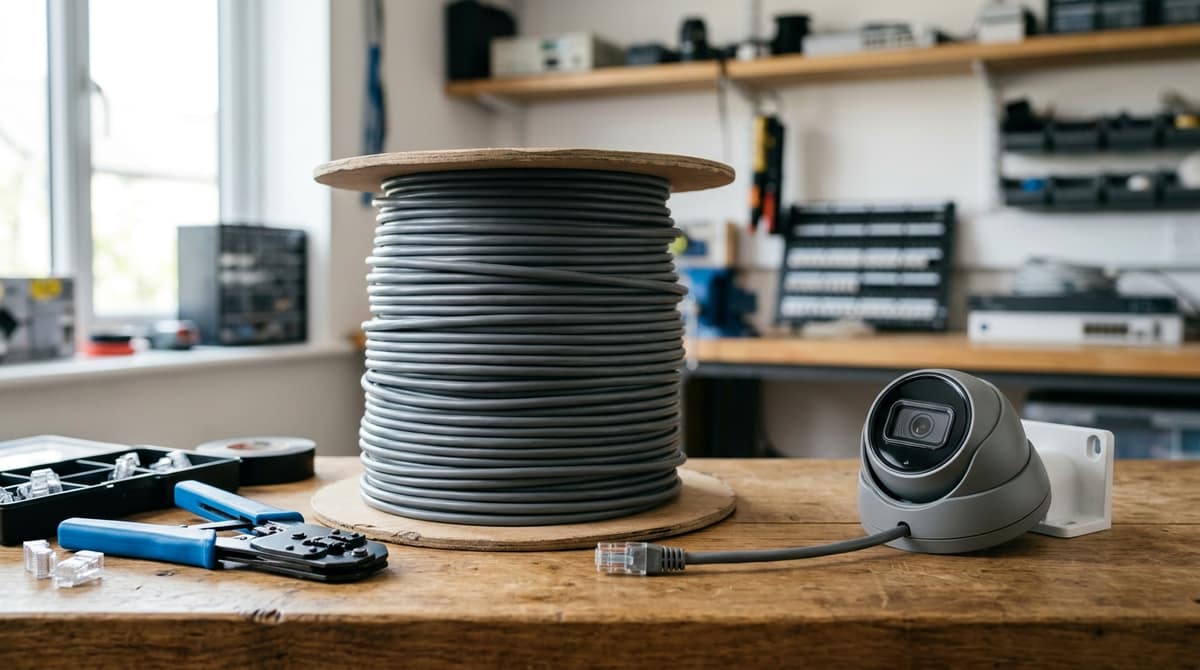
A "cat5e cable 305m" or "cat5e cable box" is a pull box for installers. It is not a patch lead, and you terminate it yourself. The 100m reel suits a single run. All four listings are solid copper.
Only the Excel listing states 24 AWG. For cat5e cable diameter and colour code, check each product's datasheet, because the listings don't give them. Solid conductors suit fixed runs, while stranded cable bends more freely, per Wikipedia's Category 5 summary. For live prices, see the product pages.
Related products from our own range: