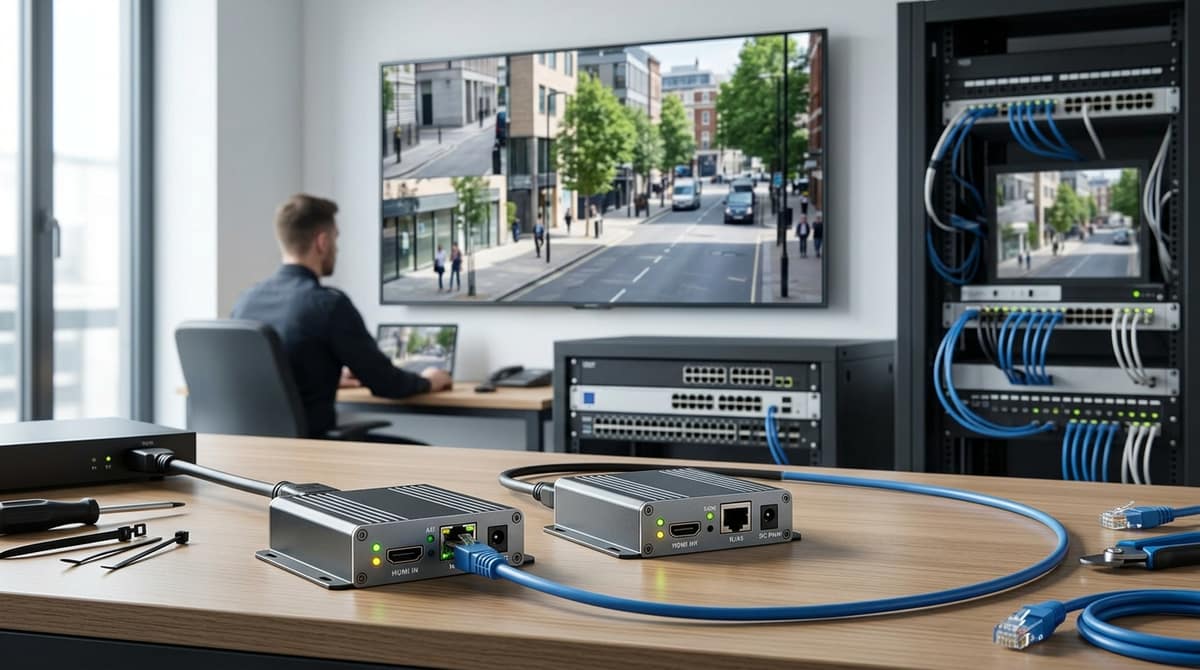
If a CCTV monitor has to sit away from the NVR and you can pull one Cat5e or Cat6 cable, an HDMI extender (a transmitter at the NVR's HDMI output and a receiver at the monitor) is usually the simplest fix. If the monitor is a long way off, or you're building a new system, a second viewing point on the network (an IP workflow) is often the better route, because your IP cameras already travel over that network. Either way, the maximum distance, whether you get 1080p or 4K, and the cable grade you need all depend on the specific model, so check the datasheet before you buy or pull any cable.
What does an HDMI extender do in a CCTV system?
An HDMI extender carries the NVR's monitor feed over a single Cat5e or Cat6 run, using a transmitter at the recorder and a receiver at the screen. The transmitter plugs into the NVR's HDMI output, and the receiver plugs into the monitor's HDMI input. StarTech.com's HDMI extenders page lists the category as including twisted-pair and fibre-optic types, which is the general idea: extra distance and flexibility beyond a plain cable.
So an "HDMI extender cable" is really a kit, not a cable. The cable between the two boxes is ordinary network cable. Can you extend an HDMI cable? Joining leads is possible, but a long passive run can lose signal, and results depend on the cable, the devices and the resolution.
A repeater boosts the HDMI signal and keeps it as HDMI. An extender converts it to run over network cable. Check each product's datasheet for its stated range.
CCTV needs this because the NVR usually sits in a cupboard or comms room while the monitor is at reception or a control desk. IP cameras already travel over the network, so only the monitor feed needs extending. For a short run, our HDMI Extender 30m Over Cat5e/Cat6 is a 1080p kit with a transmitter and a receiver.
HDMI extender over Cat6: which distance and resolution do you actually need?
Pick by your measured cable route plus headroom: our 1080p kits cover 30m and 60m runs, and 4K only matters if your display and NVR output support it.
| Reach |
Resolution |
Notes |
Price |
| 30m |
1080p |
Cat5e/Cat6, plug and play: HDMI Extender 30m Over Cat5e/Cat6 Ethernet |
£4.13 |
| 60m |
1080p |
165MHz, IR: HDMI Extender 60m Cat5e/6 1080P IR. Stock and back-order status are shown live on its product page. |
Request a quote |
The 30m kit costs £4.13. The 60m IR kit is also 1080p, and we can arrange a quote and delivery for it on request. Both suit older monitors and TVs. The "IR" on the 60m unit refers to infrared remote-control support, so check its listing for how that is handled.
Longer runs, 4K and USB/KVM
For 50m and 120m runs, or where you need a USB keyboard and mouse at the far end, these units are listed by name only:
How to choose
Measure the route the cable will actually take, through walls, up and down risers and around corners, not the straight-line distance. Then choose a unit rated comfortably beyond that figure. Use a 1080p unit for an older monitor. Choose 4K only if both the monitor and the NVR's HDMI output support it.
One caveat: the 50m 1080p kit in our first-party data lists HDMI 1.3 and HDCP 1.2, with 1080p as its maximum. It is not a 4K or 8K product, and none of the units above claim 8K.
What is IR in an HDMI extender, and when do you need USB/KVM?
IR is a return path that carries remote-control signals from the display end back to the equipment feeding the extender. A sensor at the receiver picks up a handheld remote and sends the signal down the same network cable, and an emitter at the transmitter end repeats it to the source device.
Our 60m IR model, the HDMI Extender Over Single Cat5e/6 (60m, IR), runs 1080p at 165MHz between transmitter and receiver. Check its datasheet for how the sensor and emitter connect. Whether a given NVR responds to a repeated remote signal depends on the NVR, so test it before fixing anything in place.
When you need USB/KVM
IR cannot move a mouse pointer, so if the operator must click through the NVR's menus at the remote monitor, you need a KVM unit. KVM extenders carry USB keyboard and mouse alongside the video.
- 4K HDMI KVM Extender 60m: video, keyboard and mouse over Cat5e/Cat6 up to 60m.
- HDMI and USB Extender 50m: video and USB devices up to 50m, listed for CCTV use.
Dual monitors
As general guidance, plan on one transmitter-receiver pair per display. The exception is an NVR with multiple video outputs, which depends on the model. In that case each output still feeds its own pair.
How to use an HDMI extender
- Connect the NVR's HDMI output to the transmitter's HDMI input with a short lead.
- Run one Cat5e/Cat6 cable from transmitter to receiver, keeping within the rated length.
- Connect the receiver's HDMI output to the monitor.
- Power both units as the datasheet specifies. On a KVM kit, plug the mouse into the receiver and connect the transmitter's USB lead to the NVR.
- Fit the IR sensor and emitter if you want them, then switch on the monitor and NVR and confirm the picture.
An HDMI extender is the wrong tool when the monitor sits beyond a single cable run, or when the site already has a network that can carry the picture. In either case, view the NVR over the network instead, with a second client or a decoder at the far end.
Two meanings of "HDMI extender IP"
Searchers use the phrase for two different products:
- Point-to-point baseband: a transmitter and receiver joined by one Cat6 run, with no switch in between. Our 4K HDMI KVM Extender over Cat6 – 120m is this type, carrying video and audio up to 120m over a single Cat6 cable.
- Network-switched "over IP": the signal crosses switches, so one transmitter can serve screens elsewhere on the LAN. Manufacturer ranges list both types, including a 1080p "Over IP" model rated at 330ft over Cat6 alongside HDBaseT models rated up to 500ft.
Cable grade can change reach on some models, so a unit rated for 120m on Cat6 may manage less on Cat5e. Check the datasheet of whichever model you buy.
The trade-off
An extender needs no network configuration, but it is a dedicated cable per monitor, so a second screen means a second run. A network route reuses cabling you already have, but someone has to configure the NVR client or decoder and the switch ports.
Choose an extender for one monitor with one clear run inside its rated length; choose a network view for several screens, or for anywhere your existing network already reaches. Your own electrician or installer should do the fitting, working from the product's datasheet.
Retrofit or new-build: which route should installers choose, and what does it cost?
Choose an extender if the monitor run is within its rated length and a spare Cat6 route exists; otherwise plan around an NVR. The rated length varies by kit, so check the datasheet for the exact model.
Retrofit with legacy coax or analog
The existing recorder may already feed the monitor. Work through it in this order:
- Measure the existing monitor run. If it is shorter than the extender's rated length and a spare Cat6 route is available, fit an extender pair.
- Check whether the recorder is being replaced. If so, plan to use the NVR instead of extending the old recorder's output.
- Match the kit to the run. Our range spans 30m and 50m kits, 60m kits and a 120m 4K KVM kit.
New-build
Pull Cat6 to the monitor position anyway. That one cable lets you choose later between an extender and a network drop, so the decision doesn't have to be made before the plaster goes on.
Cost logic
The budget is a simple sum:
extender pair price + cable run + wall plates
The 30m Cat5e/Cat6 kit is listed at £4.13 including VAT. Prices change, so check the live product page before you quote. The cable and wall plates add to that total on a long run, so price them from their own live product pages as well. Trade pricing is available on request via cctvmaster.co.uk.
Who fits it
We sell equipment and do not install it. The customer's own electrician or installer fits the kit, and each product's datasheet or installation guide covers the fitting.
Related products from our own range:
- HDMI KVM Extender 60m Cat5e/Cat6 – 4K USB Control — 4K HDMI KVM extender over Cat5e/Cat6 cable up to 60m with USB keyboard and mouse control. Plug-and-play, no drivers needed.
- 4K HDMI KVM Extender over Cat6 – 120m — 4K HDMI KVM extender transmits video and audio up to 120m over a single Cat6 cable. Plug-and-play, no drivers needed. Perfect for large venues and AV installs.
- 4K HDMI KVM Extender 60m Over Cat5e/Cat6 — 4K HDMI KVM USB extender transmits video, keyboard and mouse over Cat5e/Cat6 cable up to 60m. Ideal for CCTV, home and small business setups.
- HDMI and USB Extender Over Cat 5e/6 Cable – 50m — HDMI and USB extender sends video and USB devices up to 50m over Cat 5e/6 network cable. For CCTV, home theatre and offices.