
texecom premier elite
Texecom Premier Elite Control Panel Zones
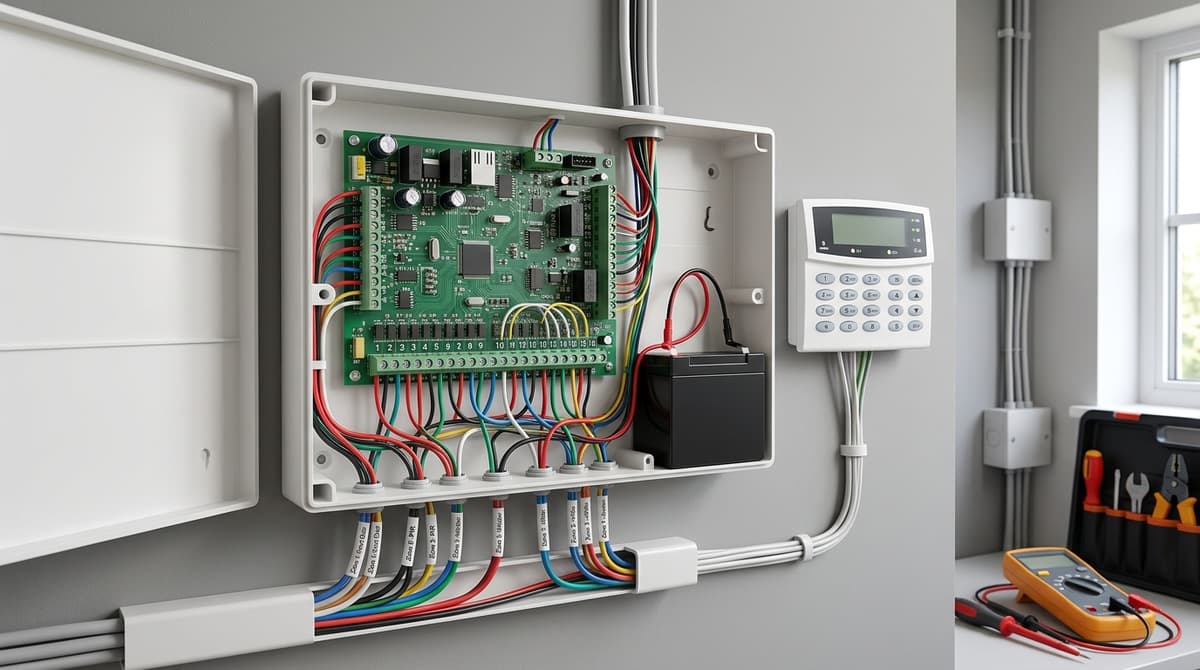
Texecom Premier Elite is a scalable family of intruder alarm control panels — spanning wired, wireless and hybrid models such as the 12-W, 24, 48 and 640 —…
On this page
- What is the Texecom Premier Elite range?
- What this article covers — and what it doesn't
- Which Premier Elite panel size fits a UK retrofit? (12-W, 24, 48, 640)
- How does Ricochet wireless work in a hybrid retrofit?
- Grade 2 vs Grade 3: which certification does a retrofit actually need?
- How do you default or reset a Texecom Premier Elite panel?
- Related products
Texecom Premier Elite is a scalable family of intruder alarm control panels — spanning wired, wireless and hybrid models such as the 12-W, 24, 48 and 640 — built on one shared programming architecture so keypads, PSUs and expanders carry across the range, per Texecom's own product page.
The important qualification is that "Premier Elite" isn't a single spec: certification (EN50131 Grade 2 or Grade 3 Class II), zone counts and features differ by exact model, so the right choice depends on how many zones and areas your retrofit actually needs, now and for future expansion.
This article focuses on panel selection, zone sizing, wireless (Ricochet) options and defaulting — not the physical install, which remains your installer's job.
What is the Texecom Premier Elite range?
Premier Elite is Texecom's scalable control panel platform, running one shared programming architecture across wired, wireless and hybrid intruder alarm panels — from the small Premier Elite 12-W right up to the Premier Elite 640, per the Texecom Premier Elite page. Every panel in the range takes the same keypads, zone expanders and power supplies, so an engineer who knows one Premier Elite panel can programme and service any other in the family without learning a second menu system or stocking a second set of spares.
That common architecture — not any single panel size — is what defines Premier Elite. It's why installers see the same on-screen logic on a 24-zone system and a 640-zone commercial install.
Certification varies by model rather than applying uniformly across the range. As examples: the Premier Elite 24 control panel (CAA-0026) is rated EN50131-1 and EN50131-3, PD6662:2017, Grade 3 Class II, while the Premier Elite 64-W wireless panel is rated EN50131-1, EN50131-3, EN50131-5-3, PD6662, Grade 2 Class II. Check the specific model's datasheet before assuming a rating carries across the family.
What this article covers — and what it doesn't
This piece focuses on choosing between panel sizes (including the Premier Elite 24, the Premier Elite 12-W and the Premier Elite 64-W wireless option), zone-count planning, and Ricochet wireless expansion via the texecom ricochet premier elite wireless intruder system.
It does not cover fitting the panel to a wall or first-fix wiring — that's the job of the customer's own alarm installer or electrician, working from Texecom's own installation manual and quick start guide for the model in question. For buying, the Texecom Premier Elite 64W Wireless Alarm Kit and Texecom Premier Elite 24 Control Panel are both stocked, ready for same-day dispatch.
Which Premier Elite panel size fits a UK retrofit? (12-W, 24, 48, 640)
Panel choice should be set by how many zones a retrofit needs today plus realistic headroom for a garage, outbuilding or extension later — not by square footage alone. Texecom's range shares one programming platform across sizes, so upgrading a panel later doesn't mean relearning the system, per Texecom's Premier Elite overview.
For a typical flat or small terrace retrofit with wired and a handful of wireless zones, the Premier Elite 12-W (CGA-0001) covers 8 on-board zones expandable to 12, supports both wired and wireless devices, and is rated to EN50131 Grade 2. See current pricing and specification on the product page.
Step up to a semi-detached or small commercial unit and the Premier Elite 24 (CAA-0026) is the more common retrofit choice: 8 zones expandable to 24, 2 areas, 25 user codes and a 500-event time-and-date-stamped log. It supports SmartCom and SmartCom 4G communicators with remote diagnostics via Texecom Cloud, and carries EN50131-1 and EN50131-3 Grade 3 Class II certification per Texecom's Premier Elite series leaflet.
Check current pricing on its product page.
Larger retrofits — multi-let commercial premises or a house being split into flats — push into 48 and 640 territory, where zone count and area segmentation matter more than raw distance covered:
| Panel | Zones | Areas | Grade |
|---|---|---|---|
| 12-W | 8, expandable to 12 | — | EN50131 Grade 2 |
| 24 | 8, expandable to 24 | 2 | Grade 3 Class II |
| 48-W | expandable to 48, up to 32 Ricochet devices | 4 | PD6662:2010 Grade 2 Class II |
The practical rule: pick the smallest panel that covers your zone count plus one expansion step, since stepping up later means a full panel swap, not a firmware unlock.
If the retrofit is wireless-first, the Premier Elite 64-W sits above the 48-W with 32 on-board wireless zones expandable to 64, and the 64-W LIVE variant adds an on-board LCD keypad with prox reader, both rated EN50131-1/-3/-5-3 PD6662 Grade 2 Class II per Texecom's 64-W product page.
For a ready-built wireless retrofit kit rather than a bare panel, the Texecom Premier Elite 64W Wireless Alarm Kit (KIT-1002) bundles the 64-W panel with Ricochet Odyssey X-W sounder and P15-W Capture PIRs for Grade 2 installs, while the Kit-1003 uses the 64-W LIVE panel with SmartKey fobs and PetWise mode.
Any Premier Elite panel install should be carried out by the customer's own electrician or installer, referencing the relevant Premier Elite installation manual before commissioning. Because rewiring existing end-of-line resistor circuits into a wired panel is often the most disruptive part of a retrofit, a wireless-first choice like the 64-W or 64-W LIVE can reduce cable chasing in listed or period buildings where the walls are the constraint, not the zone count.
How does Ricochet wireless work in a hybrid retrofit?
Ricochet is Texecom's mesh wireless protocol: instead of every sensor talking straight back to the panel, each battery device can relay another device's signal, hopping it across the property until it reaches the control panel, per the Ricochet Mesh Technology page. That mesh structure is what makes it viable in older housing stock, where a single-hub wireless system can struggle through solid walls or long runs.
In a retrofit, the appeal is that you're not chasing cable through finished plaster, skirting or stairwells — you add a Ricochet detector and it uses neighbouring devices as stepping stones back to the panel, rather than needing direct line-of-sight or a strong single hop. Ricochet avoids cable chasing, which can reduce retrofit disruption in listed buildings and refurbishments compared with running new cable for a wired Premier Elite 24 or 48.
Texecom scales this across its wireless panel range, and the two figures worth knowing when sizing a retrofit are the on-board hard-wired zone count and the Ricochet device ceiling:
| Panel | Hard-wired zones | Expandable to | Ricochet devices | Areas | User codes |
|---|---|---|---|---|---|
| Premier Elite 24-W | 4 on-board | 24 zones | up to 16 | 2 | 25 |
| Premier Elite 48-W | 4 on-board | 48 zones | up to 32 | 4 | 50 |
Both figures come from the Premier Elite Wireless leaflet. The 4 hard-wired zones on each panel matter for retrofit planning too — they're normally used for the one or two points (front door, existing wired PIR) where cable is already in place, with Ricochet covering everything added afterwards.
For larger hybrid jobs, Texecom also lists a 64-W LIVE panel with 32 on-board wireless zones expandable to 64, built on the same Ricochet MT2 mesh and rated EN50131-1, EN50131-3, EN50131-5-3 to PD6662 Grade 2 Class II. A pre-configured example is the Texecom Premier Elite 64W Wireless Alarm Kit, which pairs the 64W panel with Ricochet-enabled PIRs for exactly this kind of mixed wired/wireless install.
Any Premier Elite install, wired or Ricochet, should be scoped and fitted by the customer's own electrician or alarm installer against Texecom's installation manual for the panel in question.
Grade 2 vs Grade 3: which certification does a retrofit actually need?
A Grade 3 Class II panel like the Premier Elite 24 suits higher-risk or insurer-mandated installs, while Grade 2 Class II covers most domestic retrofits without the added complexity. The right choice comes down to what's actually being protected and who's asking for the certificate, not which panel has the longer spec sheet.
The Premier Elite 24 (CAA-0026) is certified to EN50131-1 Grade 3 Class II, EN50131-3 Grade 3 Class II and PD6662:2017 Grade 3 Class II, with 8 zones expandable to 24, 2 areas, 25 user codes and a 500-event time-and-date-stamped log. That combination suits sites where an insurer or an alarm receiving centre has specified the higher grade — commercial premises, higher-value contents, or a policy condition that names it explicitly.
By contrast, the Premier Elite 12-W (CGA-0001) is certified to EN50131 Grade 2, Environmental Class II, and the 64-W wireless kits carry EN50131-1, EN50131-3 and EN50131-5-3 to PD6662 Grade 2 Class II per the Texecom 64-W LIVE datasheet. Grade 2 is the certification most domestic Ricochet wireless retrofits ship under, including the Texecom Premier Elite 64W Wireless Alarm Kit with its 32 on-board wireless zones expandable to 64.
The certificate on the box isn't a universal insurer rule — it's a factor to confirm with whoever specified the job before ordering. Some policies name a grade explicitly; others leave it to the installer's risk assessment. On a retrofit, that means checking the existing specification or asking the alarm receiving centre what they'll accept for monitoring, rather than assuming either grade is automatically compliant.
Neither grade is "better" in isolation — Grade 3 buys certified resistance suited to higher-risk environments, Grade 2 keeps a wireless retrofit simpler to commission on a typical house. On a retrofit that involves stripping out an old wired panel, Ricochet's mesh avoids cable chasing, which can reduce disruption on refurbishments and listed buildings compared with re-running end-of-line wired zones. The decision is about matching the panel to the risk and the paperwork, not upgrading for its own sake.
How do you default or reset a Texecom Premier Elite panel?
Defaulting or resetting a Premier Elite panel is an engineer-level task governed by the installer manual and engineer code, not something to attempt from a keypad guess. CCTV Master sells the Premier Elite hardware; your own electrician or alarm installer carries out the fitting and configuration, so the honest answer is to point you at the manufacturer's own documentation rather than publish steps we can't verify against your panel's firmware.
Texecom publishes a separate Installation Manual, Master User Guide and Quick Start Guide for each control panel, updated to match the firmware it ships with. The Premier Elite 64-W product page lists Firmware V6.06.03 alongside its Installation Manual, Master User Guide and Quick Start Guide as separate downloads, and the Premier Elite 640 downloads page lists the same manual set plus its own current firmware and Wintex software. Check the download page for your exact model before relying on any figure quoted elsewhere.
Why this matters in practice: a default or reset sequence correct on one firmware build won't necessarily apply to another panel in the range, and getting it wrong on a monitored system can trigger false signals to an ARC or lock you out of programming mode. Texecom's own registered-installer channel, the TexecomPro app, gates engineer-level procedures behind installer login credentials rather than publishing them generically — which is the same reason we don't reproduce a code sequence here.
We won't invent an engineer default code, a keypad key sequence, or a DIP-switch procedure — none of that is published anywhere we can verify, and a wrong code entered repeatedly on a Grade 2 or Grade 3 panel risks tamper lockout. If you're the installer of record, download the Installation Manual matching your exact model and firmware from Texecom directly. If you're a homeowner locked out, your alarm company or a qualified engineer holding the current engineer code is the correct route, since resetting without the right manual and access level isn't something a hardware retailer can responsibly walk you through.
For buying the panel itself — a Texecom Premier Elite 24 Control Panel (CAA-0026) or the Premier Elite 64W wireless kit — orders are ready for same-day dispatch; the reset itself stays with your installer and Texecom's own manuals.
Related products
Related products from our own range:
- Texecom Premier Elite 64W Wireless Alarm Kit KIT-1002 — Texecom Premier Elite 64W is a Ricochet wireless alarm kit for UK residential and commercial Grade 2 installations, with 32–64 zones and PIRs.
- Texecom Kit-1003 Premier Elite 64-Zone Wireless Alarm — Texecom Premier Elite wireless alarm kit with 64-W LIVE control panel, expandable to 64 zones. Includes PIR detectors, SmartKey fobs and PetWise mode for
- Texecom Premier Elite 12-W Control Panel — Texecom Premier Elite 12-W CGA-0001 is a UK intruder alarm control panel with 8 on-board zones expandable to 12, plus wired and wireless support.
- Texecom Premier Elite 24 Control Panel CAA-0026 — Texecom Premier Elite 24 control panel (CAA-0026): 8 zones expandable to 24, Grade 3 Class II rated, SmartCom 4G connectivity, remote diagnostics via Texecom Cloud.
This article was researched and written by CodeNest.
