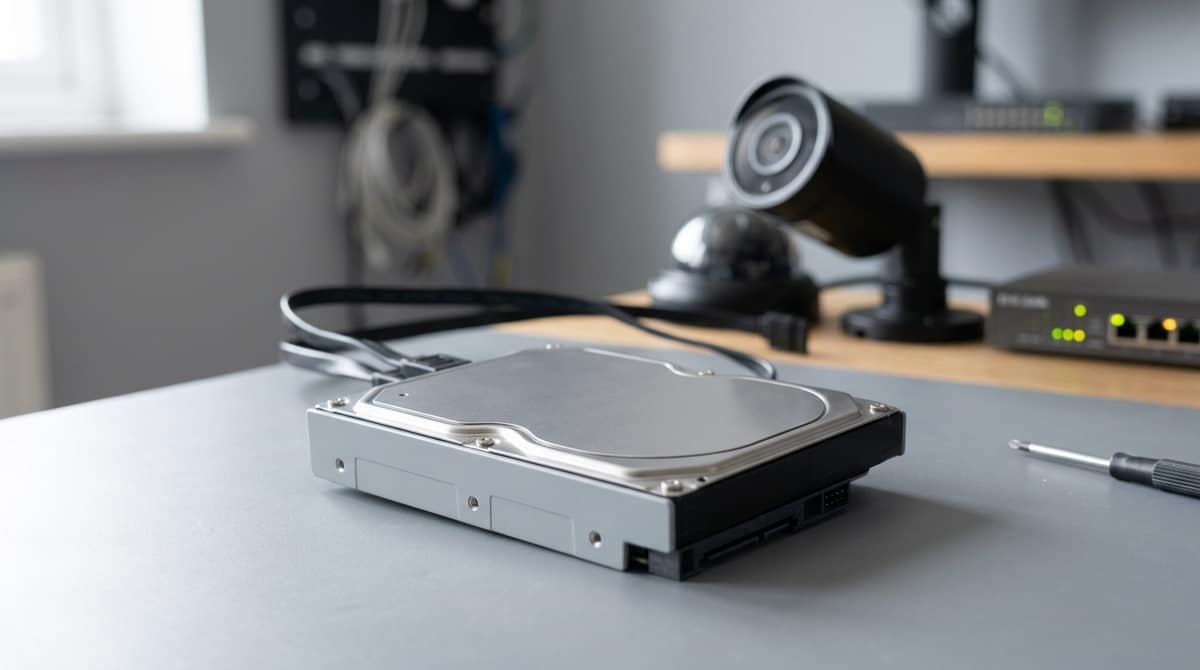
A surveillance hard drive is a 3.5" SATA drive built for continuous, write-heavy video recording, with firmware tuned to avoid dropped frames and a workload rating aimed at round-the-clock writing rather than desktop use.
Seagate's SV surveillance drive datasheet gives that drive a workload of 180TB/year, three times that of desktop drives, and lists support for 64 cameras per drive. Those figures apply to that Seagate model, so check the datasheet for any drive you are considering.
Which surveillance drive suits you still depends on your recorder and how many cameras it is handling.
What is a surveillance hard drive, and how does it differ from a desktop drive?
A surveillance hard drive is a 3.5" SATA drive built for continuous, write-heavy video recording in a DVR or NVR, with firmware tuned to avoid dropped frames.
That is also what people mean by a "surveillance internal hard drive". Our own listings describe these drives as designed for continuous 24/7 operation and for DVR and NVR recording environments. The Toshiba S300 Pro 10TB (£343.85) runs at 7200RPM and adds a 256MB cache. The Seagate SkyHawk 4TB is a 5900RPM drive sold with ImagePerfect firmware for video stability.
The clearest difference from a desktop drive is workload. Seagate's SV datasheet quotes 180TB per year, three times that of desktop drives. It also lists low power draw and startup current to limit heat and vibration, tarnish-resistant components, and rotational vibration (RV) sensors to support reliable performance in multi-drive systems.
| Drive |
Workload rating |
Other documented capability |
| Seagate SV |
180TB/year |
Up to 64 cameras per drive (capacities to 8TB); 8+1 drives per system |
| WD Purple |
Model-specific; check the datasheet for your capacity |
Supports mainstream DVR or NVR systems of up to 16 bays, per WD |
| Toshiba S300 AI |
Model-specific; check the datasheet for your capacity |
Up to 64 cameras, plus 32 AI streams |
A desktop drive can store CCTV footage, but a surveillance drive is designed for the constant writing, heat and multi-drive vibration of a recorder. Workload ratings vary by model, so check the datasheet for the exact capacity you are buying rather than assuming a range-wide number.
Why do desktop and NAS drives fail in a 24/7 CCTV recorder?
Because a recorder writes every camera's video non-stop, and desktop and NAS drives are not tuned for that pattern of workload, heat and bay count.
Workload
Seagate's surveillance drive datasheet specifies a workload of 180TB a year, "three times that of desktop drives". A recorder is writing almost continuously, so the workload rating matters more than capacity. Check it before you buy.
Heat
NVR enclosures are often warm and poorly ventilated. WD describes its Purple range as engineered for high-temperature, always-on systems. Seagate points to low power draw and low start-up current to limit heat. Both are design intents rather than failure-rate data.
Vibration in multi-bay recorders
With several drives spinning in one chassis, vibration from neighbouring drives becomes a concern. Seagate credits rotational vibration (RV) sensors for reliable multi-drive performance, and its guidance is that RV-sensor models suit 8+ bay systems, while models without them suit eight bays or fewer. WD quotes Purple for recorders of up to 16 bays.
Where NAS drives fit
NAS drives sit closer to surveillance drives than desktop drives do, because they are made for always-on, multi-bay enclosures. They are generally tuned for mixed file access rather than a constant video write stream, though, so compare the workload rating and the recorder's compatibility list before using one.
For a like-for-like replacement, the Seagate SkyHawk 4TB is one drive sold for 24/7 DVR/NVR recording.
How do you recognise a failing recorder drive?
A failing recorder drive can show up as recording gaps, "HDD error" or "no disk" alerts, or playback that stutters. The list below is general troubleshooting guidance, not statistics from our data or any manufacturer's.
Symptoms to watch for
Possible warning signs include:
- The recorder shows "HDD error" or "no disk", or reports the drive as uninitialised.
- Playback has gaps or missing time ranges, even though the cameras were live.
- Footage pixelates or stutters. WD describes its AllFrame technology as aimed at smooth playback across multiple cameras.
- The recorder reboots by itself, or its menus become slow.
- The drive makes unusual clicking noises.
Every one of these can also point to a power, cabling or recorder fault, so don't condemn the drive on one symptom.
First steps
- Back up anything important now, before any further troubleshooting.
- Open the recorder's HDD status page and note what it reports.
- Check the manual to see whether the recorder exposes SMART data. Not every model does.
Ruling out the non-drive causes
Check the recorder's power supply, the seating of the SATA cable and BNC connectors, and ventilation around the unit. Overheating and a loose connector can both mimic a dying disk.
Your own electrician or installer should carry out any physical work. The recorder's installation guide covers how to access the drive bay safely.
If the drive is confirmed faulty, replace it with a surveillance-rated model such as the Seagate SkyHawk 4TB.
Which surveillance drive should you choose for your recorder?
The best surveillance hard drive is the one your recorder's datasheet supports, whose workload rating covers your camera count. Capacity and price come after that.
Selection checklist
- Workload rating against camera count: compare the manufacturer's annual workload figure with your stream count. Seagate's SV datasheet quotes 180TB/year and 64 cameras per drive for that model, and other ranges differ.
- Recorder compatibility: the NVR datasheet gives the maximum drive size and the number of bays.
- Eight or more bays: look for rotational vibration (RV) sensors. The same Seagate datasheet lists them for multi-drive systems.
- Warranty length: this varies by range, so read the product page rather than assuming.
- Spindle speed: 5400/5900RPM drives may run cooler and draw less power, while 7200RPM drives are often chosen for heavier workloads. Both points are model-dependent.
Options from our range
- Toshiba S300 4TB (5400RPM): a sensible 4TB surveillance hard drive for small and mid-size systems.
- Seagate SkyHawk 4TB (5900RPM): the same capacity, with ImagePerfect firmware, for buyers who prefer Seagate.
- 6TB SATA hard drive (7200RPM): a middle step for busier recorders, listed as compatible with DVR, NVR and NAS.
- Toshiba S300 Pro 10TB (7200RPM, 256MB cache): £343.85, for larger multi-camera systems where the recorder accepts 10TB.
Your own electrician or installer fits the drive, so check the recorder's installation guide first.
Confirm the model line and datasheet, have your own installer fit it, format it from the recorder's storage menu, and securely wipe or destroy it at retirement.
Identifying one
Colour is not proof, so read the label and the model line: WD Purple, Seagate SkyHawk and Toshiba S300 are all surveillance ranges. Then check the datasheet's workload rating. Seagate's surveillance datasheet for its SV drive quotes 180TB per year, three times its figure for desktop drives. A desktop drive with no such rating is the one to be suspicious of.
Your own electrician or installer should fit the drive; the recorder's manual or the product's installation guide covers bay and cable details. Formatting is done from the recorder's storage menu, and the menu name varies between makes, so follow the manual.
Formatting erases everything on the drive, so never reuse one holding data you need until you have copied it off.
Mixing drives
As general guidance, keep one model and capacity per recorder unless its manual says mixing is supported. Buying matched drives together, such as two Toshiba S300 4TB units, avoids the question.
Retention and disposal
Under UK GDPR and the ICO's CCTV guidance, how long you keep footage should match the purpose you have stated. A drive that has held footage should be securely wiped or physically destroyed before it leaves your hands. Treat an ordinary recorder format as insufficient for that.
Related products from our own range: