
cctv for retail shop
Best CCTV for Retail Shops 2026: Till & Coverage
A retail shop needs cameras at four non-negotiable points — entrances/exits, tills, high-theft shelving and stockroom/delivery access — with everything else…
On this page
- Where do cameras actually need to go in a shop?
- Aisle coverage vs a leaner core plan
- Stockroom vs shop floor is a different design brief
- How should till and POS cameras be positioned?
- The classic mistake
- Housing and lens choice for till zones
- Practical positioning points
- How do you map blind spots around the shop floor and stockroom?
- What does GDPR-compliant signage actually require in a retail shop?
- Can a customer ask to see a shop's CCTV footage of themselves?
A retail shop needs cameras at four non-negotiable points — entrances/exits, tills, high-theft shelving and stockroom/delivery access — with everything else best treated as top-up coverage rather than a camera in every aisle; most small shop installs run on around four cameras covering those choke points, not one per gondola run. The one qualification that changes the whole plan: stockroom cameras exist to protect staff and stock accountability, so they carry different signage and access expectations than customer-facing shop-floor cameras, and under UK data protection rules you must tell people they're being recorded and be ready to produce footage if a customer or police officer asks for it.
Where do cameras actually need to go in a shop?
The positions worth prioritising are the entrance/exit, the till point, any high-value or high-theft shelving, the stockroom access door, and the delivery door round the back — everything else is topping-up coverage rather than core protection.
Generic "business CCTV" guidance tends to talk about camera counts per square metre or per floor. Retail is different because the layout itself creates the risk: gondola shelving throws up blind corners the moment you turn a camera down a standard aisle, the queue line at the till bunches people together in a way an entrance camera alone won't resolve, and changing rooms carry their own restrictions — audio recording and any camera view into a fitting room raise data protection issues under the ICO CCTV code that a warehouse or office simply doesn't have to think about.
The core five — entrance/exit, till, high-theft shelving, stockroom door, delivery door — cover the moments where loss actually happens; aisles are secondary.
Aisle coverage vs a leaner core plan
There's a real trade-off between covering every aisle and running a leaner setup on the choke points. As a rough guide, a small shop can often get useful coverage from a handful of cameras rather than one per aisle — enough for entrance, till, one high-value bay and a stockroom or back-door view, not full gondola-by-gondola coverage.
Going beyond that makes sense once a shop has multiple aisles with poor sightlines, a second entrance, or stock lines that draw a disproportionate amount of theft. Where budget is the constraint, prioritise in this order:
- Entrance/exit — captures every person who enters or leaves
- Till point — covers cash handling and the transaction itself
- High-theft shelving — the specific bays with the highest shrink
- Stockroom access — internal theft risk, separate from shopfloor risk
- Delivery/back door — goods-in discrepancies and out-of-hours access
Stockroom vs shop floor is a different design brief
The stockroom camera is solving internal-theft and goods-in accuracy, not shoplifting deterrence — it's a distinct problem from the shopfloor cameras and should be treated as one when planning positions rather than an afterthought bolted onto the same NVR channel. A back door used for deliveries also needs to double up as an access-control check, since that's often the point of highest out-of-hours vulnerability.
If you're speccing this out, Shop at cctvmaster.co.uk or ask about trade pricing to compare camera specs against the specific choke point each one is meant to cover, rather than buying a uniform kit and hoping it fits the floor plan.
How should till and POS cameras be positioned?
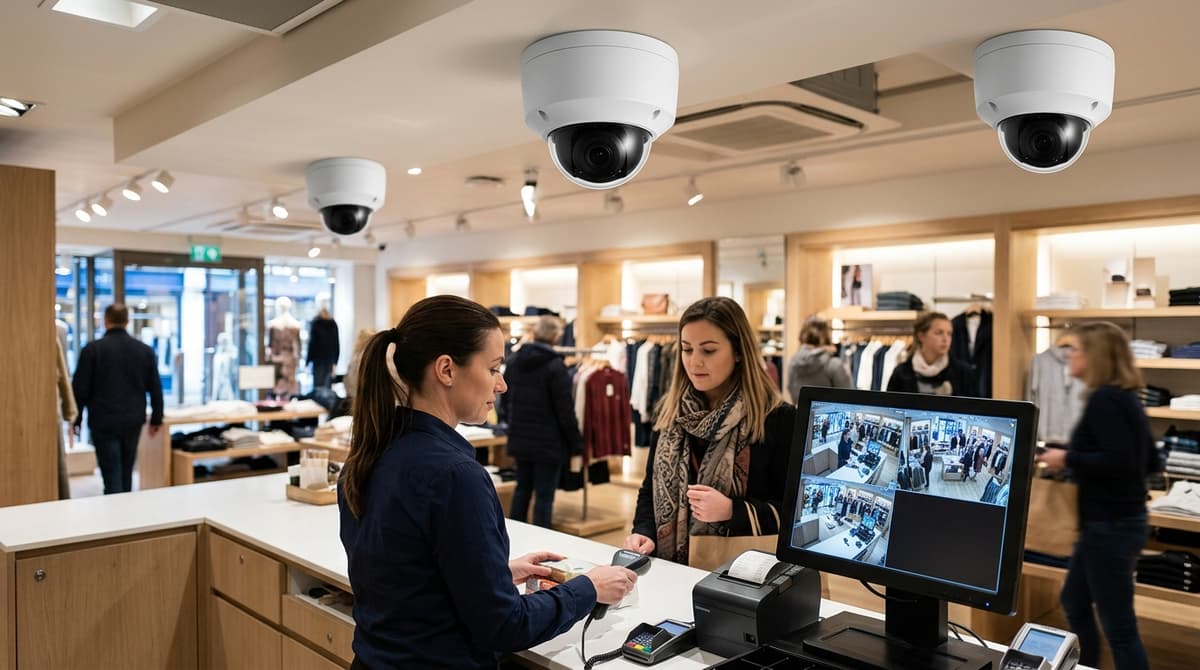
Mount one dedicated camera above and slightly behind each operator, angled down onto the drawer and screen to capture the transaction and customer's face on approach. Each till point needs its own camera rather than one wide shot covering multiple tills.
The till camera's real job is capturing the transaction itself — hands on the drawer, the till screen, cash changing hands — plus the customer's face as they approach, and that means one camera angled down from behind or above the operator rather than a wide shot of the whole counter. A dedicated close-in view per till point tends to beat one camera trying to cover the entire counter run.
The classic mistake
The most common error is fitting a single wide-angle camera to cover a whole counter with two or three tills. It looks efficient on the plan but delivers no usable face or hand detail on any one till, because everyone in frame is small and distant. Where a shop runs multiple tills, each point generally needs its own dedicated camera rather than sharing coverage from one wide lens.
Housing and lens choice for till zones
A fixed turret or dome kept close to the till avoids the parallax problems of a ceiling-mounted PTZ trying to hold position on a static point — a moving PTZ has to be re-aimed and can drift off the exact drawer/hands framing a till needs. For this kind of short-throw job, a fixed camera with a short focal length (commonly around 2.8mm) suits a till mounted close to the counter, since it doesn't need zoom or tracking to hold the transaction in frame — browse turret and dome options to match housing and lens to your counter layout.
Practical positioning points
- Mount above and slightly behind the operator's shoulder, angled down onto the drawer and screen — not straight across the counter.
- Aim the same field of view to catch the customer's face on approach, before they reach the till.
- Keep the throw short: a till camera is a close-range job, so a fixed short-focal-length lens generally frames better than a zoom set wide.
- With more than one till, budget one camera per point rather than one wide camera per counter run.
Ask about trade pricing if you're specifying several identical till cameras across multiple lanes.
How do you map blind spots around the shop floor and stockroom?
Walk the actual customer and staff routes through the shop to check what each camera genuinely captures around shelving, pillars and doorways, because blind-spot mapping is a physical walk-through, not something achievable from a specification sheet.
Walk the actual route a customer or a member of staff takes — till to stockroom to fire exit — and check what each fixed camera genuinely captures around shelving, pillars and door swings, because blind-spot mapping is a physical walk-through, not something you can do from a spec sheet. A camera's field of view looks complete on a floor plan and still misses the one aisle where stock disappears.
Common blind spots in a retail layout:
- Behind tall gondola shelving — a camera mounted at the front of the shop rarely sees down the back of a run of shelving taller than head height, which is exactly where low-value, high-theft items get pocketed.
- The reverse side of a doorway — a single camera aimed at an entrance typically catches people leaving but not the moment they arrive, since the lens can't cover both directions of a door swing at once.
- Stockroom access blocked by shelving — a camera covering the stockroom door is often obstructed by the racking just inside it, so you get a record that someone went in, not what they did once inside.
- Changing room entrances — a camera can lawfully cover the corridor approach to a fitting room but never the cubicle itself; this is a hard limit, not a mounting problem to solve with a different angle.
Ceiling height and mounting practicality
Above a till point, ceiling height is often the deciding factor rather than the camera's spec.
Where the ceiling is low, a hanging or ceiling-mounted monitor showing customers the live feed — the "you are on camera" effect — can do more for deterrence than the camera itself, and a fixture like a Steel Ceiling TV Mount lets that screen sit clear of stock and shopfront sightlines without eating into usable floor space.
Map the route first, then choose mounting hardware to fit what the walk-through actually found — not the other way round.
What does GDPR-compliant signage actually require in a retail shop?
A shop must display a visible sign at each customer entrance stating both that cameras are recording and why, and must provide recorded images to anyone within one calendar month. Staff-only areas require separate employee notification about monitoring.
A shop running CCTV must put up a sign telling people it's in use and why, and must be able to provide recorded images to anyone who requests them within one calendar month, share images with the police if asked, keep footage only as long as the business needs it, and pay the data protection fee — all set out in GOV.UK's guidance on commercial CCTV. Notably, a shop usually cannot charge a fee for providing those images, per the same guidance.
In practical terms for a shop floor, that means a visible sign at each customer entrance as the minimum expectation — not just one notice buried near the till. The sign has to explain both that cameras are recording and why, so a generic "smile, you're on camera" notice without a stated purpose falls short of what GOV.UK describes.
Staff-only areas raise a separate question. A camera covering a stockroom, staff corridor or till-side cash office is capturing employees rather than customers, and staff need to have been informed separately about that monitoring — signage aimed at customers at the shop entrance doesn't do that job. This is a different lawful-basis question from customer-facing CCTV, and it's worth resolving before the camera goes live rather than after a complaint.
For wording and a self-assessment checklist, GOV.UK points shop owners toward the Information Commissioner's Office's own CCTV guidance — that's the primary reference to work from rather than any third-party summary. Getting the signage and retention policy right is a compliance task that sits alongside the hardware choice; once that's sorted, CCTV Master can help with the cameras, NVR and PoE switch that make up the actual retail CCTV system.
Can a customer ask to see a shop's CCTV footage of themselves?
Yes. GOV.UK confirms that a business must, in most circumstances, be able to provide images within one calendar month to anyone it has recorded — this is exactly what a customer is invoking when they say they want to "request CCTV from a shop."
The key word is "themselves." This is a subject access request for footage of the requester, not a general right to browse the whole system or see footage of other shoppers or staff. A shop cannot lawfully hand over unrelated clips, and doing so would risk breaching the privacy of the other people caught on camera. If someone asks "can I request CCTV from a shop," what they're entitled to (in most circumstances) is the footage that shows them, not the footage that shows everyone else.
There's usually no charge for this. GOV.UK states plainly that a business usually cannot charge a fee for providing images, and the same page notes a parallel duty: images must be shared with authorities such as the police if they ask for them, separate from any customer request.
This is where camera placement earns its keep. Retailers who follow the earlier coverage priorities — tills, entrances and exits — find these requests far easier to fulfil, because the footage a customer actually asks for (a payment dispute, an incident near the door) usually falls inside the zones already covered in useful detail, rather than sitting in a gap between cameras.
This article was researched and written by the IT Master content engine.
