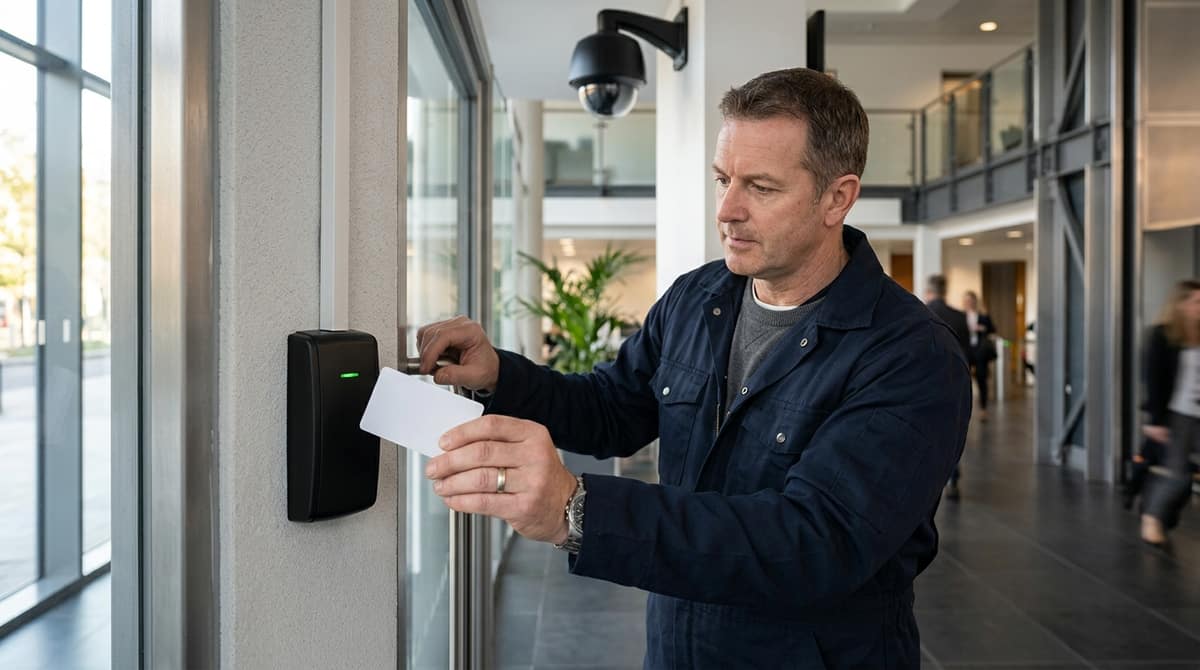
A proximity card reader unlocks a door by reading a credential held near its sensor and sending an ID signal to a controller — but which frequency it uses changes what it can actually do: 125kHz readers only pass a fixed ID number, while 13.56MHz MIFARE-class readers carry a chip capable of encryption and extra data. Paired with CCTV, that access event becomes a timestamped record you can match against footage, turning "who unlocked this door" into "who unlocked it and what the camera captured" — provided your retention policy treats both the access log and the video as personal data under UK GDPR.
What Is a Proximity Card Reader, and Why Pair It with CCTV?
A proximity card reader authenticates a credential — a card, fob or tag — held near a sensor and, on a valid match, signals a door controller over a Wiegand connection to release the lock.
Per Wikipedia's proximity card entry, the card and reader communicate through resonant energy transfer between the card's coil and the reader's antenna, so no physical contact or insertion is needed — unlike the older magnetic-stripe cards it replaced.
The reader's antenna transmits a continuous short-range RF field; when a passive card enters that field it's powered by the signal itself and returns its stored facility code and serial number, per the same Wikipedia entry.
Proximity meaning vs smart card: not the same thing
"Proximity card reader" specifically means 125 kHz, ID-only technology: the card carries a fixed facility code and serial number with no onboard memory or processing, so it can be read but not written to or encrypted.
A "smart card" reader, by contrast, typically operates at 13.56 MHz and works with cards that carry a memory chip and, in many cases, cryptographic capability — used where the credential needs to hold more than a static ID or support mutual authentication.
If a PAA search sends someone comparing "proximity reader vs smart card reader," the practical distinction to give is: proximity for straightforward door-entry identification, smart card where higher security or data storage on the card itself matters.
Passive 125 kHz cards need to be held close to the reader — read range depends on the reader's antenna and power, and larger mullion or long-range readers extend this by using a bigger antenna within regulatory limits, as HID's proximity reader range illustrates across its mullion, wall-switch and long-range models. The core fact worth remembering: "proximity" and "smart card" answer different questions — one is about contactless identification, the other about what the card itself can store or compute.
Why pair the reader with CCTV
A standalone proximity reader and controller only give you half the picture: a timestamped log entry saying which credential opened which door, and when. Add an NVR recording the same door, and that log entry becomes correlatable — a stored access event lines up against the same timestamp on camera footage, turning "who unlocked this door" into "who unlocked this door and what did the camera actually see them do." That correlation matters most when a credential is shared, lost or cloned, since the log alone can't confirm who was physically holding it.
For UK sites already running Hikvision range, Dahua, Annke, Tiandy or TP-Link VIGI NVRs, entry-level access hardware such as an RFID keypad reader sits alongside that recording setup rather than replacing it — see CCTV Master's range, including the ACM-A60W-EM RFID Touch Keypad Reader at £12.42, for a waterproof metal-bodied option supporting 125 kHz EM cards with PIN and Wiegand output. Fitting either the reader or the door hardware is a job for the customer's own electrician or installer, working from the product's datasheet.
125kHz vs 13.56MHz MIFARE: What Actually Changes at the Door
A 125kHz proximity card transmits a fixed serial number with no encryption, while a 13.56MHz MIFARE card carries a chip with read/write memory and cryptographic authentication. This makes MIFARE harder to clone but requires closer reading range.
A 125kHz proximity card transmits a fixed serial number with no encryption, while a 13.56MHz MIFARE-class smart card carries a chip that can hold extra data and authenticate itself to the reader, per Wikipedia. That single difference — fixed ID versus authenticated memory — decides whether a credential is suited to a simple door release or a system that also needs time-and-attendance logging, biometric templates or multi-factor checks.
At 125kHz, the card and reader talk purely through resonant energy transfer: the reader's antenna field powers the card, which replies with its facility code and serial number and nothing else, per Wikipedia. There's no read/write memory to secure, so there's also nothing to encrypt — the entire security model rests on how hard the fixed number is to copy.
MIFARE-class 13.56MHz cards, by contrast, carry a chip capable of read/write storage and cryptographic authentication, which is why they turn up in systems that need to write attendance timestamps or store a biometric template on the card itself.
| Factor |
125kHz proximity |
13.56MHz MIFARE-class |
| Data on card |
Fixed ID number only |
Read/write memory, supports authentication |
| Typical passive read range |
Up to around 50cm, case-dependent |
Roughly 2–10cm |
| Cloning risk |
No encryption — ID can be copied more easily |
Chip-based authentication makes cloning harder |
Read range is genuinely case-dependent rather than a fixed spec: Wikipedia notes that 125kHz proximity cards are typically read over longer distances, up to around 50cm, whereas contactless smart cards generally sit in the 2–10cm band. That gap matters at the door itself — a longer-range 125kHz reader suits a vehicle gate or a hands-free entry, while a short-range MIFARE reader forces a deliberate tap, which some sites actually prefer as an anti-tailgating measure.
The practical trade-off is security versus simplicity. Because 125kHz carries no encryption, its fixed ID is easier to intercept and duplicate, which is why many spec writers reserve it for lower-risk internal doors. MIFARE's chip-based authentication doesn't make cloning impossible, but it raises the bar considerably compared with an unencrypted serial number.
For a straightforward internal door — a store cupboard, a plant room, a single-tenant office — a 125kHz keypad reader is often adequate and considerably cheaper to deploy at scale. The ACM-A60W-EM RFID Touch Keypad Reader is one such option: a waterproof, EM 125kHz reader with PIN authentication and Wiegand output, priced at £12.42, suited to sites where a fixed-ID card plus a keypad code is enough friction.
Where the requirement moves towards logging who accessed what and when, or integrating a biometric or app-based credential, a MIFARE-class 13.56MHz reader is the better starting point — and it's worth checking the reader's supported card formats against whatever access-control software or panel it needs to talk to before ordering.
Choosing a Reader for a Multi-Tenant or Commercial Door
A commercial door reader must be specified around audit and integration requirements first, then hardware. Multi-door sites need a reader that outputs to an external controller to timestamp events centrally alongside CCTV footage.
The right proximity card reader for a shared building comes down to three things: how many doors need covering, how many users the credential database has to hold, and whether the reader must feed a shared audit trail alongside CCTV rather than just release a lock. A single shop door and a 40-flat apartment block have almost nothing in common in access control terms, even though both might use the same 125kHz card technology.
A commercial or multi-tenant door needs to be specified around its audit and integration requirements first, hardware second. If the building already runs an NVR or a monitored CCTV system, the access reader's Wiegand output needs to talk to a controller that can timestamp events against camera footage — not just click a relay open. That's a different job from a standalone keypad that only remembers its own user list.
Single door, low user count: standalone keypad+card
For a storeroom, plant room or a small office with one entry point, a standalone unit does the job without extra wiring back to a head-end controller. The 125KHz ID Card Door Access Control Keypad — 1000 Users at £11.49 reads EM 125kHz cards, supports PIN, card or PIN+card entry, and stores up to 1000 users on its own memory — genuinely standalone, no PC or software required for programming.
Its Wiegand 26 input and output means it can still be wired into a larger system later if the building's needs grow, but out of the box it's built to run independently, which suits a single door where a shared audit trail isn't the priority.
Where the reader has to feed a shared controller
Once a site has more than one door, or shares a CCTV/incident log across the building, the reader itself should be treated as an input device to a proper access controller rather than the decision-maker.
The ACM-A60W-EM Touch Keypad RFID Reader at £12.42 is built for exactly that role: it's a waterproof EM 125kHz reader with dual PIN+card authentication and a Wiegand output, designed to hand its card and PIN reads to an external controller rather than make the open/close decision itself.
That separation is what lets a multi-tenant building log every entry event centrally, alongside CCTV timestamps, instead of each door keeping its own isolated record.
Matching reader to scale
| Scenario |
Typical need |
Reader type |
| Single door, low traffic |
Standalone memory, no shared log |
Standalone keypad+card, e.g. 1000-user unit |
| Multiple doors, shared tenants |
Central user database, Wiegand feed |
Reader-only unit into an external controller |
| Door + intruder alarm integration |
Reader tied to alarm panel |
Panel-specific proximity keypad |
For sites where the access reader also has to integrate with an intruder alarm panel rather than a standalone door controller, panel-matched hardware such as the Texecom DBD-0130 Premier Elite Keypad with Proximity Tag at £164.22 brings the proximity tag reader and a 32-character LCD keypad into the alarm system itself, which is a different integration path from a Wiegand-only door reader.
Whichever route fits, the wiring and controller decisions belong with a qualified installer or electrician working from the product's own installation guide — CCTV Master supplies the reader and controller hardware but doesn't carry out fitting work.
Orders placed before 4pm are dispatched the same working day, and where a particular reader shows as awaiting stock it can be arranged on back order — worth asking about before specifying a full multi-door rollout. For anything beyond a handful of doors, get a trade pricing quote before committing to one reader type across a whole block.
The access controller logs card reads and timestamps independently of the NVR's video timeline. Unless a specific integration bridges both systems, installers must manually cross-reference the two logs by timestamp during investigation.
A Wiegand-connected proximity reader hands the door controller a card ID, a timestamp and a granted-or-denied result; that timestamp is what an installer later lines up against the NVR's recording to reconstruct what happened at a door. This is the workflow HID's product pages and door-hardware suppliers like doorcontrolsdirect.co.uk don't cover — they document reader specs and mounting styles, not how the access event log and the video log actually meet in a real investigation.
Two logs, not one
Don't assume a proximity reader and an NVR share a single unified log — by default they're two separate systems recording two separate timelines. The access controller (or panel, in the case of a keypad-and-reader unit like the ACM-A60W-EM RFID Touch Keypad Reader) stores its own event log against its own internal clock. The NVR stamps recorded footage against its own clock, independently, unless a VMS or access-control platform explicitly bridges the two.
Where a genuine integration exists, some VMS/access platforms will pull an access event and jump straight to the matching video clip — but that behaviour depends on the specific controller and NVR/VMS pairing supporting it, not on the reader itself. A standalone Wiegand or OSDP reader feeding a basic panel, with no software bridge to the recorder, will not do this automatically; the installer manually cross-references the two logs by timestamp.
What to confirm when speccing a job
Before quoting a combined access-and-CCTV job, check:
- The controller's output protocol — Wiegand (commonly 26-bit) or OSDP — and whether it logs granted/denied events with a timestamp, not just a raw card read.
- The NVR's time source — whether it's synced to the same NTP server or clock reference as the access panel, since drift between the two undermines any manual timeline you build from them.
- Whether an integration exists at all between the chosen access platform and the chosen VMS/NVR — treat this as the exception to confirm, not the default to assume.
The practical takeaway: unless a specific integration is verified, plan for two logs and a manual cross-reference, not one unified record. For straightforward door control — keypad, proximity card, or both — a standalone unit such as the ACM-208C-ID Metal RFID Keypad with PIN Access at £47.87 gives Wiegand output an installer can wire into a controller alongside separately-specified CCTV, but the two systems still need deliberate time-syncing to make a usable incident timeline. Browse the full range at cctvmaster.co.uk or ask about trade pricing when speccing a combined job.
Related products from our own range: