Opening (2–4 sentences)
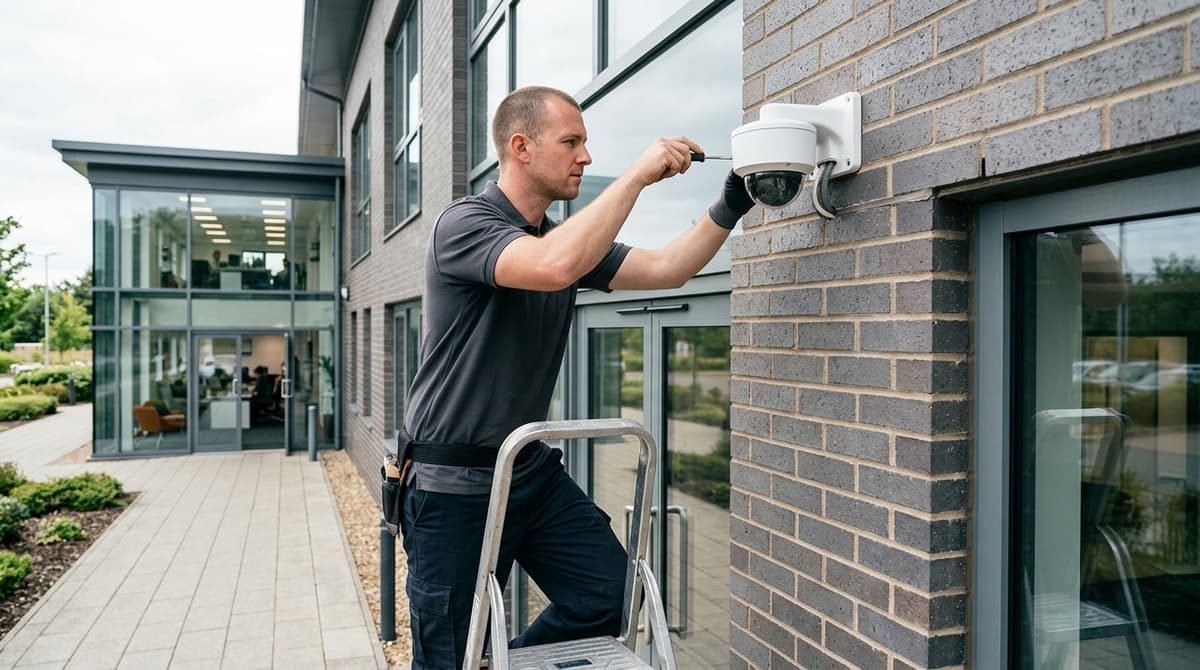
A compliant business CCTV system requires three things most installers won't mention upfront: documented lawful basis under UK GDPR, visible signage before anyone enters a monitored area, and a written data retention policy enforced on your recorder—miss any one and the ICO can fine you or force you to delete months of footage. Before you sign with an installer or buy cameras yourself, you need to understand what "certified" actually means, why installation costs vary so wildly (usually because quotes price entirely different jobs), and what happens if a subject access request lands on your desk next month. This guide covers the legal obligations, installer accreditation standards, and practical checklist every UK business owner and installer should work through together.
Legal Compliance: Why GDPR and Signage Aren't Optional
UK GDPR and the ICO CCTV code of practice make signage, data retention limits, and subject access procedures mandatory — not optional extras you can skip to save money.
You must display a visible sign before anyone enters a monitored area, stating that CCTV is in use and why (e.g. "CCTV in operation for security purposes"). The sign must be clear enough to read from a normal viewing distance; a small A5 notice tucked behind a till or on a back-office door won't satisfy the requirement. Gov.uk CCTV guidance confirms this is a legal obligation, not a courtesy.
Data retention is where many businesses fail. You cannot keep footage indefinitely "just in case"; you must have a written retention policy tied to your actual business need — typically 30 days for general security, longer only if you have a documented lawful reason (e.g. an ongoing investigation). A rolling 30-day delete on your recorder is the practical standard for most shops, offices and warehouses. If you cannot articulate why you're keeping footage beyond that window, you're in breach.
Subject access requests (SARs) are the third common gap. Anyone recorded has the right to request their footage within 1 calendar month of your receipt of their request — no fee, no exceptions. If you ignore a SAR or miss the deadline, the ICO can fine you. Keep a log of every request and your response date; this alone has caught out dozens of installers and business owners.
Most UK businesses must also register with the ICO and pay the data protection fee of £40 per year (or £17.50 if you're a charity or non-profit). Check your registration status at ico.org.uk — if you process personal data (which CCTV footage is), you owe the fee.
The ICO CCTV checklist is your compliance blueprint. Work through it before installation: document your lawful basis (security, staff management, etc.), confirm your retention period in writing, draft your signage, and set up a SAR process. Your CCTV installation company should supply a compliance template; if they don't mention GDPR or the ICO at all, that's a red flag.
Certified Installer vs. DIY: Why the Difference Matters
A certified installer carries professional liability insurance, passes compliance audits and provides a legal audit trail; DIY leaves you exposed to liability, warranty gaps and regulatory non-compliance if a breach occurs.
What Accreditation Actually Protects You
NSI, BAFE and SIA accreditation mean the installer has completed formal training, holds public liability insurance (typically £6–10 million cover), and submits to annual audits of their work and record-keeping. When a certified installer commissions your system, they produce a compliance sign-off — a document proving the cameras, storage and data-handling meet UK GDPR and the ICO's CCTV guidance. If a data breach later occurs and the ICO investigates, that audit trail protects you; without it, your business carries the full liability.
Ask for accreditation proof and an insurance certificate before you sign anything. A genuine installer will email these in seconds; if they hesitate, walk away.
The Hidden Costs of DIY
A DIY system avoids upfront labour, but the real risks are operational and legal. No commissioning means your PoE budget may be miscalculated — a common mistake is overloading a single switch, causing cameras to drop offline during peak recording. Cable runs matter: poor routing (sharp bends, proximity to mains wiring) degrades signal and shortens cable life. Without remote support, a failed recorder or corrupted storage means downtime; a certified installer provides ongoing technical backing.
Most critically, you cannot produce a compliance sign-off yourself. If an employee or customer claims their image was mishandled, or if the ICO audits your retention policy, you have no professional defence and no insurance to claim against.
What a Proper Quote Must Itemise
Your CCTV quote must itemise hardware, labour, commissioning, and legal compliance — if it doesn't, you're buying an incomplete service. A complete quote breaks down:
- Hardware: cameras, recorder, cabling, PoE switch (with wattage spec), mounting brackets — itemised by model and SKU.
- Labour: site survey, cable runs, camera mounting, recorder setup — priced separately from kit.
- Commissioning: testing each camera, focus/exposure tuning, remote access setup, user training.
- Compliance sign-off: a written confirmation that your system meets UK GDPR, data retention policy, and signage requirements.
A quote that says "four-camera system £1,800 installed" is incomplete — you don't know what you're paying for, and if something fails, there's no clarity on what the installer promised to deliver. Most UK businesses pay roughly £350–£600 per camera installed for a straightforward IP PoE system, so a typical four-camera shop or office setup lands around £1,400–£2,400; anything significantly lower often means corners cut on commissioning or compliance.
Why Installer Liability Matters
If a certified installer misconfigures your system and a breach occurs, their professional indemnity insurance covers your losses — legal costs, regulatory fines, notification expenses. If you install it yourself or hire an unaccredited handyman, your business insurance may not cover the breach, and you're liable for the full cost. The ICO's enforcement powers include fines up to £17.5 million or 4% of annual turnover (whichever is higher) for serious data-protection failures; a compliance sign-off from a certified installer is your first line of defence.
Asking the Right Questions Before You Book
Before signing a contract, ask:
- "Can you email me a copy of your NSI/BAFE/SIA certificate and your public liability insurance?"
- "Will you provide a written compliance sign-off after commissioning?"
- "What happens if a camera fails in year two — do you provide remote diagnostics?"
- "Does your quote include a site survey, or is that charged separately?"
A professional installer expects these questions and answers them clearly. If they're vague, evasive or quote without a site visit, they're not the right fit.
The Installation Process: What to Expect and How Long It Takes
A typical four to eight camera IP PoE system takes 1–3 days to install, with a site survey (1–2 hours) upfront and brief network downtime during commissioning. The real timeline depends on cable runs, external work and how your existing network integrates with the recorder.
Site Survey: Planning the Right Layout
The installer will spend 1–2 hours on-site assessing camera placement, cable routing, PoE power budget, NVR location and network/mains access. This is where the job gets priced correctly — two quotes far apart usually mean the installers have quietly priced two different jobs, one with expensive external runs or structural work the other hasn't spotted. A good survey identifies which walls need drilling, whether you'll run cables through existing conduit or new trunking, and whether your network switch has spare PoE ports or needs upgrading to handle the system's power draw (a typical four-camera setup draws 60–80 W; an eight-camera system can exceed 150 W). The surveyor will also check your NVR location — usually a secure comms cupboard or server room — and confirm mains power and network access. Document the survey findings in writing; they become your baseline if scope creeps later.
Installation Timeline: Days and Disruption
Most straightforward four to eight camera systems land in 1–3 days of on-site labour, depending on how many external cameras you're fitting and whether walls need chasing for cables. A single-storey retail unit with all cameras indoors and the NVR in a back office typically takes one day; a two-storey office with external perimeter cameras and cable runs through cavity walls or across a roof can stretch to three days. Installers usually work off-peak (early morning or evening) to avoid disrupting business, and they'll co-ordinate network downtime with you — the NVR setup itself causes only a brief interruption (15–30 minutes) while the recorder boots and joins your network, but it's worth scheduling for a quieter period if your team relies on internet-connected systems. Plan for the site survey and installation as separate visits; most installers book these weeks apart.
Commissioning: Focus, Motion and Remote Access
Once hardware is in place, the installer tunes each camera's focus and iris (especially critical for varifocal lenses in changing light), configures motion detection zones to avoid false alarms from trees or passing traffic, and sets up remote access so you can view live footage and playback on your phone or desktop. This step typically takes 2–4 hours and is where your system goes from wired-up to actually working. The installer will walk you through the NVR interface, show you how to log in remotely, and explain how to export footage if the police ask for it. Don't skip this: a poorly tuned motion detector floods your storage with false alerts, and remote access misconfigured means you can't view your own system.
Network Downtime and Planning
The NVR needs a few minutes to initialise and pull an IP address from your DHCP server; during this window, the recorder is offline and won't record. Most installers schedule this for a time you've agreed — typically before opening or after close — so it doesn't interrupt your CCTV coverage during business hours. If your system is integrated with access control or alarm panels, the installer will co-ordinate the timing with those too. Communicate your preferred installation window in writing when you book; don't assume the installer will guess your busiest hours.
Post-Installation: Credentials, Manuals and Compliance
Before the installer leaves, you'll receive login credentials (written down and stored securely, never texted), a user manual for your specific NVR model, and compliance documentation including signage templates and a data retention policy. UK law requires you to display a notice stating that CCTV is in use and why — the installer will usually provide a template; you're responsible for printing and posting it. Your retention policy should document how long you keep footage (typically 7–30 days depending on your risk profile) and who can access it. The ICO guidance on CCTV in office buildings sets out what you must do; your installer should reference it in the documentation they hand over. Store credentials and manuals in a secure location — not on a shared drive or pinned to the NVR itself.
Choosing Between IP PoE, Hybrid, and Analogue Systems
IP PoE systems are the most common choice for modern UK businesses because a single cable delivers both power and data, eliminating the need for separate power runs and making the system scalable as your premises grow. Most UK businesses pay roughly £350–£600 per camera installed for a straightforward IP PoE setup, so a typical four-camera shop or office lands around £1,400–£2,400 in hardware and labour combined.
IP PoE: The Modern Standard
IP PoE cameras connect via a single Ethernet cable to a PoE-enabled network switch, which supplies both power (up to 95W per port on high-power PoE) and data in one run. This eliminates the cost and mess of separate 12V power supplies and video cables, and means you can add cameras anywhere your network reaches — a major advantage if you need to expand later. Modern IP cameras use efficient codecs like H.265, which compress video to roughly half the file size of older H.264, so your storage and bandwidth costs drop significantly.
Remote access is built in: IP systems let you view live footage and playback on your phone, tablet or PC from anywhere with internet, which matters for retail managers checking in outside hours or multi-site operators monitoring several premises at once. You also get better integration with access control, alarms and analytics (motion detection, people counting, loitering alerts) because everything runs on the same network protocol.
The trade-off is upfront cost and network infrastructure: you need PoE switches (or injectors) already in place, or budget to install them. If your building has poor cabling or no managed switches, that adds labour and expense.
Hybrid DVR/XVR: Bridging Old and New
A hybrid DVR or XVR (extended video recorder) accepts both analogue and IP cameras on the same recorder, making it ideal if you're upgrading an existing analogue system in stages rather than ripping everything out at once. The XVR-3108AD 8-channel hybrid DVR at £89 is a cost-effective recorder option that lets you keep working analogue cameras while adding new IP units, spreading the investment over time.
This approach is practical for businesses with existing coax runs in the walls: you can reuse those cables for analogue cameras while running new Ethernet to new IP units, avoiding expensive rewiring. However, hybrid recorders introduce complexity — you're managing two different camera types, codecs and upgrade paths on one box, which can complicate support and future expansion.
Analogue: Older, Cheaper Upfront
Analogue CCTV (standard definition or HD-over-coax) requires separate cables for power (12V) and video (coax), which means more conduit, more labour, and more clutter in your cable runs. Analogue cameras are cheaper to buy than IP units, but the total installed cost is often similar because of the extra cabling work.
Remote access is limited: you typically need a separate DVR with a built-in internet connection and mobile app, and the experience is slower and less reliable than native IP. Scaling is harder because adding cameras means running new power and video cables, whereas IP just needs network access. For a new build or major upgrade, analogue rarely makes financial sense unless your budget is extremely tight and you have no remote monitoring needs.
Decision Framework: What Matters Most
| Factor |
IP PoE |
Hybrid |
Analogue |
| Installed cost per camera |
£350–£600 |
£250–£450 |
£200–£350 |
| Single cable (power + data) |
✓ |
Partial |
✗ |
| Remote access |
Native, reliable |
Via DVR app |
Limited |
| Future scalability |
Excellent |
Moderate |
Poor |
| Existing analogue reuse |
No |
Yes |
Yes |
Network infrastructure is the deciding factor. If you already have managed PoE switches or can afford to install them, IP PoE is the clear choice for any business planning to keep the system for more than five years. If you're upgrading an existing analogue setup and want to spread costs, a hybrid recorder lets you migrate gradually. Analogue is only defensible if you have no internet connectivity requirement and are replacing a failed system with the minimum spend.
Before choosing, confirm whether your premises has fibre or copper to the building, whether your IT team can support PoE switches, and whether you genuinely need remote monitoring — that last point often settles it.
Maintenance, SLAs and Ongoing Support
A professional CCTV system needs scheduled maintenance, clear response guarantees, and planned storage replacement to stay compliant and operational — annual contracts typically cost £300–£600 for a four-camera setup, and should cover lens cleaning, firmware updates, hard-drive health checks, and compliance audits.
Annual Maintenance and Compliance
Your system must pass regular checks to remain effective and legally sound. A proper maintenance visit includes lens cleaning (dust and condensation degrade image quality), firmware updates to patch security vulnerabilities and add features, hard-drive health monitoring to catch failures before data loss, and a compliance audit to verify that your signage remains visible, your retention policy is documented and enforced, and your system still meets UK GDPR and ICO CCTV guidance. Without this discipline, you risk gaps in footage, unpatched security holes, and regulatory exposure if an incident occurs and you cannot produce the required images within one calendar month.
SLA Expectations: Response Time and Uptime
When your system fails, you need to know how fast help arrives and how long you can tolerate downtime. A typical commercial SLA guarantees a response within 24–48 hours and an uptime target of 99% or better — meaning no more than around 3.6 days of unplanned downtime per year. Clarify upfront whether your installer offers on-site support or remote diagnostics only, and confirm who troubleshoots network issues (your internal IT team or the installer). A remote-only provider can reset recorders and push firmware updates from their office, but cannot replace a failed camera or rerun cabling; on-site support costs more but eliminates the back-and-forth. Spare parts availability matters too — ask whether your installer stocks replacement cameras, hard drives, and power supplies, or must order them, and whether a loaned unit is available while yours is repaired.
Storage and Retention Maths
Your hard-drive capacity must match your recording needs. A four-camera system at 1080p resolution, 30 frames per second, and 30-day retention typically requires around 2 TB of storage — the exact figure depends on your cameras' compression codec (H.264 or H.265) and whether you record continuously or only on motion. Work this out with your installer before purchase: ask them to calculate the daily bitrate for your chosen cameras and multiply by your retention days, then add 10–15% headroom for system overhead. Hard drives in NVRs (network video recorders) degrade faster than desktop drives because they run 24/7; plan for replacement every 3–5 years, and budget this into your total cost of ownership. Many installers include one replacement drive in their maintenance contract, but confirm the terms.
Support Model: On-Site vs. Remote
The support structure you choose affects both cost and recovery time. On-site support means an engineer visits your premises to diagnose and repair faults — essential for hardware failures, cabling issues, or camera repositioning, but slower and more expensive. Remote support allows your installer to log into your NVR, check system health, push updates, and reset components without a visit — ideal for quick diagnostics and software fixes, but useless if a camera is physically damaged or a cable is cut. Many installers offer a tiered model: remote support included in the base contract, with on-site visits charged separately or bundled into a higher-tier plan. Agree the boundary upfront: if your network drops, is that your IT responsibility or the installer's? If a PoE switch fails, who replaces it? Ambiguity here leads to finger-pointing when you need help most.
Annual Maintenance Costs and Total Cost of Ownership
A maintenance contract for a four-camera system typically runs £300–£600 per year, depending on your installer's overheads and whether on-site visits are included. Factor this into your total cost of ownership over five years: if your installation costs £2,000 and maintenance averages £450/year, your five-year cost is roughly £4,250, or £850 per camera. This covers scheduled visits, spare parts (often the first drive replacement), and priority support — without it, you pay call-out fees (typically £150–£300 per visit) and parts at retail prices. A maintenance contract also ensures compliance audits happen on schedule, reducing the risk of a data-protection breach or police request finding your system out of date or misconfigured. Ask whether your contract includes remote monitoring of system health (many modern NVRs can alert your installer to disk errors or network faults before you notice them), and whether firmware updates are pushed automatically or require a manual appointment.